
Q version 4.3.0 supports California Attendance Recovery (AR) calculation and reporting.
CA Attendance Recovery Overview and rules information is available here.
The Q CA Attendance Summary Calculation includes calculation of Attendance Recovery time recorded in a designated AR track, either through regular attendance, Time Tracker - Seat Time attendance, or the Drop-In Attendance application. In the calculation, for each student, Attendance Recovery minutes accrued over the entire date range (P1, P2, or Annual) are applied to absences in full day chunks, starting at the beginning of the date range and moving forward, according to the minimum day requirement of the AR category with the same Level 0 category as the one in which each absence is recorded until 10 days have been applied or there are no more absences.
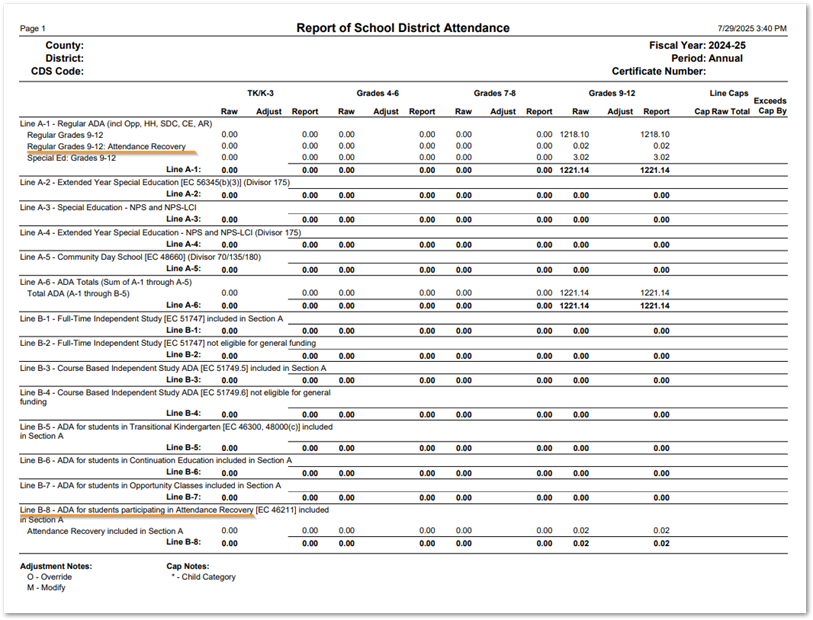
On the CA District Attendance CDE Form, Attendance Recovery data is reported on line B-8.
Track Requirements
These requirements apply to all methods of recording attendance for Attendance Recovery.
- To meet California Attendance Recovery requirements, Attendance Recovery (AR) needs to be set up in its own track, separate from regular enrollment and attendance.
- The track needs to be a positive attendance track.
- The calendar for AR tracks needs to be set up to support when schools plan to offer Attendance Recovery. For instance, it may go from 7/1 to 6/30, and Saturdays or Sundays may need to be set as school days.
- The periods and bell schedules for Attendance Recovery classes need to support the requirement that these classes occur outside the regularly scheduled school day.
- Tracks must have a bell schedule to identify the length of each AR period.
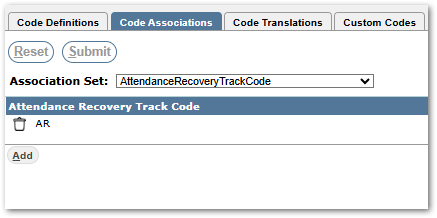
- To identify the track codes of track in which Attendance Recovery will be scheduled and attendance taken, set a Code Association in Lookup Codes for the set: Attendance Recovery Track Code.
Enrollment, Schedule & Attendance Requirements
Regular and Time Tracker attendance require students to be enrolled and scheduled in the designated AR track. Drop-In Attendance on the other hand, provides a simple interface for teachers to select students from any track in the school that appear in their ‘Drop In’ class on a given day and indicate the time they spent in class.
- For all methods of recording attendance for AR, sections will need to be scheduled in order to record student attendance for them. The sections need to have both ‘Take Attend’ and ‘Count Attend’ flags set on in the Master Schedule for Attendance Recovery.
- For Drop-In Attendance, class sections need to have the ‘Drop-In Section’ flag set. See Drop-In Attendance for information.
- For Time Tracker, class sections need to have the ‘Time Tracker’ flag checked on.
- Attendance recorded using Time Tracker needs to use the Time Type of ‘Seat Time’.
Special Education
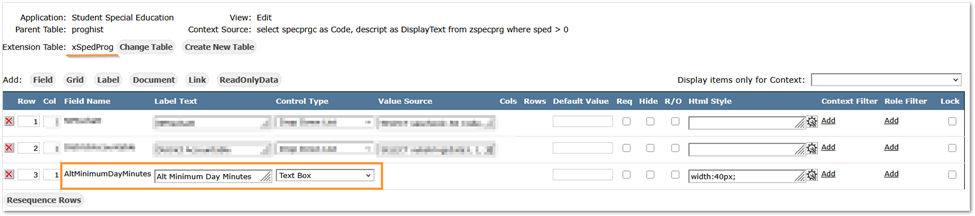
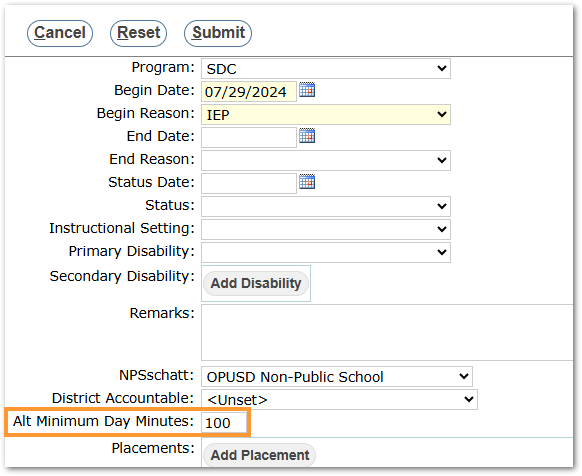
For Special Education students with different full day requirements per their IEP, an extension field is used to store a value for Alternative Minimum Day Minutes for calculating Attendance Recovery Days for the student. The field is found in Student Special Education application and will only be used when populated with an integer number of minutes.
CA District Attendance Reporting
Attendance Recovery has been integrated into the CA District Attendance modules to ensure compliance with CDE reporting requirements. The CA District Attendance Calculation captures and calculates eligible instructional time recovered through regular attendance, Time Tracker, and Drop-In Attendance. Recovered attendance is incorporated into each student’s ADA calculation and is included in the updated CA District Attendance Reports to match what the state collected in the PADC (Principal Apportionment Data Collection). 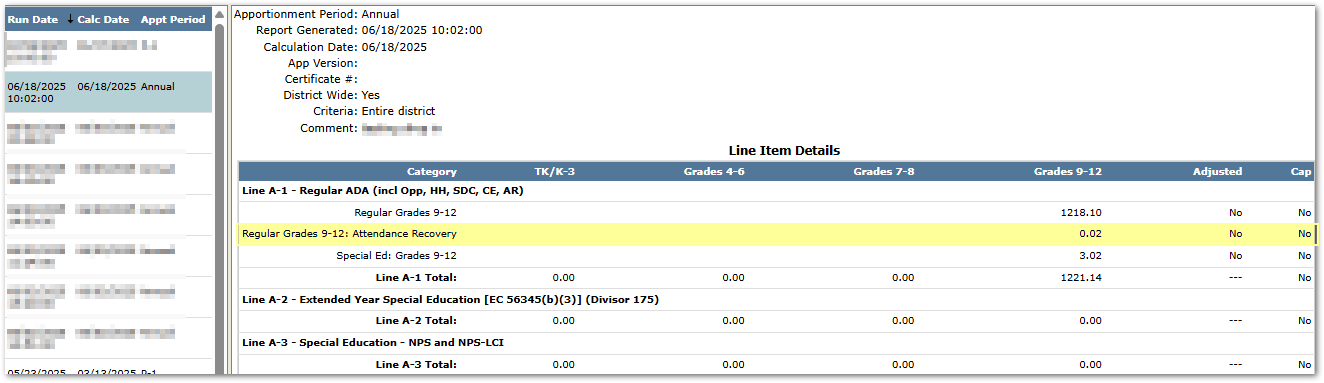
CALPADS Reporting – STAS
With Q version 4.3.1 [December 2025], Attendance Recovery is included in the Student Absence Summary (STAS) Extract using the same logic as the CA District Attendance Calculation. Recovered attendance from regular attendance, Truancy Tracking, and Drop-In Attendance is applied to each student’s STAS record. A new field, Attendance Recovery Days (13.24), has been added to report whole days only, up to a maximum of 10 days.

Drop In Attendance Reports
Two Drop-In Attendance reports may be used to report attendance recorded through the Drop-In attendance application. Documentation is available through the links for these reports below.
