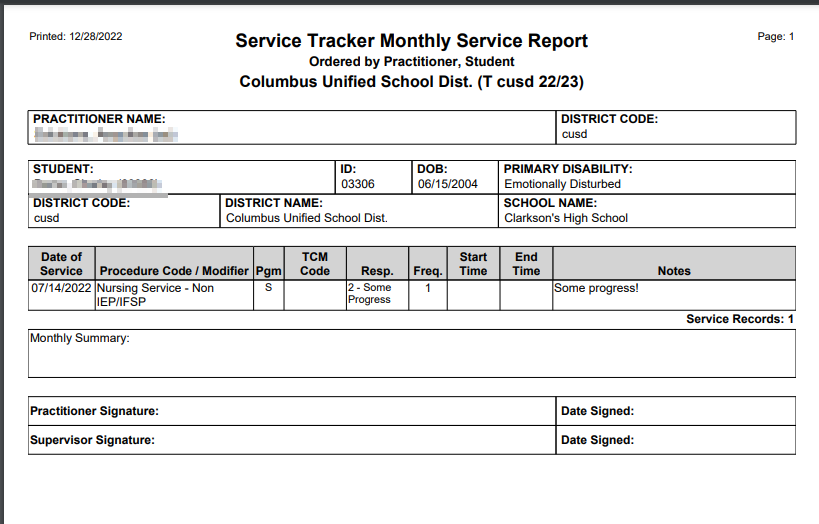
This report retrieves the service records for all students who received services from the selected practitioner(s) in a designated month. Student Demographic Details are shown at the top of each student’s listing. Service records are itemized in full detail. Monthly Summary Notes are shown, plus any Signatures that were entered in the Monthly record. Page breaks are inserted between each student record.
While details specific to this report will follow, users can find general information about reports within the Reports documentation.
Service Tracker Monthly Service Report is located within Reports in the Programs menu in Q.
Report Options
The ST Monthly Services report offers the following options: 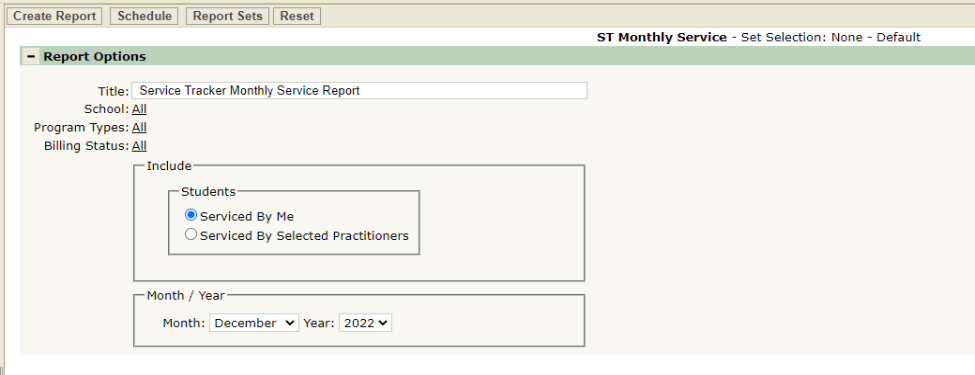
- Title – A default title is provided but may be changed as desired.
- School – Only selectable when logged into the District Track and/or when the District Preference to ‘Include Students from All Schools’ is ON. If the preference is OFF and the user is logged into a school, only the logged in school will appear in the School selection field.
- Include Students:
- Serviced by Me – Students included in the report are limited to those on the Caseload of the Practitioner when the Practitioner does not have Service Tracker Administrative permissions.
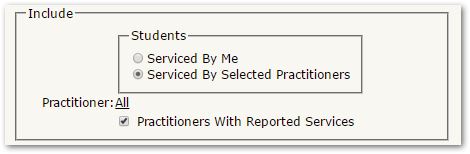
- Serviced by Selected Practitioners – this option appears only when the user has Service Tracker Administrator permissions. When selected, the user may then select all or specific practitioners or in this report, select ‘Practitioners with Reported Services’.
Example Reports
ST Monthly Services Sample Report