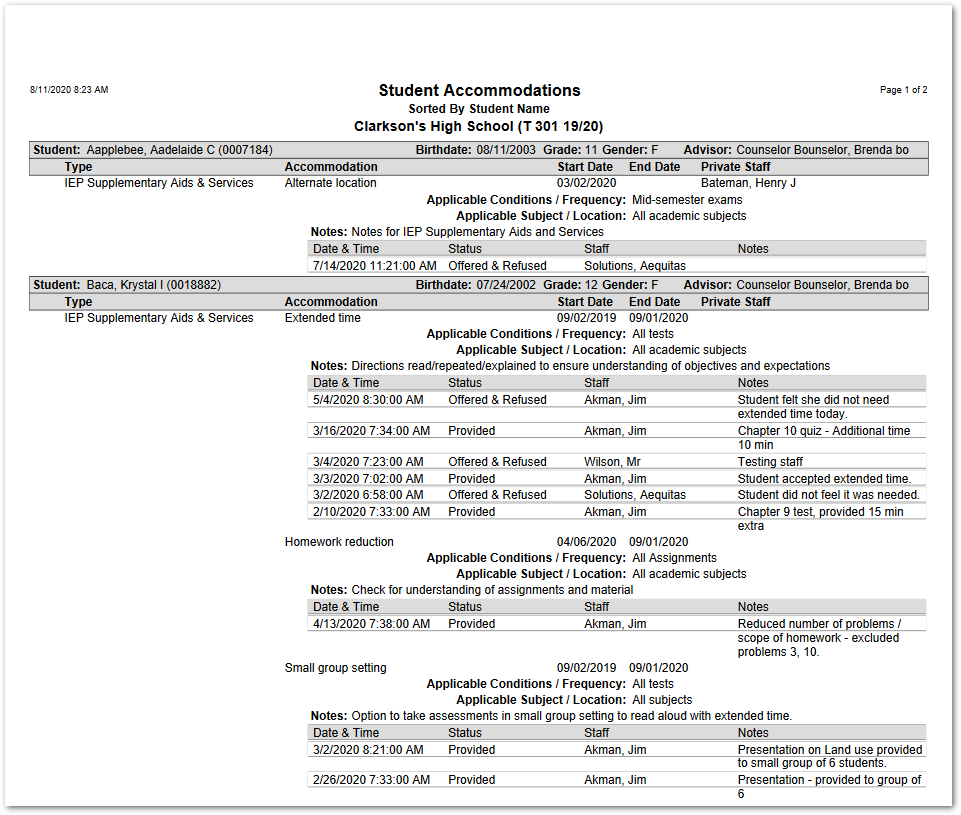
The Student Accommodations Report may be used to produce a report of the accommodations assigned to students and optionally may include the log of those accommodations, and their notes, if desired, for a specific date range.
While details specific to this report will follow, users can find general information about reports within the Reports documentation.
Student Accommodations Report is located within Reports in the Programs menu in Q.
The Student Accommodations Report offers the following options:
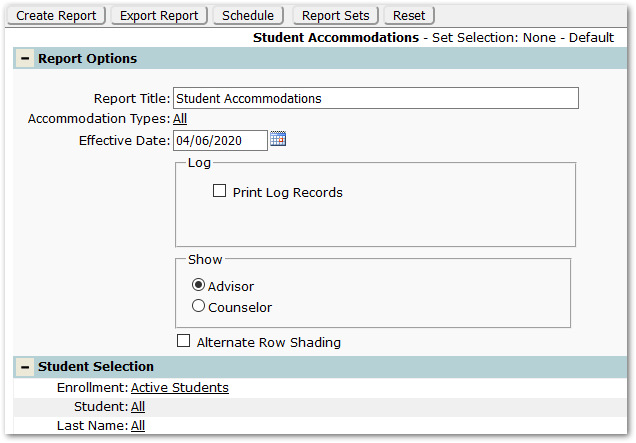
Title – The report name appears as the default title, but this may be changed.
Accommodation Types – ‘All’ are selected by default, but specific Accommodation Types may be selected.
Effective Date – The Effective Date will default to today’s date but may be changed.
Log:
- Print Log Records – Log records are not included by default. Check on to include the log records in the report.
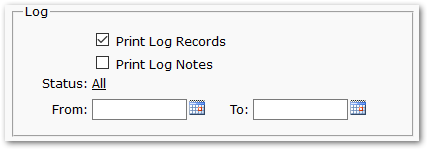
- Print Log Notes – When ‘Print Log Records’ is checked on, check ‘Print Log Notes’ option will appear. Check on to include the Notes as part of the Log record.
- Status – ‘All’ are selected by default, but specific Status may be selected.
- From / To – When Log records are included, select a date range for the log records, if desired.
Show – Select ‘Advisor’ or ‘Counselor’.
Alternate Row Shading – Check on to report accommodations with alternate shading.
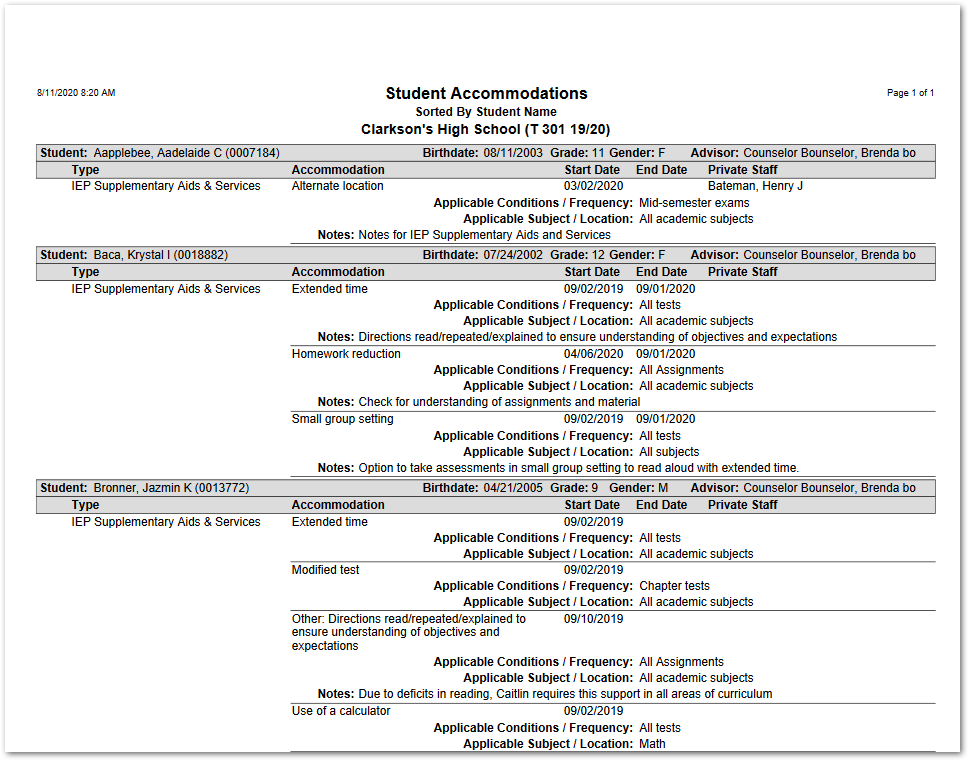
Report Sample without Log Records
Report Sample including Log Records with Notes