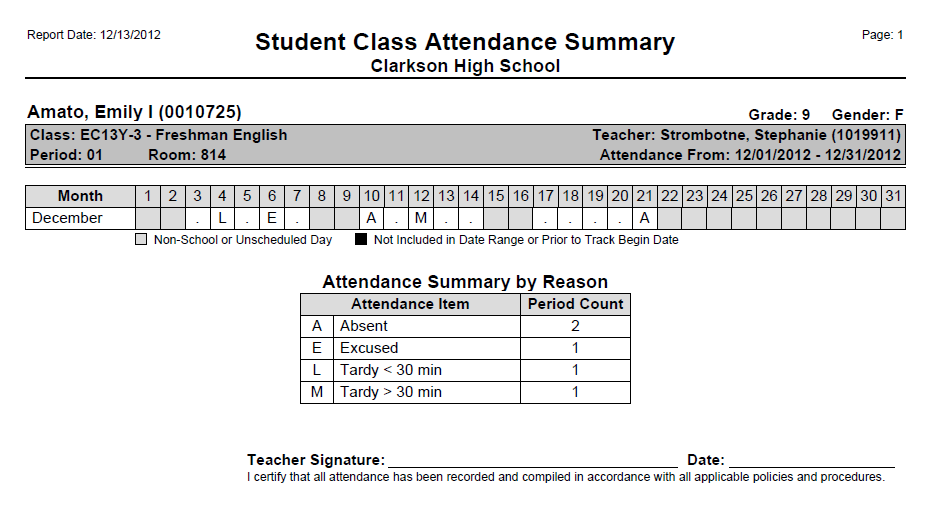
The Student Class Attendance Summary report summarizes attendance for selected student(s), for a selected date range.
While details specific to this report will follow, users can find general information about reports within the Reports documentation.
Student Class Attendance Summary Report is located within Reports in the Attendance menu in Q.
The Student Class Attendance Summary report provides the following options:
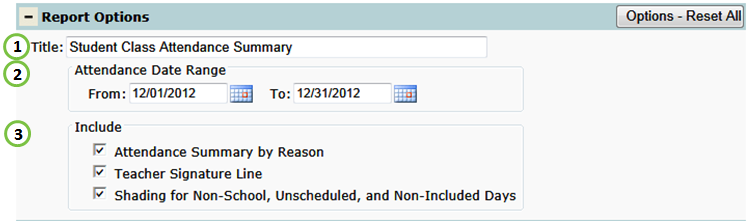
1. Title – include a custom title or leave at its default title.
2. Attendance Date Range – enter or select desired date range.
3. Include:
a. Attendance codes Legend – legend of attendance codes by reason.
b. Teacher Signature Line – signature line.
c. Shading for Non-School, Unscheduled, and Non-Included Days.
Student Class Attendance Summary Report