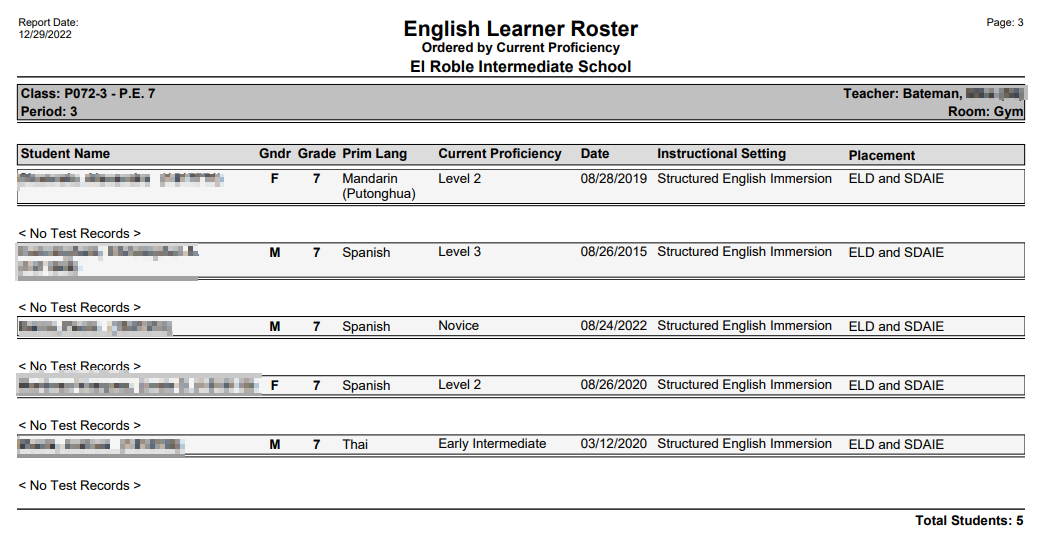
The Q English Learner Roster Report prints English Learner student class rosters for all scheduled classes in a track, with an option to include only those classes where English Learners are scheduled. The report includes the EL student’s primary language, current proficiency, instructional setting and placement.
While details specific to this report will follow, users can find general information about reports within the Reports documentation.
English Learner Roster Report is located within Reports in the Schedule menu in Q.
Report Options
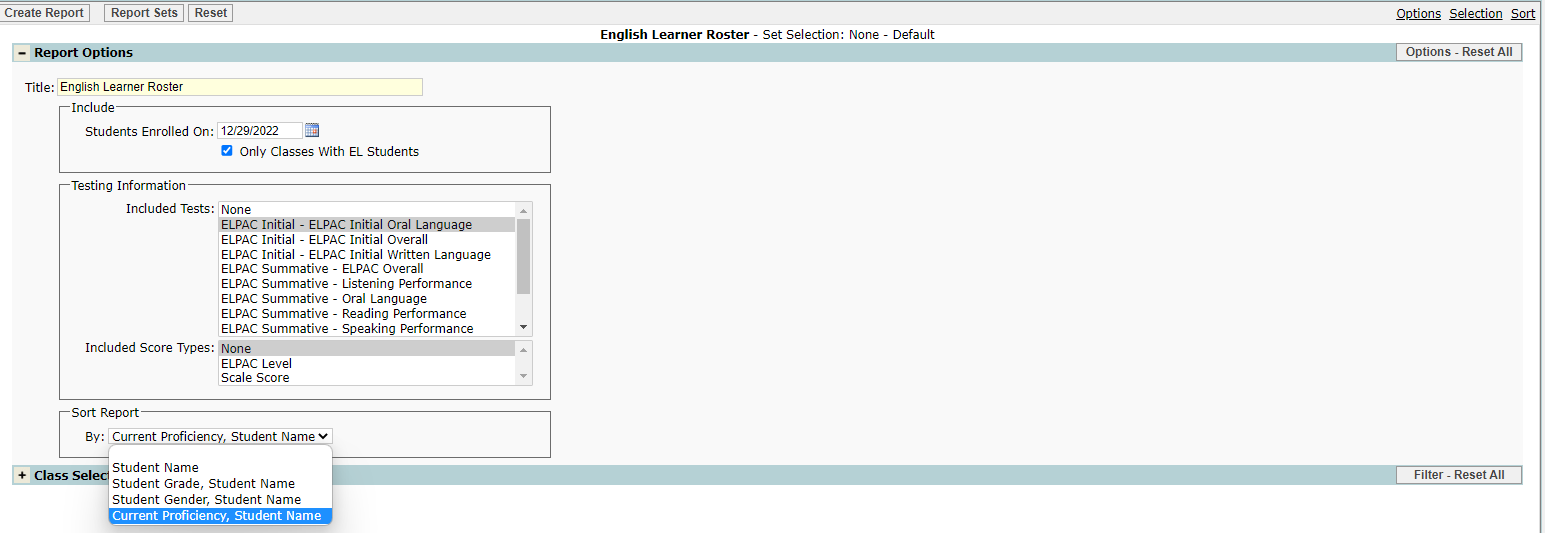
The English Learner Roster report options include:
- Title: This can be customized by the user.
- Include:
- Students Enrolled On—Enter a date to include students enrolled as of.
- Only Classes With EL Students—if checked the report will be limited to only those classes that contain EL students.
- Testing Information:
- Included Tests—a list including all district defined EL tests displays. The user may select all or selected tests using Ctrl-click to select individual tests.
- Included Score Types—Score types for the tests listed above are listed and may be selected.
- Sort Report: Sort options include:
- Student Name.
- Student Grade, Student Name.
- Student Gender, student Name.
- Current Proficiency, Student Name.
Example Reports
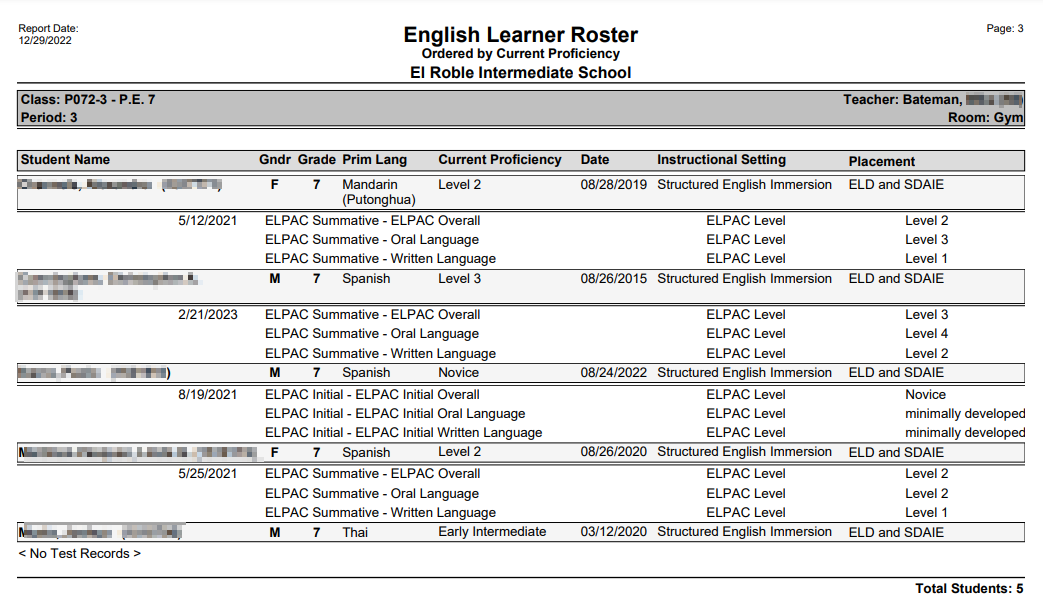
Sample includes testing results and ordered by student’s proficiency level
Report does not include test information