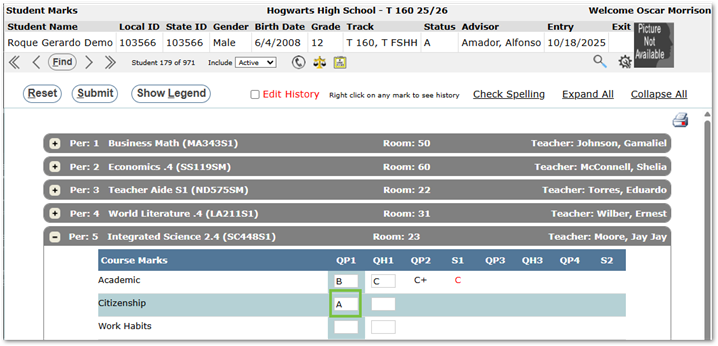
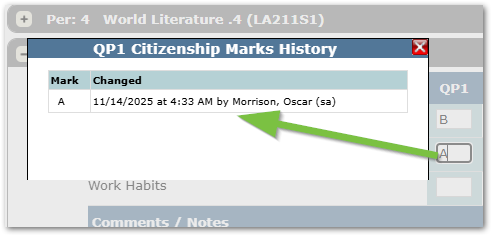
The Attendance Audit History feature allows staff to quickly review when and by whom attendance records were entered or modified, within the Student Attendance application.
Access the Audit History:
- Open the Student Attendance application from the Attendance menu.
- Select a student through the Student Banner.
- In the Attendance Grid, locate the period and date you wish to review.
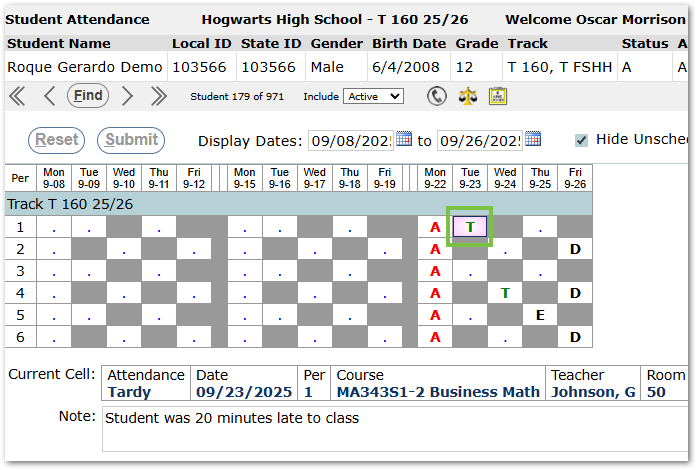
- Right-click the cell to open the Attendance Audit History window.
The Audit History Window
Audit History displays a record of all attendance entries for that period, including:
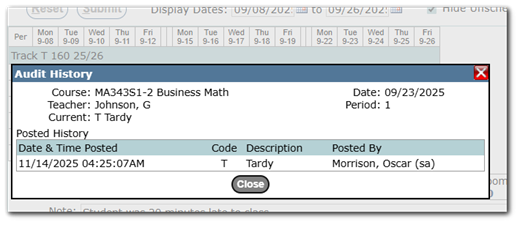
- The date and time the attendance was posted
- The user who entered or modified the record
- Example of a record with a modified entry:
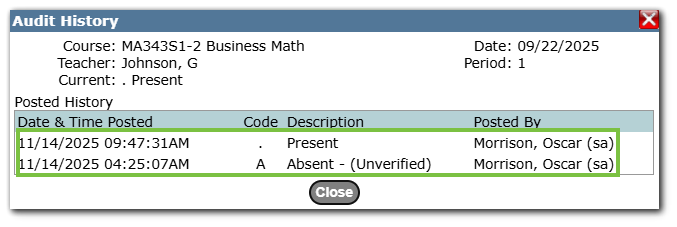
- Example of a record with a modified entry:
- The attendance code applied
- The associated course or period
Extra Tip:
A similar process can be done in Student Marks by right-clicking on a mark.