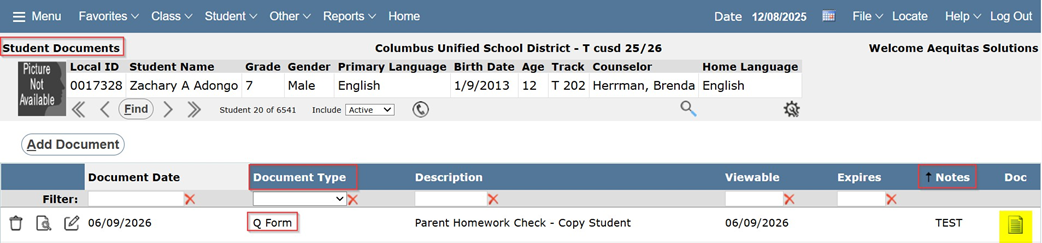
One of the most useful features that has been added to our Q Forms module is the ability to save completed Forms to our Student Documents application.
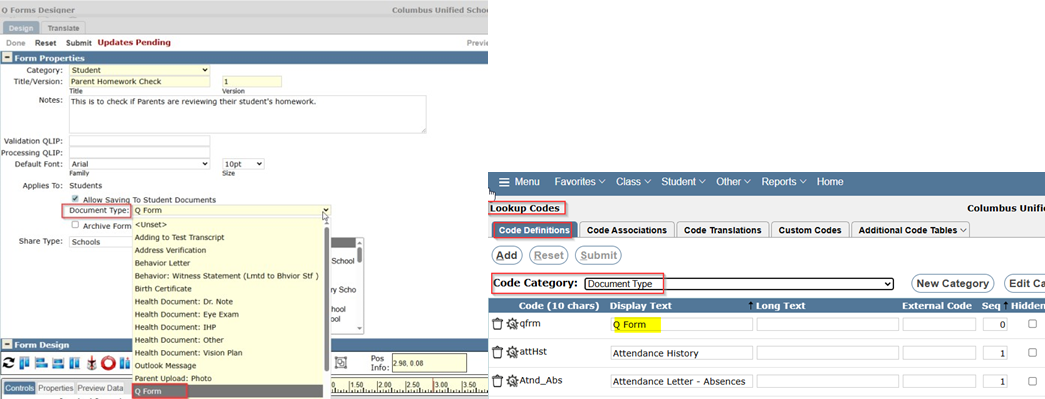
When a user is creating a Template (Design) of a form, it can have the ability to be saved to the Student Documents application by turning on the checkbox for ‘Allow Saving to Student Documents’
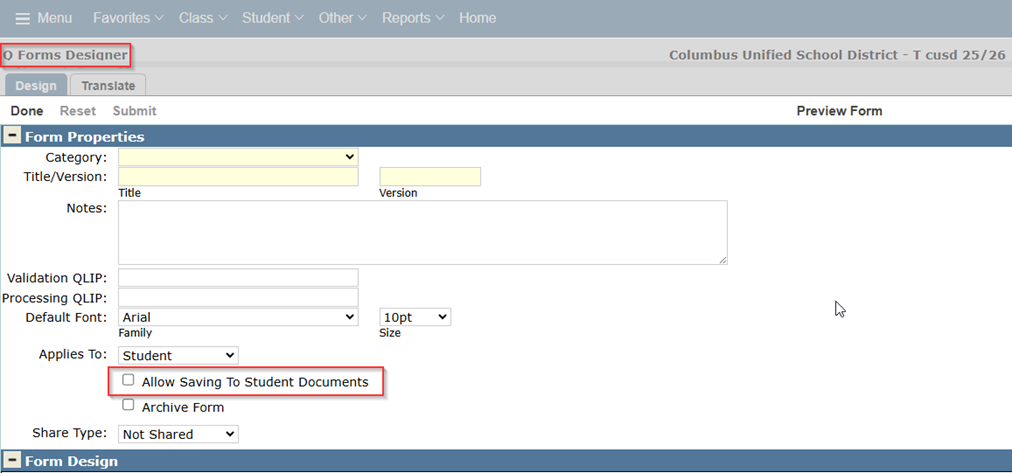
Checking this option on will present a dropdown field that will allow you to select the ‘Document Type’ for the form. You can define this using the Lookup Codes application by navigating to Lookup Codes > Code Definitions Tab > Code Category: Document Type
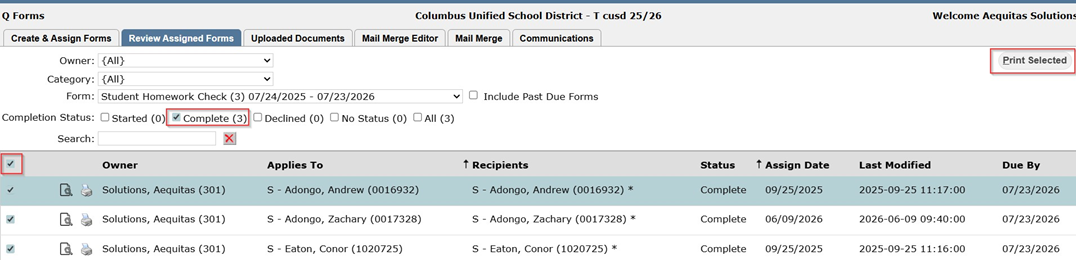
After Recipients have filled out and completed their forms, Printing to the Student Documents application is done in Q Forms > Review Assigned Forms Tab.
Users can select individual form submissions, or use the checkbox in the header to select in mass and hit the
‘Print Selected’ button.
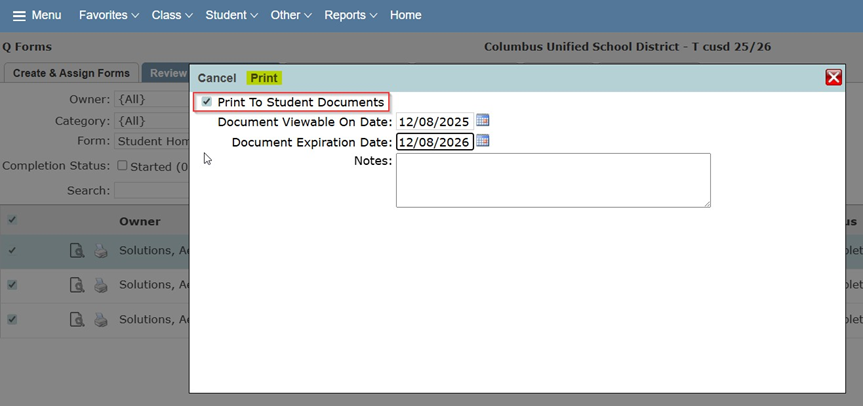
A window will popup that will let you set the Viewable and Expiration dates of the Student Document and any additional Notes you may want to add. When done adding dates and notes hit ‘Print’ and now you can navigate to the Student Documents application and see that the form has been added.