
The Student CTE Pathways Report provides a listing of CTE Pathways with enrolled students and showing their Grade, CTE Pathway Status, Entry and Exit Date into the pathway. The user may opt to include courses. When courses are included, in addition to Course Code and Description, the Grade level, Term, Mark, Year, Teacher and School are included. Specific CTE Pathways and CTE Pathway status may be selected for reporting.
While details specific to this report will follow, users can find general information about reports within the Reports documentation.
Student CTE Pathways Report is located within Reports in the Schedule menu in Q.
Student CTE Pathways Report Options enable the user to select or set:
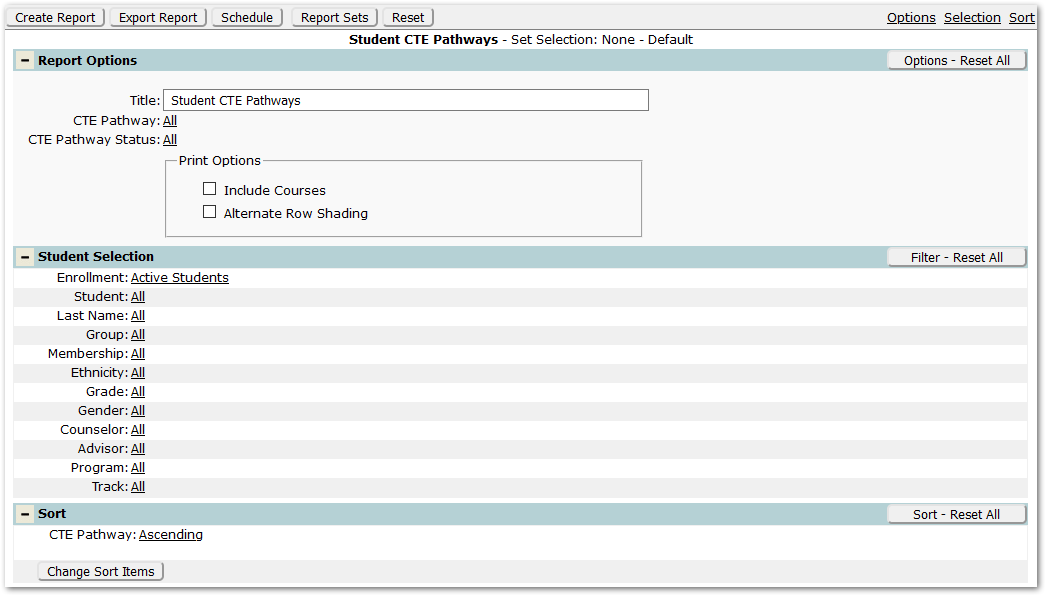
- Title – The default title of ‘Student CTE Pathways’ will appear, but it may be edited and revised.
- CTE Pathway – To select specific CTE Pathways, click the CTE Pathways ‘All’ link and select the desired CTE Pathways.
- CTE Pathway Status – To select specific Status, click the Status ‘All’ link and select the desired Statuses [e.g. Beginner, Completer, Concentrator] to include.
- Print Options:
- Include Courses – Check to produce the report showing the course information.
- Alternate Row Shading – Check to enable shading on alternate rows.
Reports may look different depending on the options, selections, and sort items chosen.
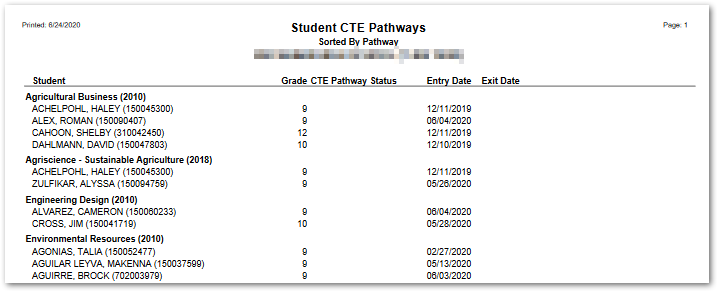
The following example shows Student CTE Pathways without course information.
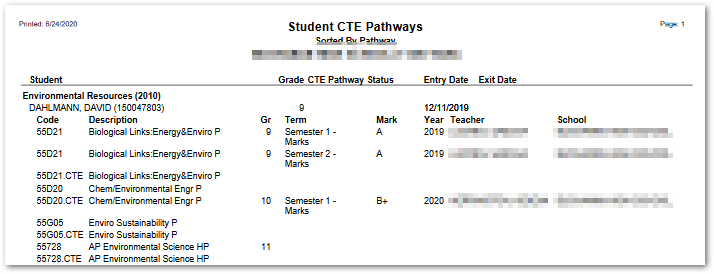
The following sample shows Student CTE Pathway with courses. Grade is shown for courses selected in the student’s pathway.
Export to Excel

