
When configured, Truancy Tracking Letters may be saved to Student Documents.
Setup
To configure this option, go to the Truancy Tracking Setup Tab.
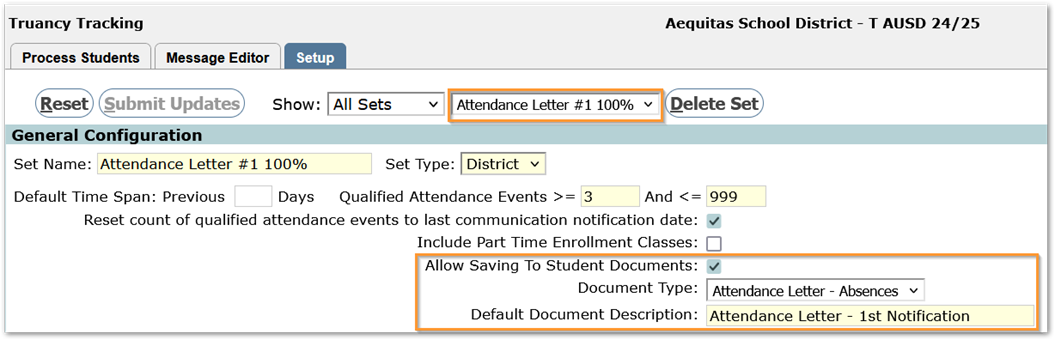
- Select the Set
- Check ‘Allow Saving to Student Documents’
- Select the Document Type
Note:
Document Types, defined in Lookup Codes, have settings that govern whether they are available in the portals, etc. Permission role access exceptions may be set in Lookup Codes for specific Document Types or set in Permissions Editor Role Data Filters by role.

- Set the Default Document Description.
Processing Letters
From the Process Tab, when the Message Format ‘Letter’ is selected, the ‘Save to Student Documents’ option will appear. When checked, document related fields appear with default values. Adjust the values and add notes as desired.
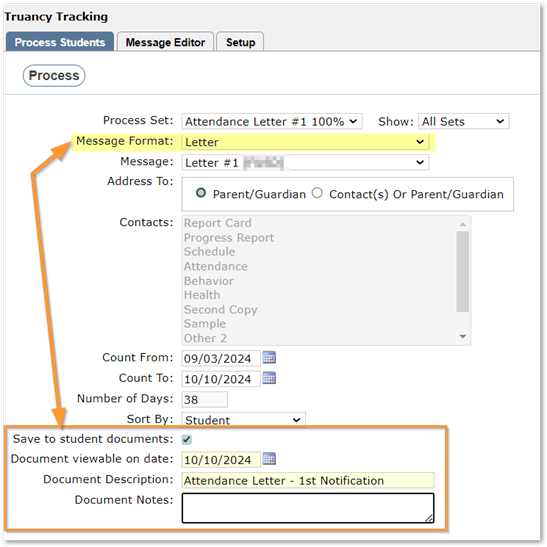
Once processed, the letter is written to Student Documents and will be available based on configuration settings and permissions.
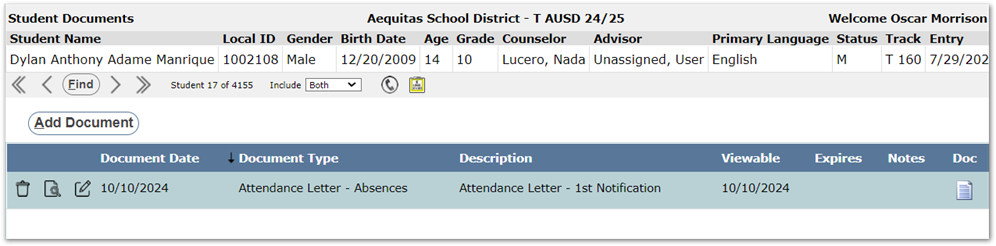
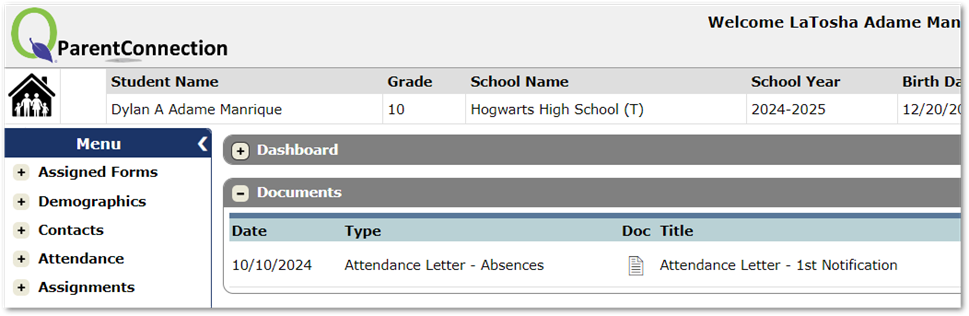
For more information on setting up the Letters themselves or other aspects of Truancy Tracking, see Truancy Tracking documentation.