
The Student Locator report is similar to the Student Schedules report however, it prints multiple student schedules on the same page and has options to include additional Address and Contact info.
While details specific to this report will follow, users can find general information about reports within the Reports documentation.
Student Locator Report is located within Reports in the Schedule menu in Q.
Report Options
The Q Student Locator report offers the following options:
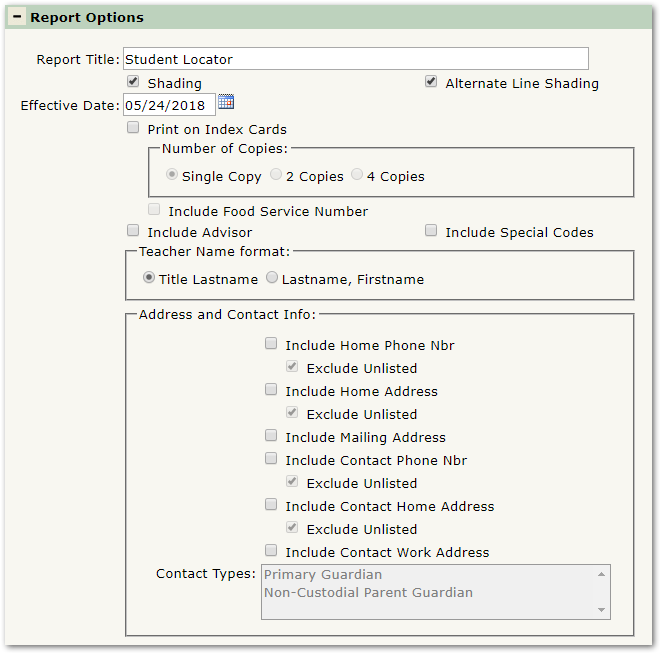
- Report Title—The default title of the report is Student Locator but may be edited by the user
- Shading—Select to include shading on the report
- Alternate Line Shading—Check box to enable shading on alternate rows
- Effective Date—Select the date for the report
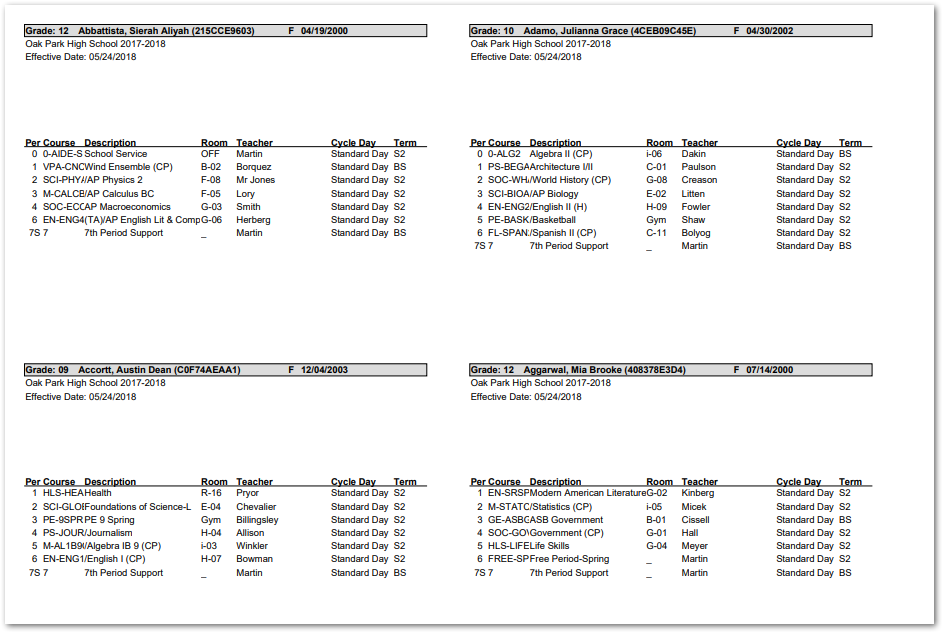
- Print on Index Cards—Select to print the report with a layout appropriate for index cards (see Sample Reports below for a sample report with this setting enabled)
- Number of Copies—Select to print each student once, twice, or four times
- Include Food Service Number—Select to include student Food Service IDs on the report
- Include Advisor—Select to include the students’ Advisors on the report
- Include Special Codes—Select to include students’ program codes on the report
- Teacher Name Format—Choose whether to display the teacher’s first name or title
- Address and Contact Info—Select which address and contact info to include on the report
- Contact Types—Filter contacts to display by Contact Type
Example Reports
Note: Reports may look different depending on options, selections, and sorting.
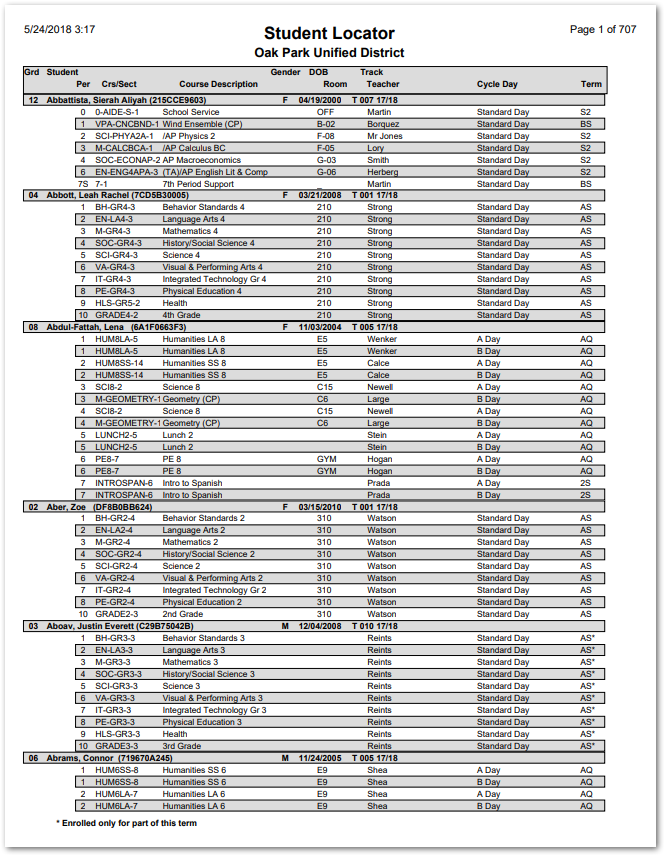
Sample Student Locator report
Sample Student Locator Report with Print on Index Cards selected
Videos
