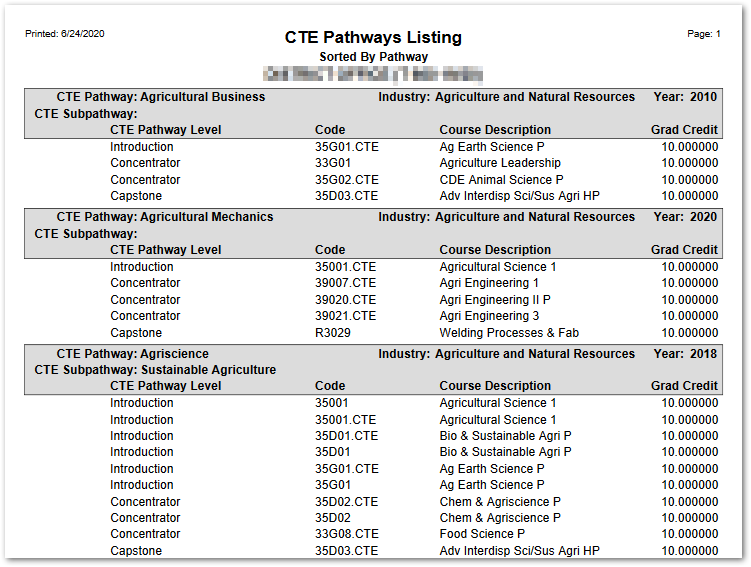
The CTE Pathways Listing Report provides a list of the CTE Pathways defined, including the Sub-pathway, Industry and Year and lists the courses that make up the pathway. The report may be run for current CTE Pathways only if needed. In addition, the report may be produced with one CTE Pathway per page, if desired.
While details specific to this report will follow, users can find general information about reports within the Reports documentation.
CTE Pathways Listing Report is located within Reports in the Behavior menu in Q.
Report Options
CTE Pathways Listing Report Options enable the user to: 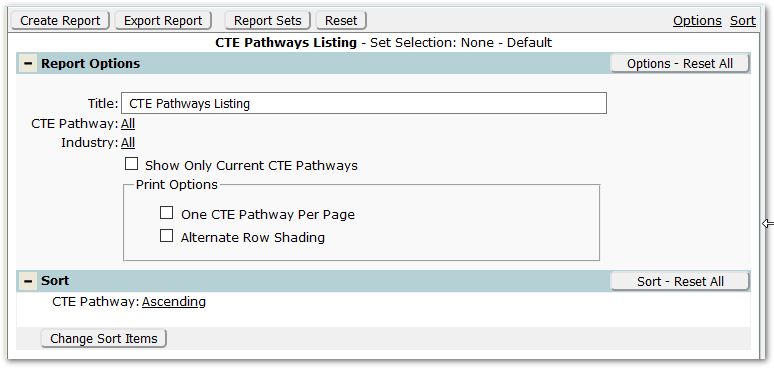
- Title – The default title of ‘CTE Pathway Listing’ will appear, but it may be edited and revised.
- CTE Pathway – To select specific Pathways, click the CTE Pathways ‘All’ link and select the desired CTE Pathways.
- Industry – To select specific Industries, click the Industry ‘All’ link and select the desired Industries to include.
- Show Only Current CTE Pathways – Check to exclude prior CTE Pathways.
- Print Options:
- One CTE Pathway per Page – Check to produce the report with only one CTE Pathway per page.
- Alternate Row Shading – Check to enable shading on alternate rows.
Example Reports
Export to Excel