
he Student Mailing Labels report produces mailing labels in different formats. The report also offers the user multiple selection and sort options.
While details specific to this report will follow, users can find general information about reports within the Reports documentation.
Behavior Analysis Report is located within Reports in the Enrollment menu in Q.
Report Options
The Student Mailing Labels Report provides the following options:
- Effective date – Enter a date or select date from pop up calendar.
- Name/Address:
- Firstname Lastname Format.
- USPS OCR Specifications.
- Include Enrollment Code Legend.
- Label Settings:
- 3 Column, 30 per sheet.
- 2 Column, 20 per sheet.
- 2 Column, 14 per sheet.
- Exclude Students with Unlisted Address.
- Sort Students:
- By Student Name Only.
- By Zip Code, Student Name.
Example Reports
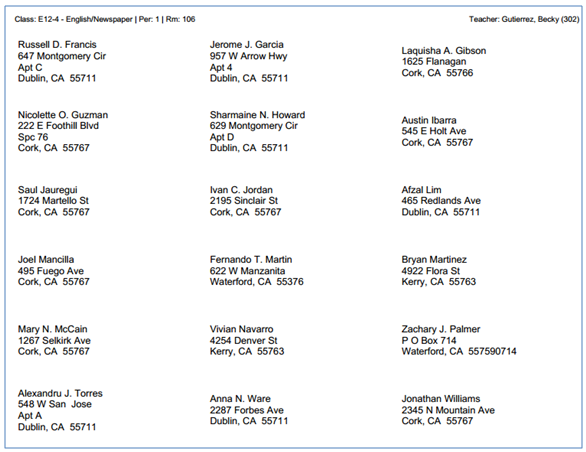
NOTE: Reports may look different depending on options, selections and sort order choices.
Videos
