
What should a user do when a contact provides an address, but Q won’t allow it to be saved because it cannot be verified?
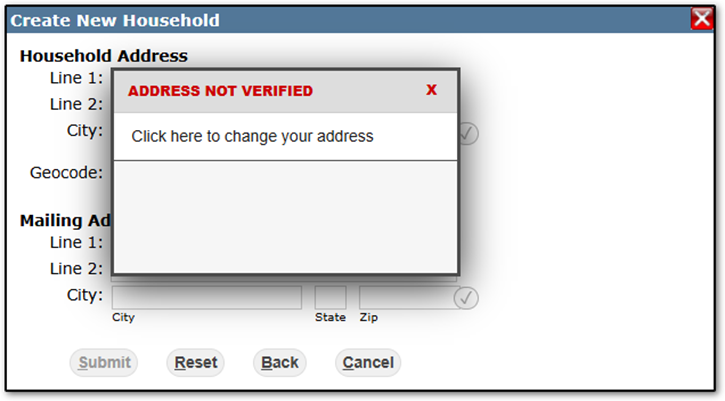
Understanding Verification
Since many users often conflate address verification with address validation, let’s first review the difference:
- Address Validation – Checks whether the address entered by the user falls within the district’s address
- ranges. These ranges are maintained by district staff within Q.
- Address Verification – Checks whether the address exists in the Smarty database. This database includes addresses in the USPS database as well as Smarty’s proprietary list of deliverable, non-postal addresses. This ensures that addresses are real and can receive mail. Smarty (formerly SmartyStreets) is an industry leader in address lookups, and the same U.S. Address Verification service is used by Microsoft, NASA, Zillow, and others. The verification service also formats addresses to meet USPS standards.
So, the reasons that an address may fail to verify include:
- The address contains bad data
- The address is marked “vacant” by the USPS
- The address is too new to have been picked up by the USPS
- The address is unregistered
- The address is in a postal code primarily serviced by P.O. boxes
For more information refer to this article: https://www.smarty.com/docs/why-wont-my-address-validate
What To Do
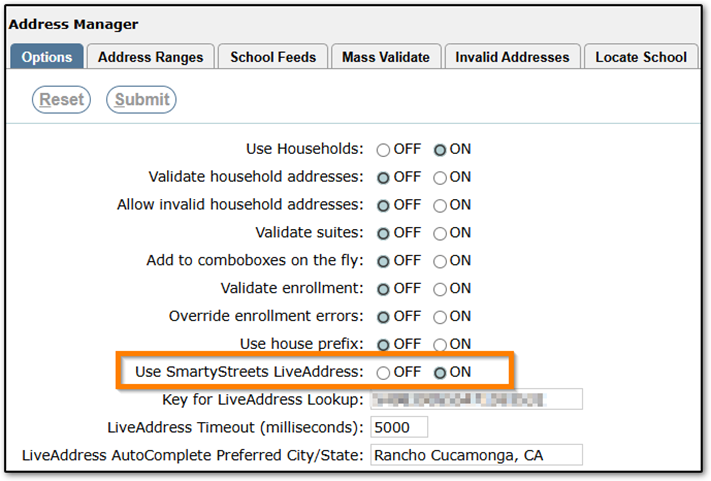
The most common reason for address verification failure is that the address is new. In these cases, most users still want to save the address. For new addresses, or any other scenario where the address verification fails and the user still wants to save the address, simply turn off the ‘Use SmartyStreets LiveAddress’ setting in Address
Manager, save the address, then turn the setting back on:
If address verification fails and the user wants to investigate further before saving/discarding the address, you can use the single address verification tool on Smarty’s website. Running the address verification through their online tool provides much more detailed information than Q can display:
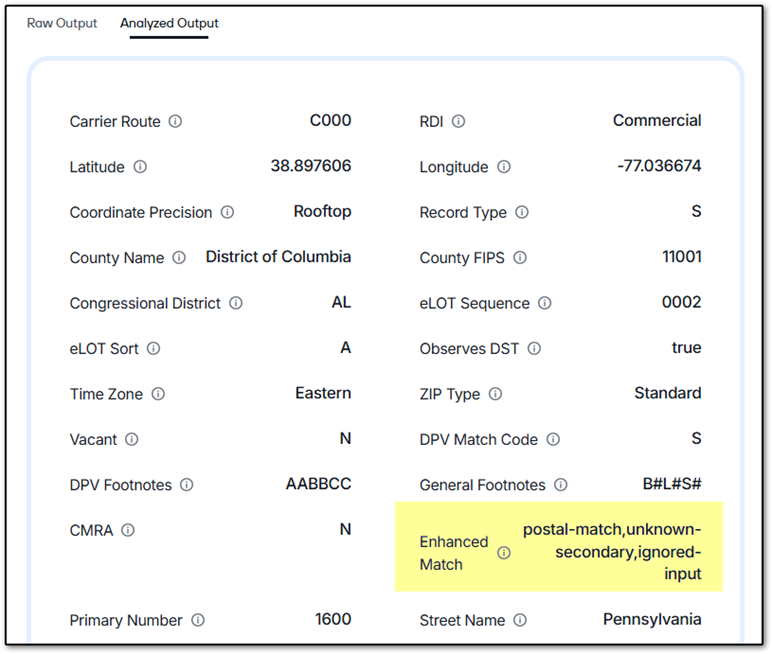
You can access the tool here: https://www.smarty.com/products/us-address-verification