
Food Service eligibility can be carried over from one year to another with the use of the New Year Rollover application. Once the New Year Initialization process has been run and the future school year created, users can access the New Year Rollover application while logged in to the newly created track. The fields to the right of the New Year Rollover processes will be populated with information pertaining to that specific process.
Food Service New Year Rollover is located under the Food Service menu in Q.
New Year Rollover enables districts to back up food service eligibility data as of Year End, create carry-over food service eligibility applications, create carry over direct certification status records, and delete old back up tables in one process. Carryover status records will be created for anyone with a student status record (future or otherwise) that has a Food Service status record that expires on June 30th.
- Backup eligibility data as of Year End 2012-2013*: Will back up all eligibility data as of the Year End dates. Once this process has been completed, the checkbox will be disabled and the process cannot be repeated.
- Create Carry-Over Applications set to expire: The date which carry-over applications should expire will be displayed in the date field by default. Confirm that this is the correct 30 day extension date for carry over applications before proceeding. If carry over applications should be expired on a date other than what is displayed, enter the desired date using the calendar icon to the right of the date field or using a MM/DD/YYYY format. The number of carry over applications that are set to expire will be displayed to the right of the date field.
- Create Carry-over Direct Cert. status records: Direct Certification status records can be created during the New Year Rollover process. The number of Direct Cert. status records to be created will be displayed in the text box to the right of the selection.
- Delete old backup tables (pre-2012-2013)*: In the event that backup food service tables exist, the option to delete previous years tables may be available.
- Once all selections have been made, click Process.
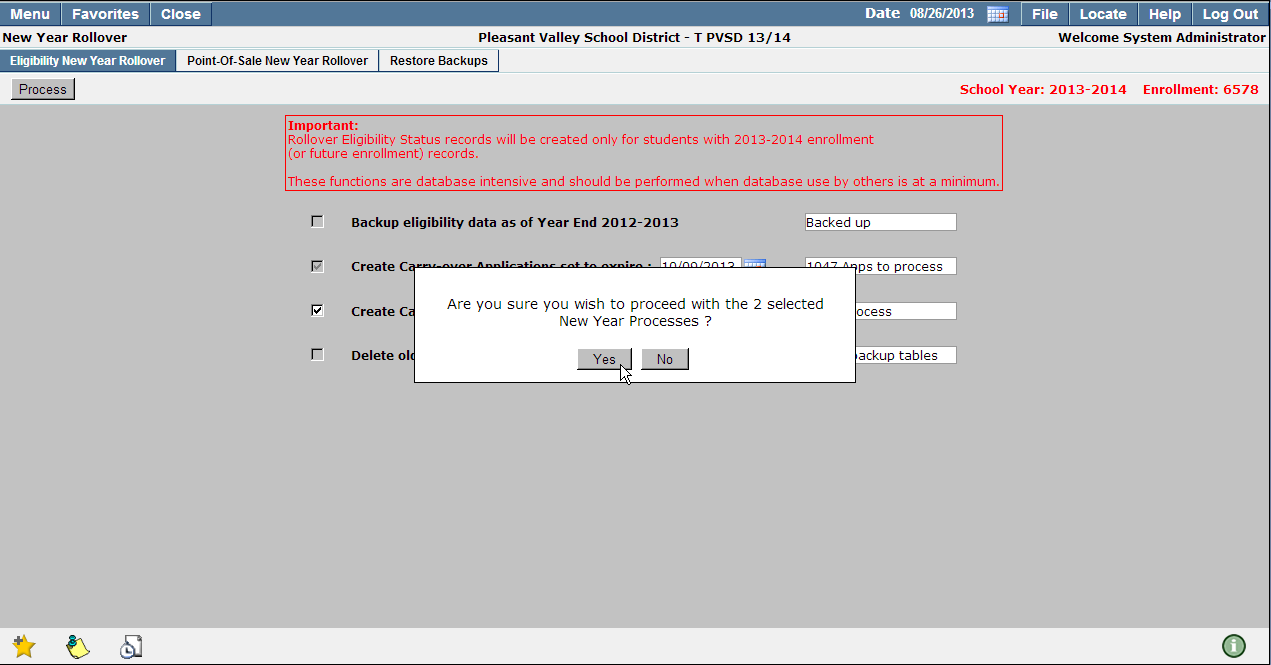
- To proceed with Eligibility New Year Rollover click Yes or click No to cancel and be returned to the previous screen.
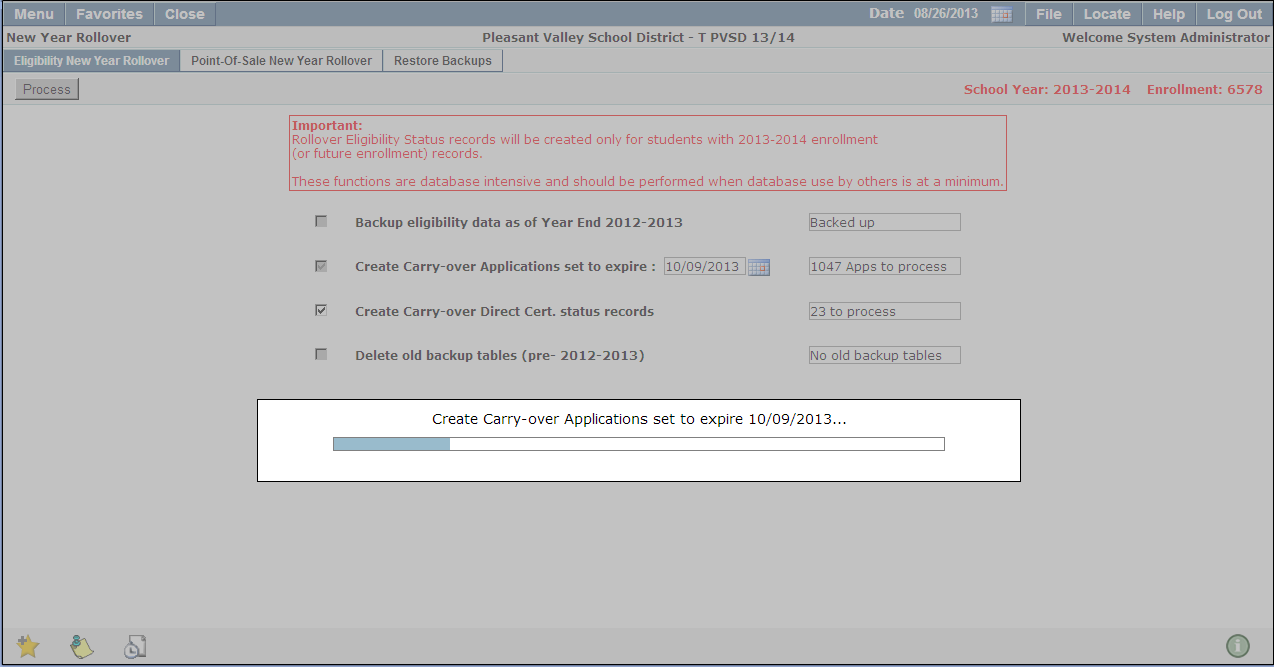
A progress bar will display the process being run.
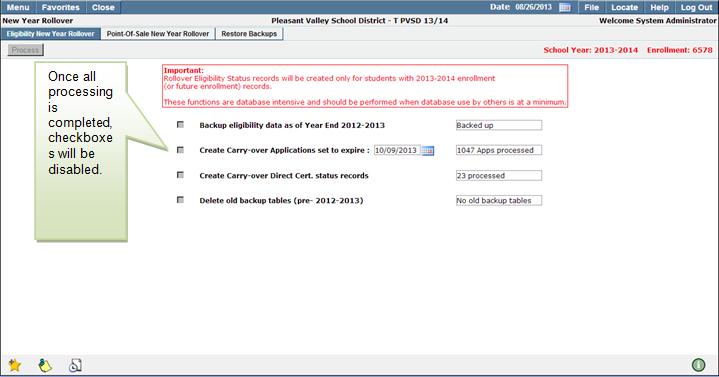
Once all processing is completed, the check boxes will be disabled.
Note:
Eligibility New Year Rollover processes are database intensive and should be performed when database use by others is at a minimum.
The process can be run prior to June 30th. The 2012-2013 Applications will be archived, but it will not affect status records in any way.
The Point of Sale New Year Rollover process will archive transaction records dated for the outgoing school year, calculate the balance as of June 30th, and post a balance forward record dated July 1st (if the carry balance forward option is selected.) The Point of Sale New Year Rollover process can be run any time after June 30th.
- Backup Point of Sale data as of Year End 2012-2013*: Once this process has been completed, the checkbox will be disabled and the process cannot be repeated.
- Carry forward STUDENT balances, bonus meals: Enable this option to carry forward student balances and bonus meals to te upcoming school year. The number of carry forward student balances/bonus meals will be displayed to the right of the selection field.
- Carry forward STAFF balances, bonus meals: Staff balances and bonus meals will be carried over during the Point of Sale New Year Rollover by enabling this option. The number of staff balances/bonus meals will be displayed to the right of the selection field.
- Carry forward PATRON balances, bonus meals: Food service patrons with outstanding balances may have their balances carried forward into the upcoming school year. Bonus meals may also be selected for carry over. If there are any existing patron balances or bonus meals they will be listed to the right of the selection field.
- Archive & Clear 2012-2013 Point of Sale Transactions: All transactions passed through the Point of Sale application will be archived and cleared from the POS application. The number of point of sale transactions which will be archived and cleared will be displayed to the right of the selection field.
- Expire Open Placement records: Expire student open placement records as of the current school year. The number of open placement records will be displayed to the right of the selection field.
- Delete old backup tables (pre 2012-2013*): The tables deleted will be prior to the current year. In the event that backup food service tables exist, the option to delete previous years tables may be available. The number of backup tables available for deletion will be displayed to the right of the selection field. Once this process has been completed, the checkbox will be disabled and the process cannot be repeated.
- Once all selections have been made, click Process.
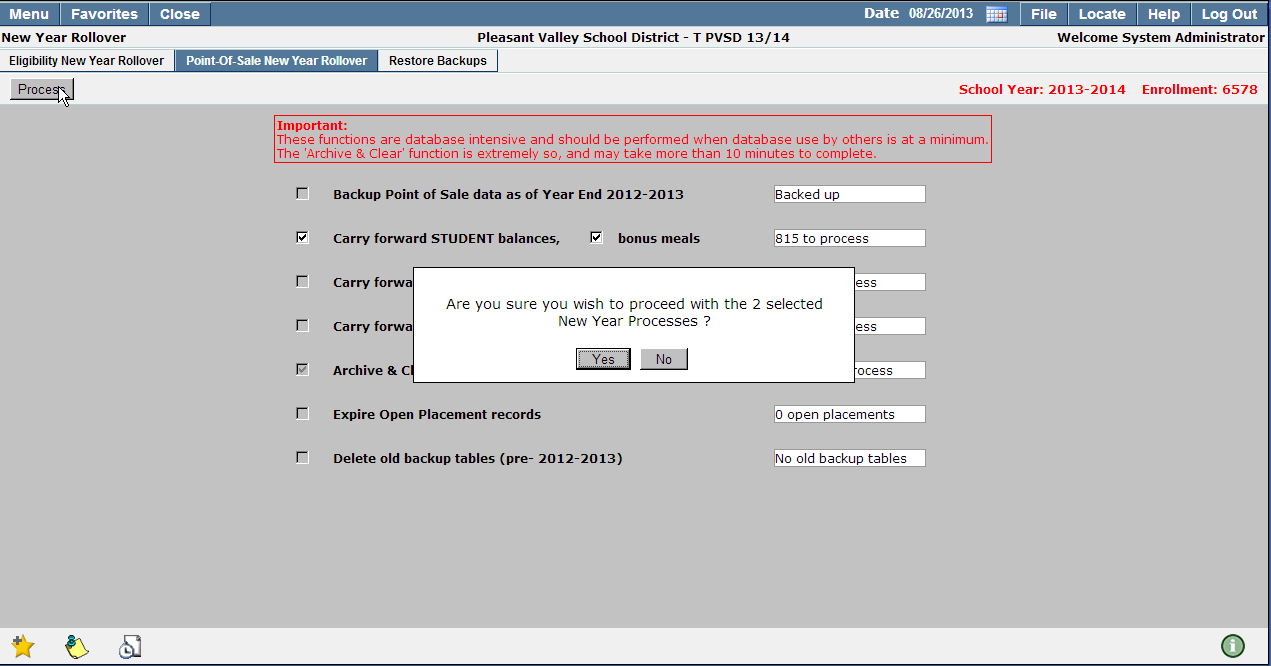
- To proceed with Point-Of-Sale New Year Rollover click Yes or click No to cancel and be returned to the previous screen.
A progress bar will appear to display the process being run.
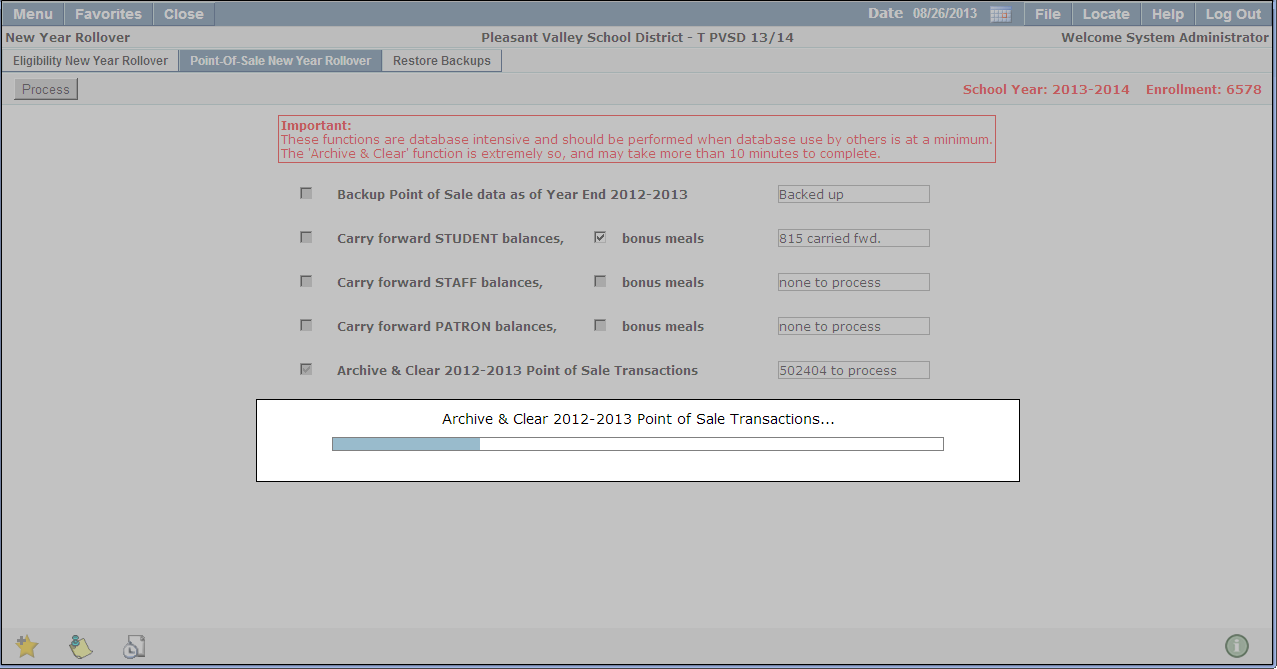
Once all processing is completed, the check boxes will be disabled.
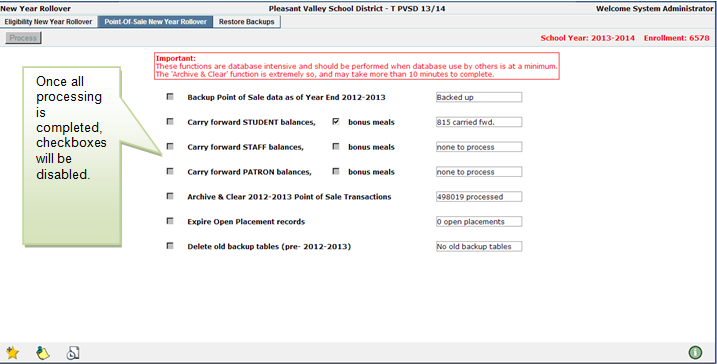
*-previous school year will be used
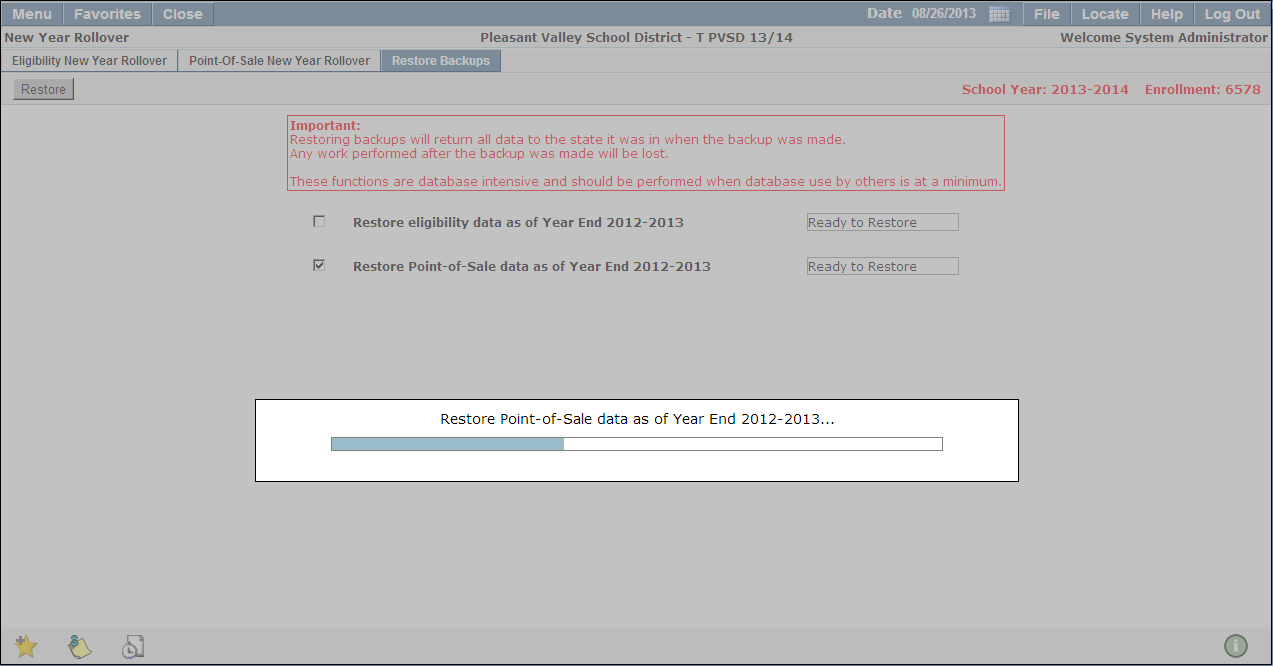
Restore Eligibility and/or Point-of-Sale data to their pre-backup state.
- Restore eligibility data as of Year End 2012-2013: Restores Food Service Eligibility data to its pre-backup state. The status of this process will be displayed to the right of the selection field.
- Restore Point-of-Sale data as of Year End 2012-2013: Restores Point-of-Sale data to its pre-backup state. The status of this process will be displayed to the right of the selection field.
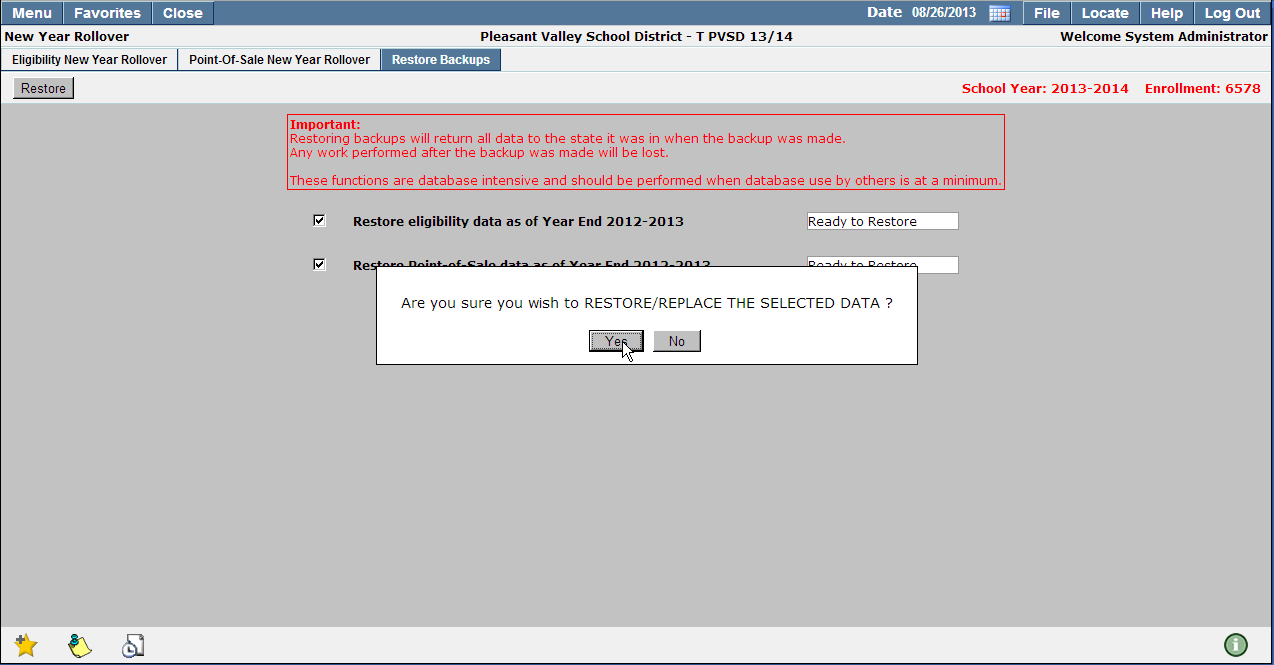
- Select the processes to perform and click Restore.
- To proceed with the Restore Backups process click Yes, to cancel and return to the previous screen click No.
A progress bar will appear to display the process being run.
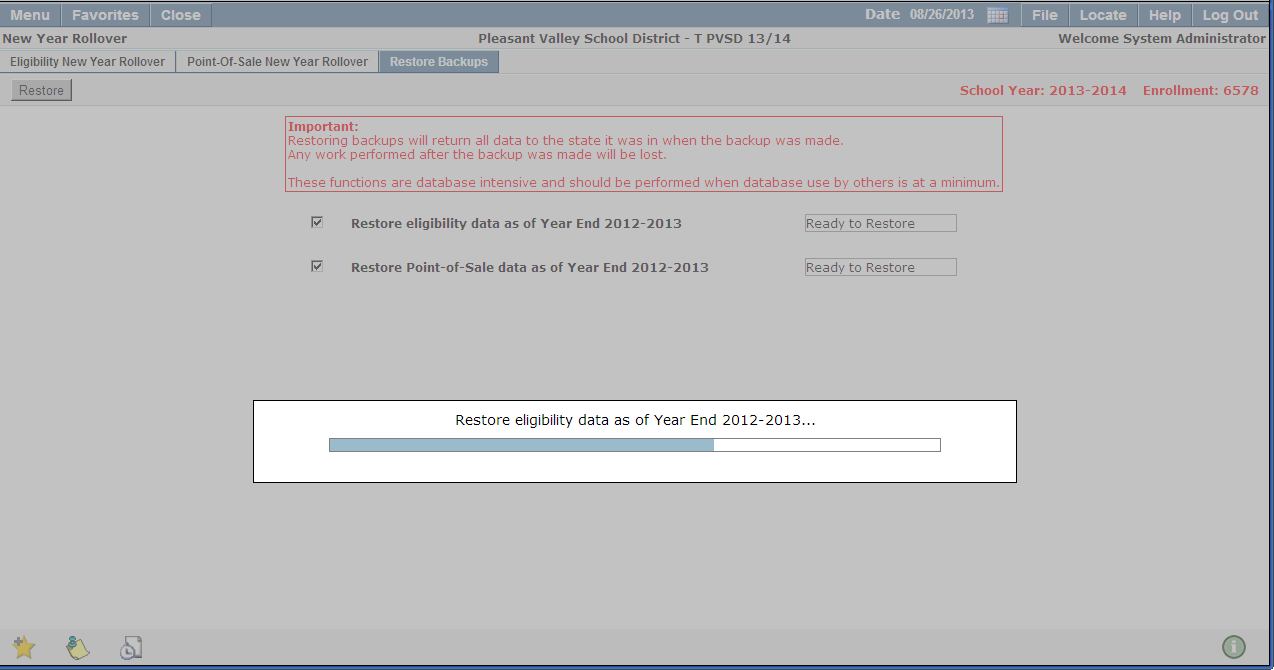
Note:
These functions are database intensive and should be performed when database use by others is at a minimum.
