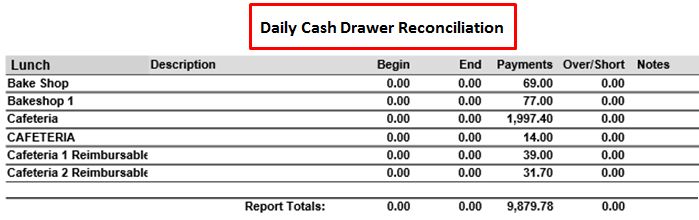
There are four individual reports available in Daily Summary Reports including Daily Point-of-Sale Summary, Daily Meal Item Summary, Daily a la Carte Summary, and Daily Cash Drawer Reconciliation. All reports can be filtered by Date, by School, Multiple Schools, Sites or District, by Meal type and by Cash Drawer.
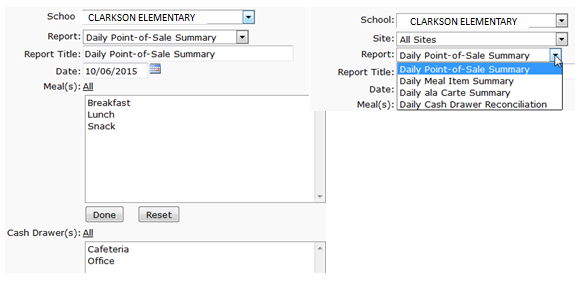
While details specific to this report will follow, users can find general information about reports within the Reports documentation.
Daily Summary Reports is located within Reports in the Food Service PoS menu in Q.
Daily Point-of-Sale Summary provides users with a comprehensive report that includes all food service data recorded for the day. It includes a Signature line and Deposit Bag # space at the bottom for signoff and banking. 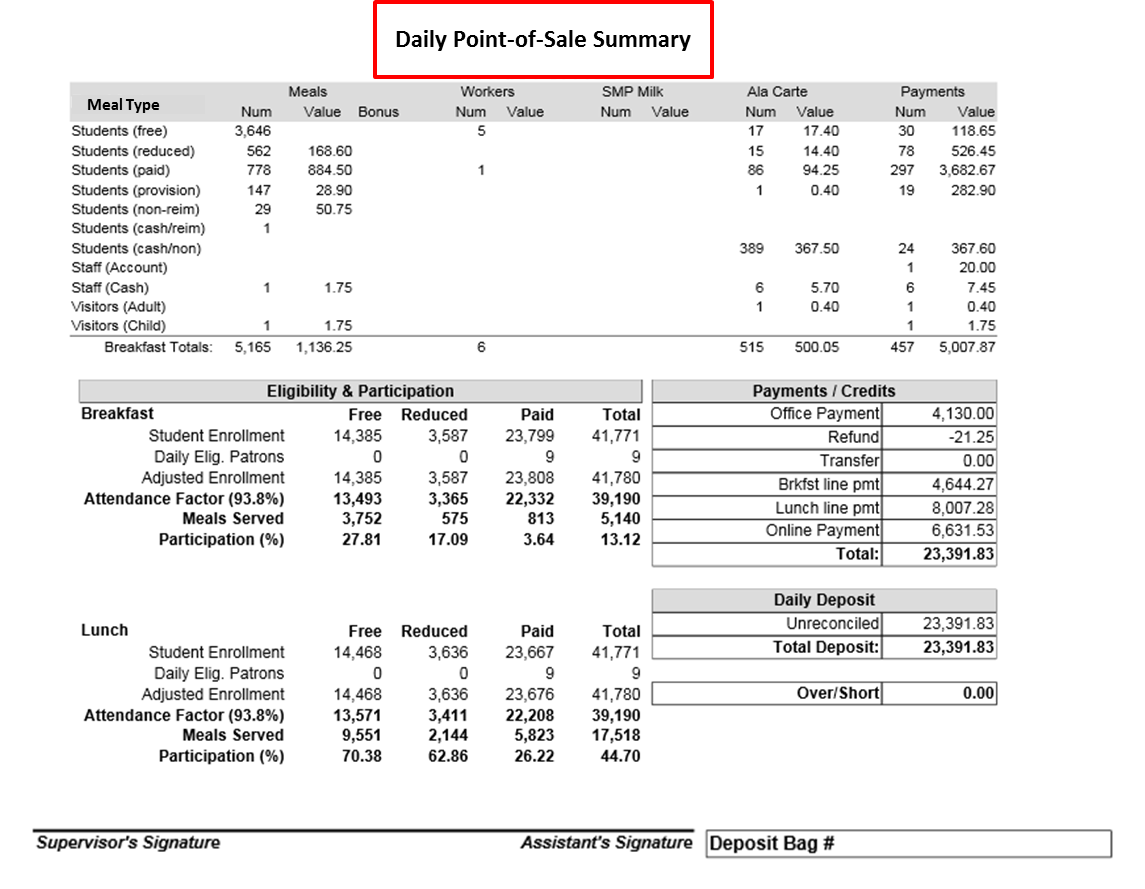
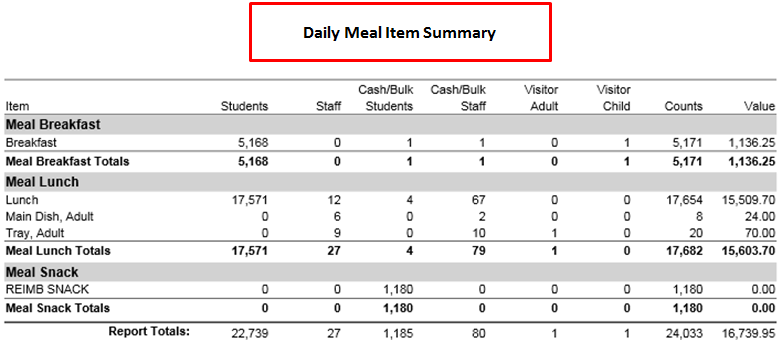
Daily Meal Item Summary provides users with a summary by Meal Type of Consumer and Meal counts for all meals served on a given date and includes the calculated value.
Daily ala Carte Summary provides users with a summary by Meal Type of Consumer and ala Carte Items for all ala Carte items served on a given date and includes the calculated value.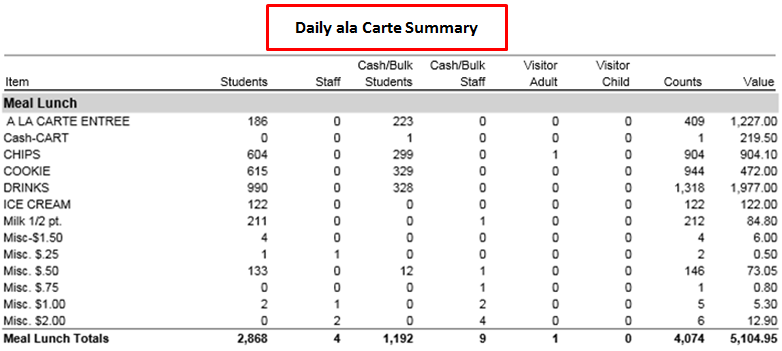
Daily Cash Drawer Reconciliation provides users with a report by Meal Type of all beginning and ending Register balances, Payments, a Calculated Over/Short amount and Notes entered during reconciliation.