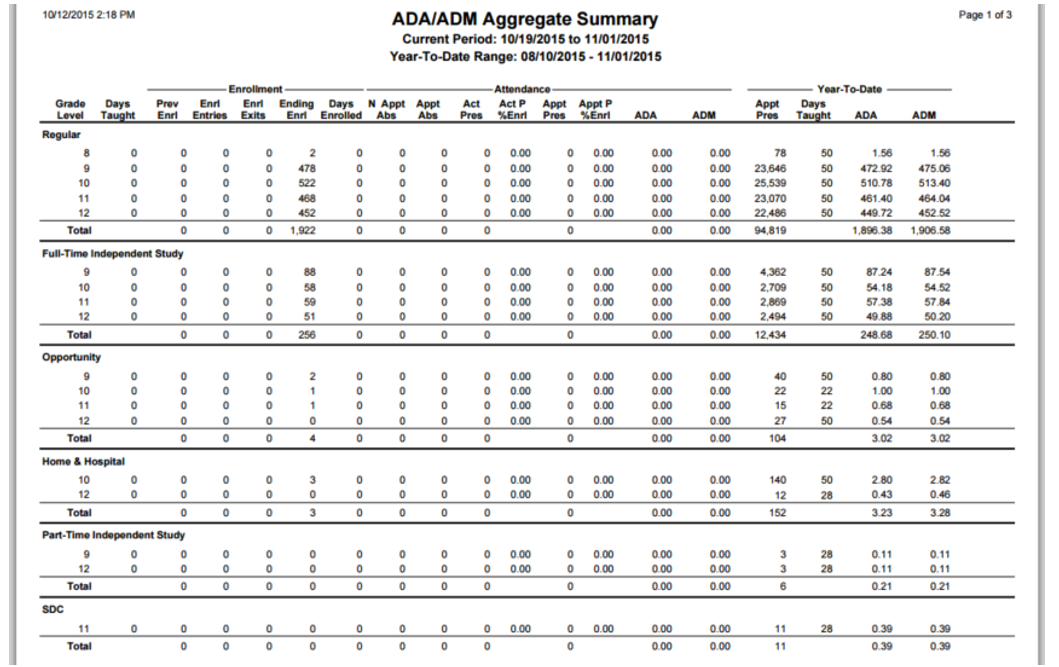
This report aggregates ADA/ADM data from multiple tracks district wide. Student detail is not reported but subtotals are provided for Attendance categories and detailed by Grade Level – for any date range where there are existing summary records. The flexibility of this report makes it very useful for internal auditing in preparation for state ADA reporting obligations.
Prerequisites: ADA/ADM Summary Records must first be created on a track-by-track basis using the ADA/ADM Audit Report. The tracks and date ranges available for the Aggregate Report will be determined by the summary records created in the Audit Report.
While details specific to this report will follow, users can find general information about reports within the Reports documentation.
ADA/ADM Aggregate Summary Report is located within Reports in the Attendance menu in Q.
The ADA/ADM Aggregate Summary Report offers the following options: 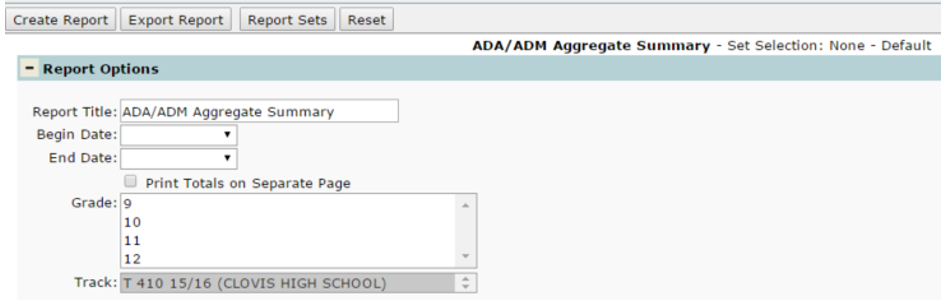
- Report Title – The report title defaults to ‘ADA/ADM Aggregate Summary’, but this can be edited and a user-defined title can be entered.
- Begin Date/End Date – Select the date range for the period to be calculated. These dates are populated based on the From and To dates when the ‘Save Summary Records’ option is turned on when running the ADA/ADM Audit Report.
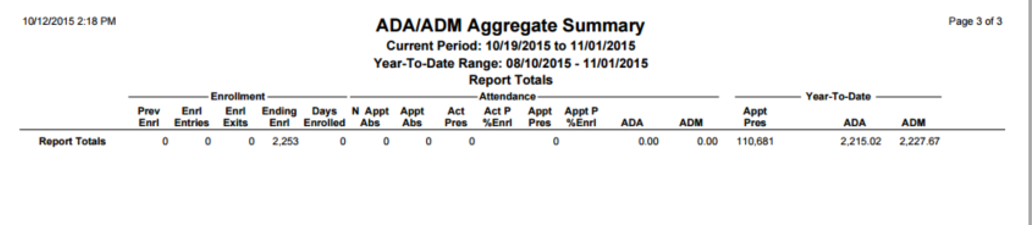
- Print Totals on Separate Page – Turn this option on to have report totals print on a separate page from the report.
- Grade – This field will populate according to the tracks available in the Track dropdown.
- Track – This list will populate according to where you are logged in to. If you log in to the district and have run and saved the summary records using the ADA/ADM Audit Report for multiple tracks, all tracks that have records in the ADASUM table will appear in this dropdown. If you log in to a specific school site, only tracks for that school will appear in the Track dropdown.
Sample ADA/ADM Aggregate Summary report with ‘Print Report Totals on Separate Page’ turned ON