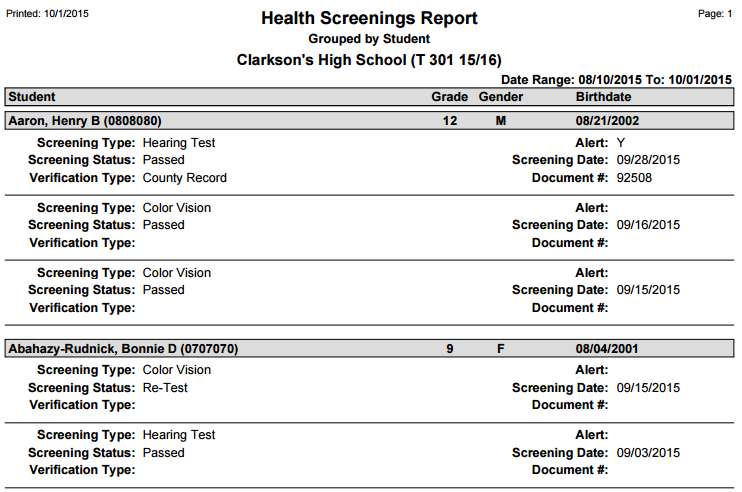
This report prints detailed Health Screening information and results for a student or group of students.
While details specific to this report will follow, users can find general information about reports within the Reports documentation.
Health Screenings is located within Reports in the Health menu in Q.
Report Options
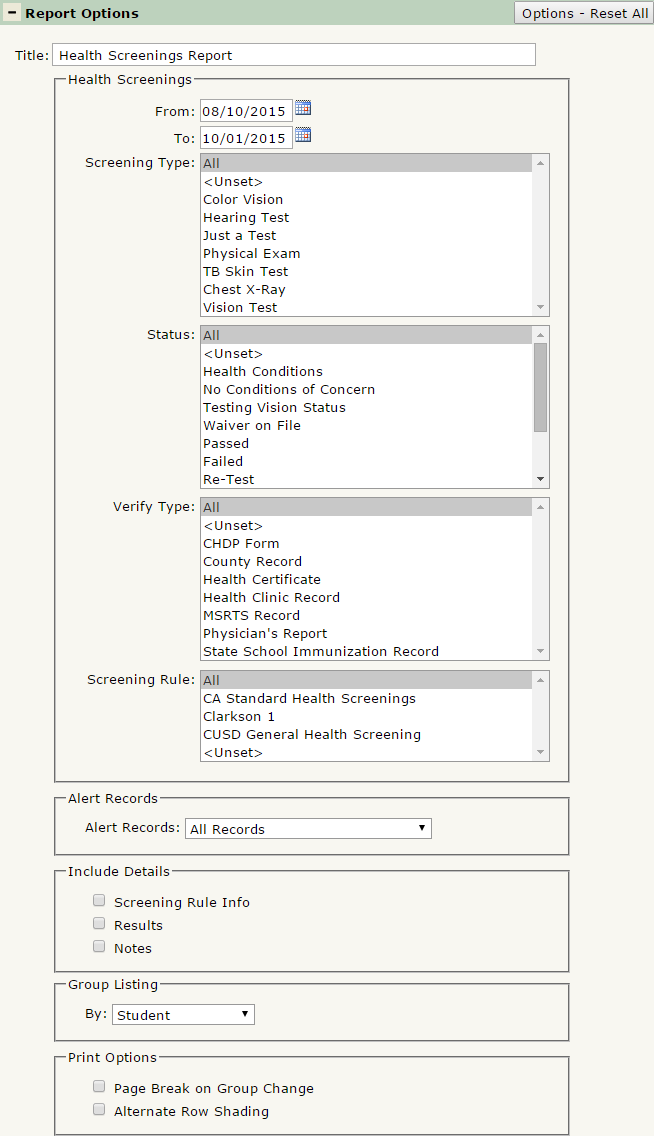
The Health Screenings Report offers the following report options:
- Title: Displays at the top of the printed report. Rename here if necessary.
- Health Screenings
- From – To: Filter Health Screenings recorded in a defined date range by using the From and To date fields. Defaulted from the start of the term to today.
- Screening Type: Select which Screening Types to print. Ctrl-Click to select multiple Screening Types.
- Status: Select the Screening Statuses to print. Ctrl-Click to select multiple.
- Verify Type: Select the Verification Type(s) to print. Ctrl-Click to select multiple types.
- Screening Rule: Select the Screening Rules to print. Ctrl-Click to select multiple Rules.
- Alert Records: Select whether you want the report to return All Records, Only Records With an Alert, or Only Records Without an Alert.
- Include Detail
- Screening Rule Info: Check to include a band of information under the Student’s name with their current Screening Rule, Rule Status, and Status As Of date.
- Results: Check to include screening results, if available.
- Notes: Check to include any notes associated with each screening.
- Group Listing By: Defaulted to group by Student, select how the report will group results. Other options are by Screening Type, Status or Rule.
- Print Options
- Page Break on Group Change: If checked, the report will jump to a new page when the group changes. This only takes effect if you’ve selected something in the Group Listing by section.
- Alternate Row Shading: If checked, the report will print shading on every other line, for easier viewing when a large data set is printed.
Example Reports
Report run with default options: