
When it comes time to report attendance data to the state, there’s a few options of how to accomplish this in Q. The most common, and less setup heavy way is to use the ADA/ADM Aggregate Summary report. This report will combine attendance data for all or some of the district’s tracks, and allow your district to quickly pull ADA and ADM for a defined date range. For most, and for this example, it will be for the P1 apportionment period.
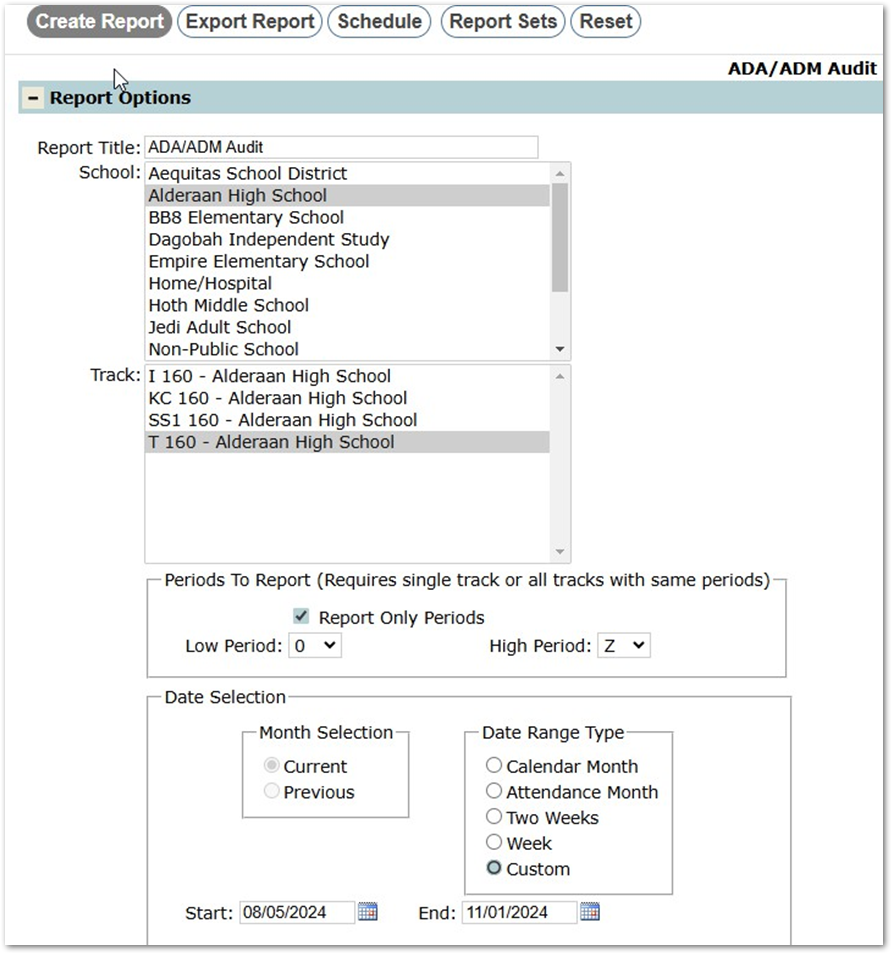
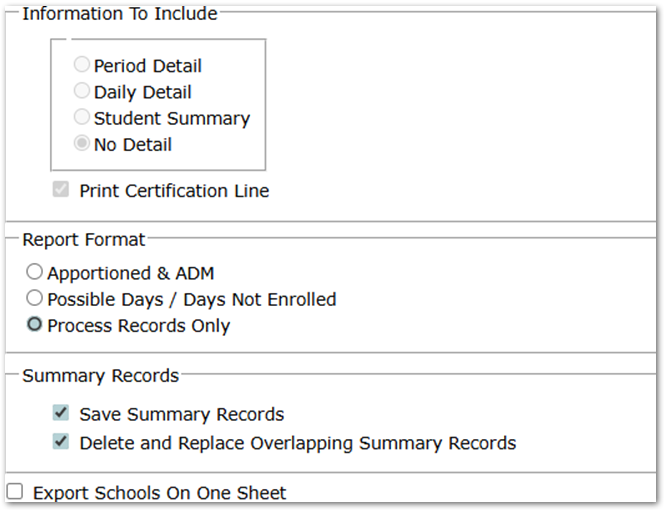
To use this report, you first must run the ADA/ADM Audit report with the “Save Summary Records” option on. This will write attendance summary data to a table that Athe Aggregate Summary report will use. For this example, we’ll run the ADA/ADM Audit Report for 1 high school, the T track, for the dates within P1, and with the Save Summary Records option ON. I’ve also checked on the option to Delete or Replace existing data for this date range, to be sure I’m using only the most up to date attendance data:
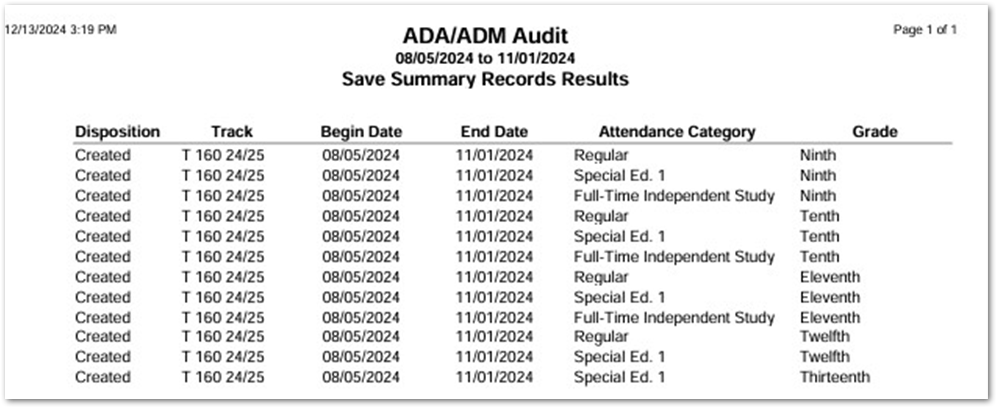
This produces a summary report, showing that this data was saved:
When I navigate to the ADA/ADM Aggregate Summary Report now, I can see the dates that I ran the Audit Report for are now in the Begin and End Date drop downs: