
Five individual reports are available in Daily Detail Reports: 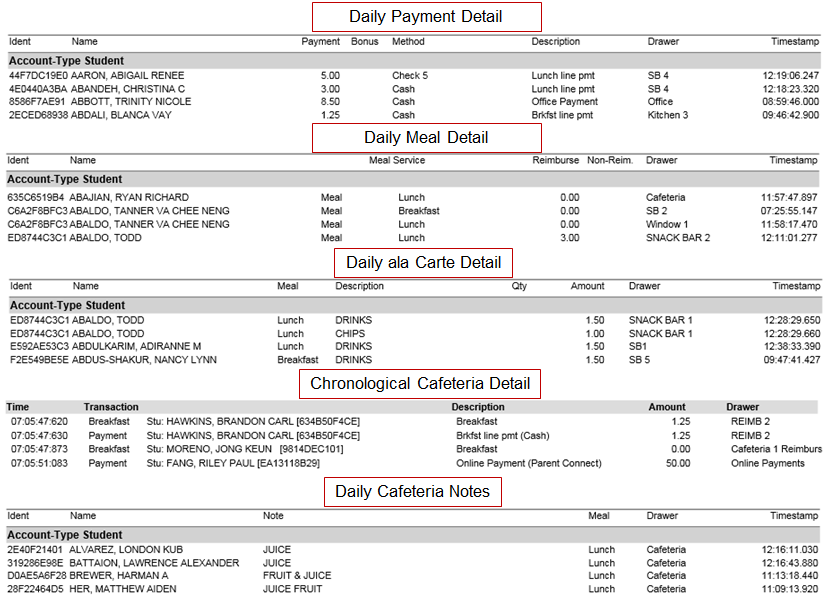
Daily Detail reports contain names and other transaction details such Payment and Payment Method, Bonus Meal Counts, Transaction Description, Drawer, Notes and Timestamps.
While details specific to this report will follow, users can find general information about reports within the Reports documentation.
Daily Detail Reports is located within Reports in the Food Service PoS menu in Q.
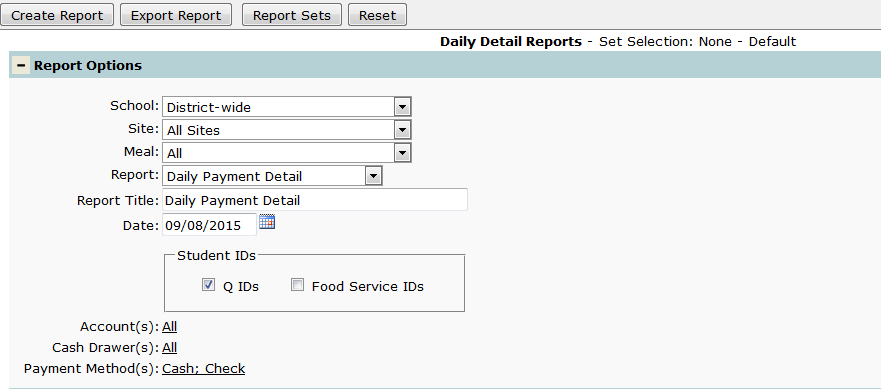
Below is an expanded view of the Report Options where the user can select the desired report and choose the various filtering options.
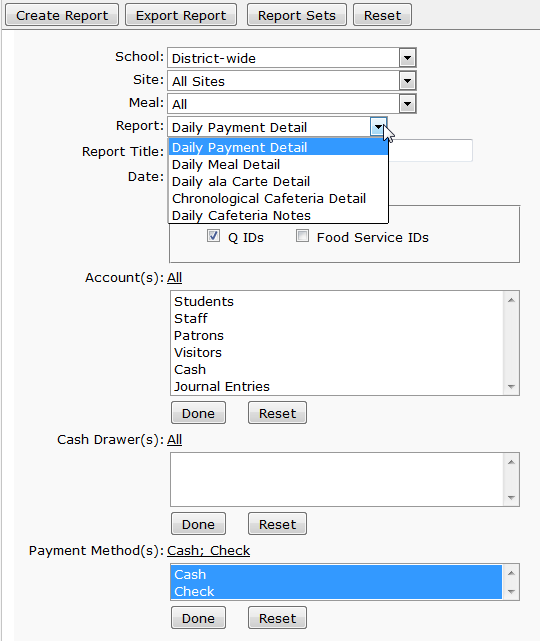
NOTE:
When the Daily Payment Detail report is run at the district level, Online Payments can be included in the report showing the Parent ID and Timestamp. These items are helpful when verifying payments.
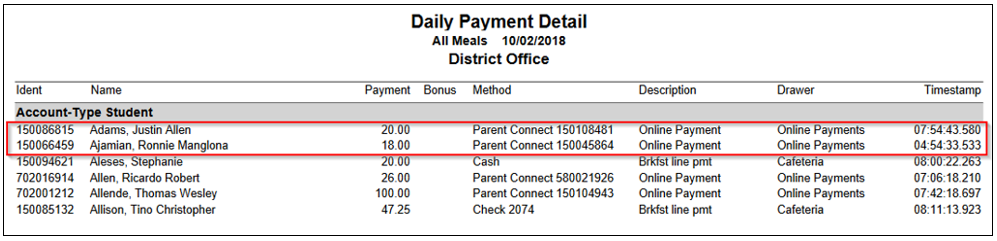
When setting up the report options, use the Reset button to set the Payment Method(s) filter from Cash/Check to All.
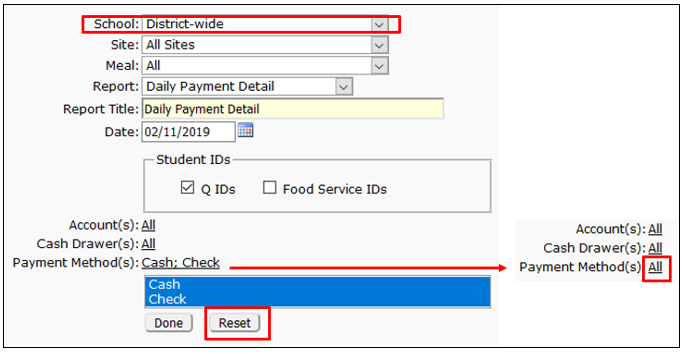
This option is only available when using this report District-wide.
