
The Student Directory Report produces a list of students' names from a selected school site or the entire district.
While details specific to this report will follow, users can find general information about reports within the Reports documentation.
Student Directory Report is located within Reports in the Enrollment menu in Q.
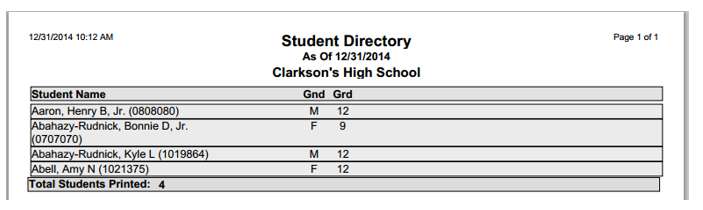
The basic report listing contains the student's Last Name, First Name, ID Number, Gender, and Grade.
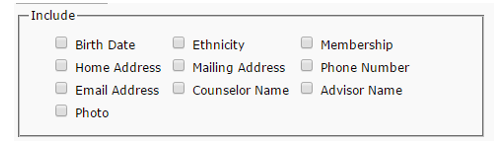
There is an option to include the student's Birth Date, Ethnicity, Membership, Home Address, Mailing Address, Phone Number, Email Address, Counselor Name, Advisor Name, and Photo.
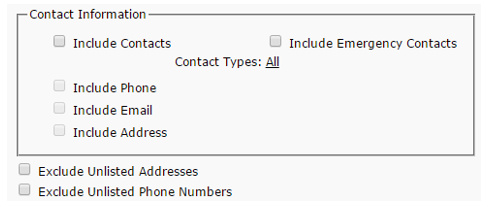
Further options allow the user to include a student’s Contacts and Emergency Contacts information. Contacts included can be filtered by type and contact phone numbers, email address, and or addresses can also be included in the listing.
Student and Contact phone numbers and addresses that have been flagged as 'Unlisted' in the Student Editor or Contacts database have the ability to be hidden in the report (for confidentiality purposes) by checking the appropriate Exclude Unlisted checkboxes.
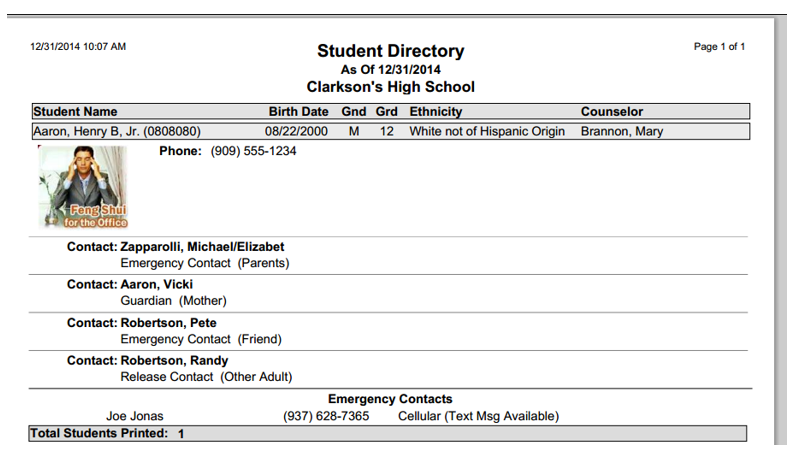
(Sample Student Directory Report)
