
Sometimes when a district sends lots of emails in bulk. Email providers will start to see those important messages as Spam. In Version 4.1 we have implemented a new preference to help combat that.
To turn this feature on you will need to log into the District Track. Then navigate to System > Preference Editor > Then choose the System Configuration tab. Type the word Throttle into the search box.
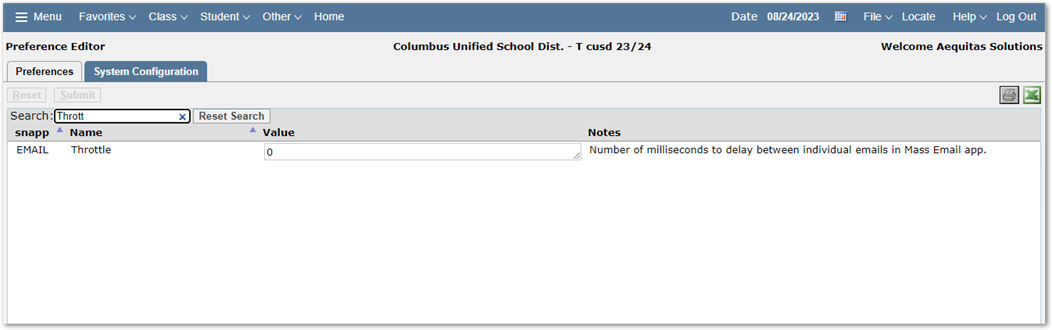
The new Throttle preference will allow your district to set the number of milliseconds that the system waits between sending emails out when they are sent using the Mass Email application.
Keep in mind that 1 millisecond equals 0.001 seconds. So, if you set the preference to be 5000. That would send an email once every 5 seconds. That would take the system approximately 8 minutes 20 Seconds to send a batch of 100 emails, or 1 hour and 23 minutes to send 1000 emails. If you are trying to send district, or school wide this might take a while. It is recommended to work with your systems teams to calculate the best throttle time based on your SMTP email setup.