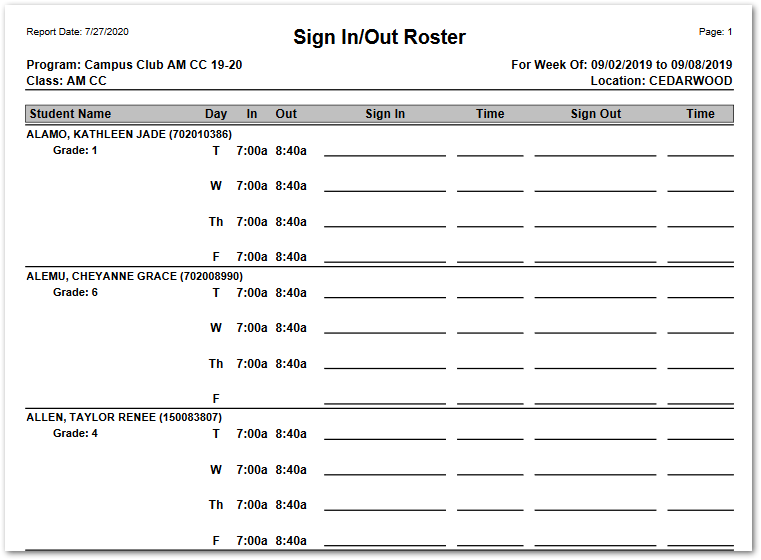
The EC Sign In Out Roster prints a class roster for the selected week and program with space for parents to handwrite a Sign In time and signature and Sign Out time and signature for each scheduled day for their student.
While details specific to this report will follow, users can find general information about reports within the Reports documentation.
EC Sign In Out Roster is located within Reports in the School menu in Q.
Report Options
EC Sign In Out Roster Report Options enable the user to select:
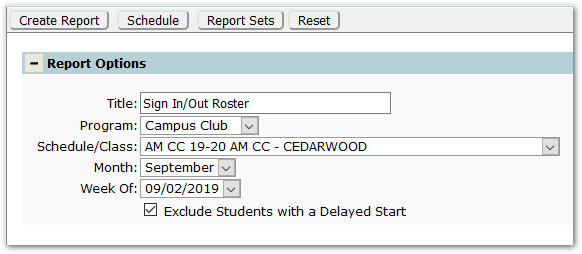
- Title – The default title ‘Sign In/Out Roster’ will appear, but it may be edited and revised.
- Program – A program must be selected.
- Schedule/Class – A class schedule must be selected.
- Month – Select the desired month for the report.
- Week Of – Select the desired week for the report.
- Exclude Students with Delayed Start – This option defaults ON. Uncheck to include students with a delayed start.
Example Reports
The sample below shows Sign In Out Roster: