
The Student Directory report produces a listing of all students enrolled in the school. The report also offers the user multiple selection and sort options.
Student Directory Report is located within Reports in the Schedule menu in Q.
Report Options
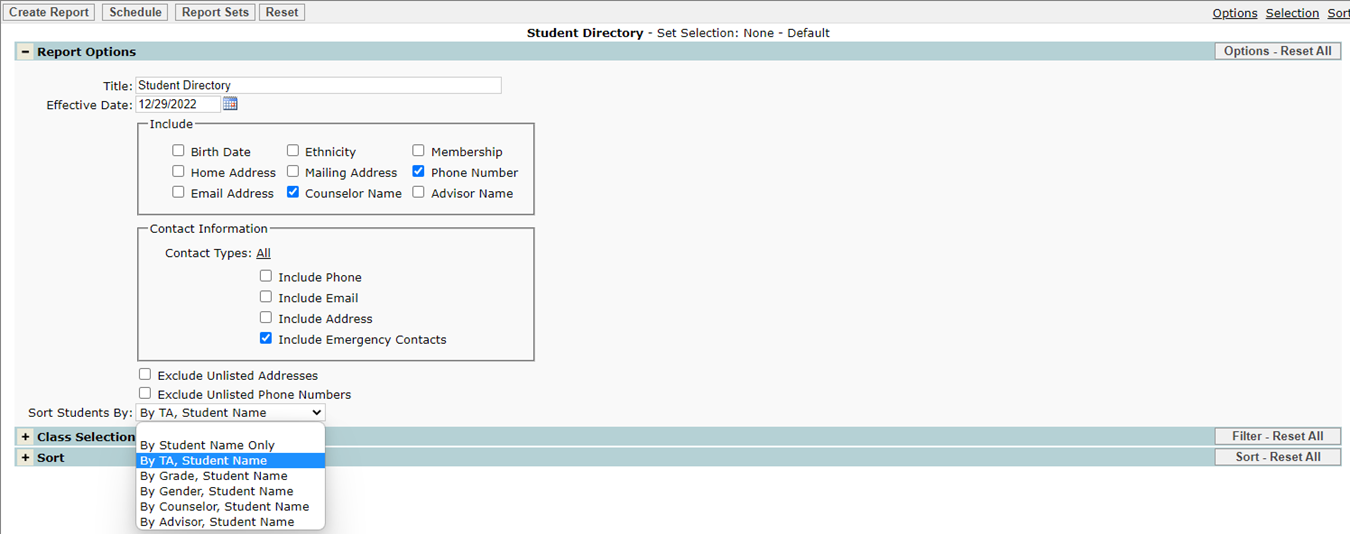
The Student Directory Report provides the following options:
- Effective Date – Enter a date or select date from pop up calendar.
- Birth Date.
- Ethnicity.
- Home address.
- Email Address.
- Mailing Address.
- Counselor Name.
- Membership.
- Phone Number.
- Advisor Name.
- Contact Information:
- Contact type.
- Contact Phone.
- Contact Email.
- Contact Address.
- Various student sorting selections may all be chosen here:
- By Student Name Only.
- By TA, Student Name.
- By Grade, Student Name.
- By Gender, Student Name.
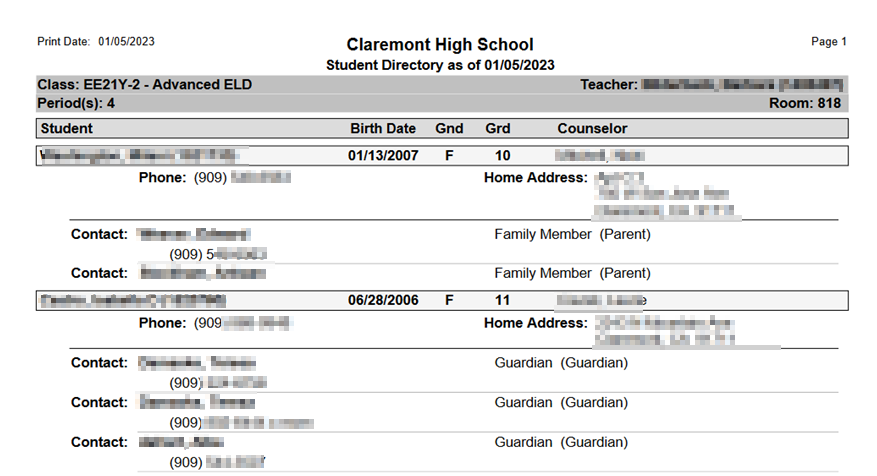
Example Reports
Student Directory Report
Videos
