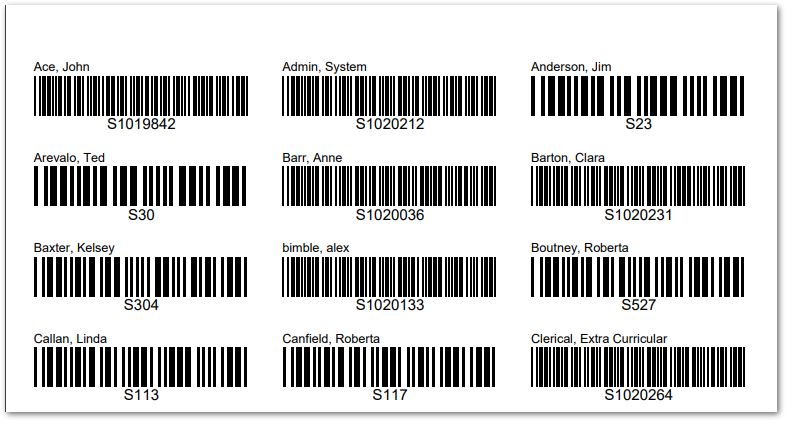
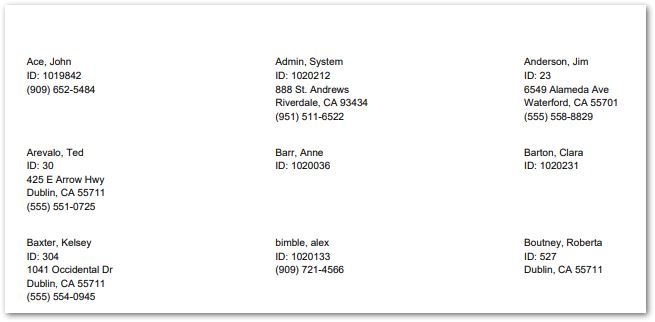
The Faculty Data Labels Report provides faculty name or barcode ID labels. The labels may be used for various purposes, such as file folders, ID cards, etc. The barcodes produced correspond to the faculty identification numbers. The labels may be printed in two or three column formats.
Faculty Data Labels Report is located within Reports in the Staff menu in Q.
The report offers the following options: 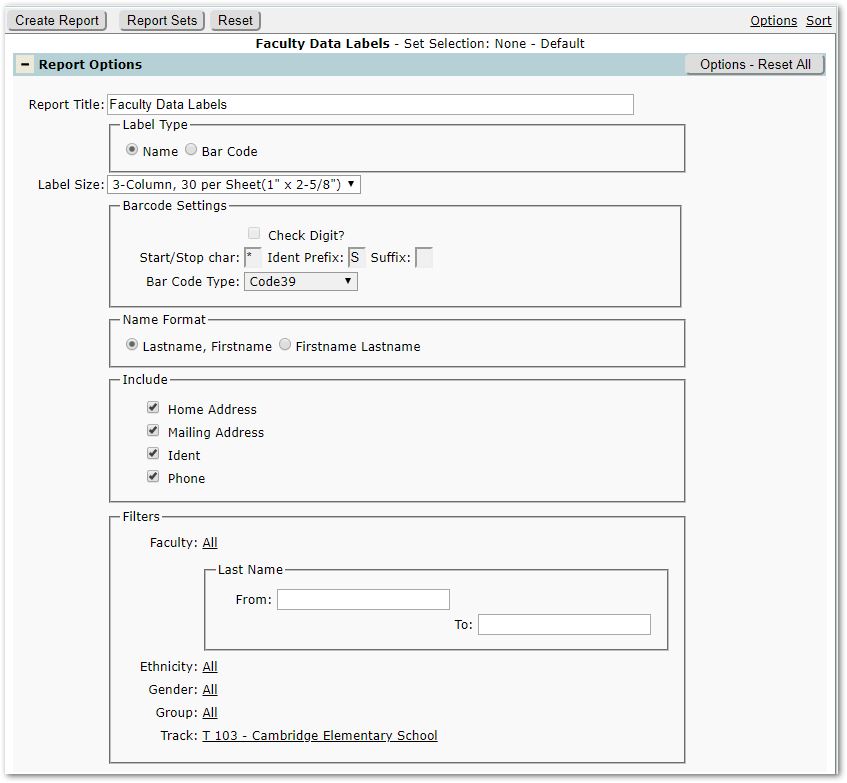
Report Title – The report title will default to ‘Faculty Data Labels’ but may be changed.
Label Type: Select either Name or Barcode.
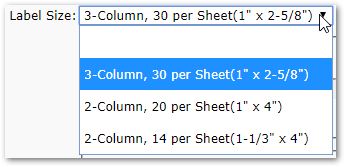
Label Size: Select a size for the label:
Barcode Settings – If Barcode label is selected, set the appropriate settings for your labels.
Name Format – Either Lastname, Firstname or Firstname Lastname.
Include – When Name Labels are selected, then choose whether to include Home address, Mailing Address, Ident, Phone. Ident defaults ON.
Filters:
Faculty – To narrow the set of staff reported from the default ‘All’, click and select the from the set of staff available in the logged in track. Or, use the Last Name From and To range selection.
Ethnicity – Select from available staff ethnicities if desired.
Gender- To narrow staff by gender, select the gender.
Group – Optionally select from any Faculty Groups.
Track – Tracks available will be those associated with the logged in school.