
The Special Ed Analysis report produces a pivot table displaying student counts based Special Ed Programs or Services. The effective date and the pivot layout can be configured by the user with a wide selection of fields available for use for page, row or column data.
The Special Ed Enrollment Analysis Report can be run from the school or district level. When logged into a school, only data for that school will be returned. When logged into the district, data for the entire district will be returned
While details specific to this report will follow, users can find general information about reports within the Reports documentation.
Special Ed Analysis Report is located within Reports in the Programs menu in Q.
When the Spec Ed Analysis report is initially launched the Report Options default to the current date with the count set on Programs. The default pivot layout is as follows: Page; track and school, Row; program and Column; grade.
Users may select the date, count on option and pivot layout of their choice from the following report options:
- Effective date:
- Enter the dates manually using the MM/DD/YYYY format or use the pop up calendar to select the date.
- Select the Count On option:
- Programs.
- Services.
- The Pivot Layout may also be adjusted to the user’s specifications by selecting items from the Page, Row and Column drop down lists.

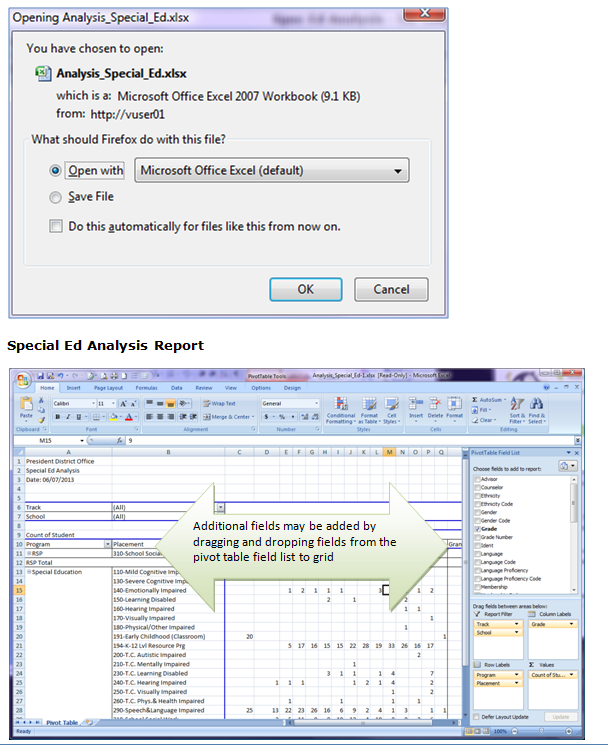
Double clicking on a cell will open a new worksheet displaying a roster with the individual student records represented by the count.
Records initially displayed in the drill-down are not sorted in any particular order. To determine the data sort order:
- Select the data tab in the spreadsheet ribbon.
- Select the column you wish to sort.
- Click the ascending or descending arrow.
- If you highlight only one column, you will receive a message asking if you want to expand your selected sort option.
- Click Expand the Selection.
- Click Sort.
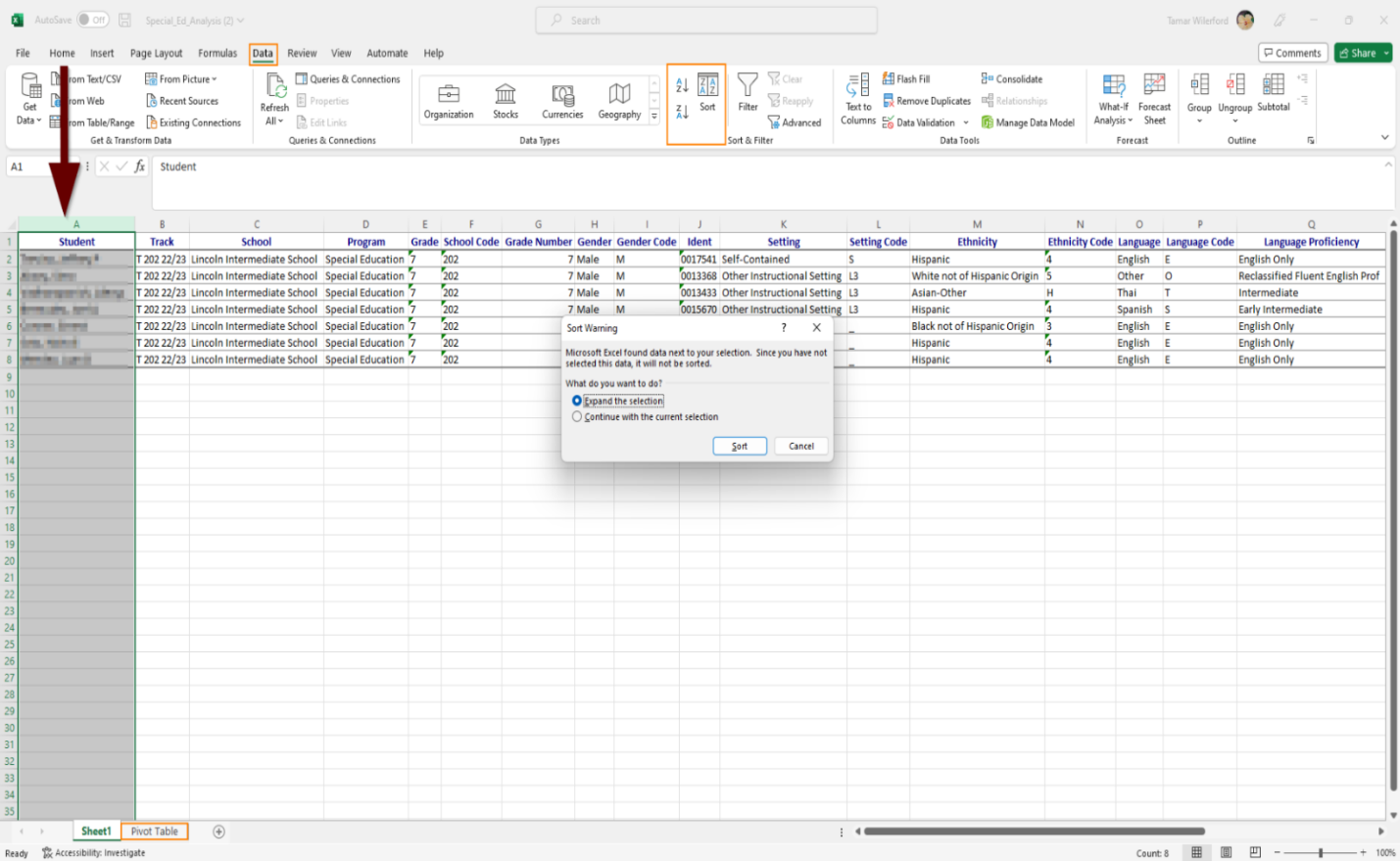
To return to the home pivot table click the Pivot Table tab.

NOTE: Reports may look different depending on option and selection choices.
