
The Behavior History Report allows users to generate a history of Behavior Incidents for a student or set of students.
While details specific to this report will follow, users can find general information about reports within the Reports documentation.
Behavior History Report is located within Reports in the Behavior menu in Q.
Unique Report Options for Behavior History Reports
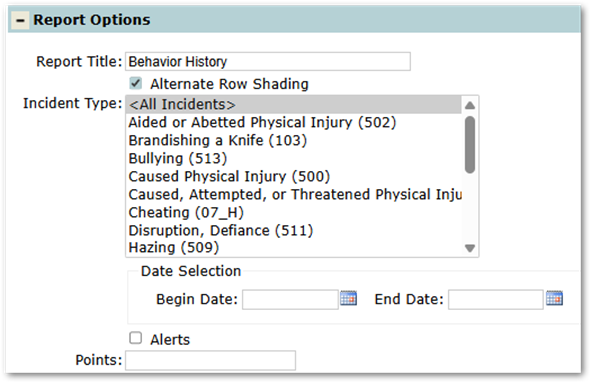
- Incident Type: Allows users to select the types of incidents they would like to display in the report. Defaults to <All Incidents>, but users may select one or more (CTRL-Click to select multiple Incidents)
- Alerts: If checked, the report will return only incidents that have an Alert set.
- Points: Allows filtering to only see students who have at least the entered number of points.
Unique Student Selections for Behavior History Reports
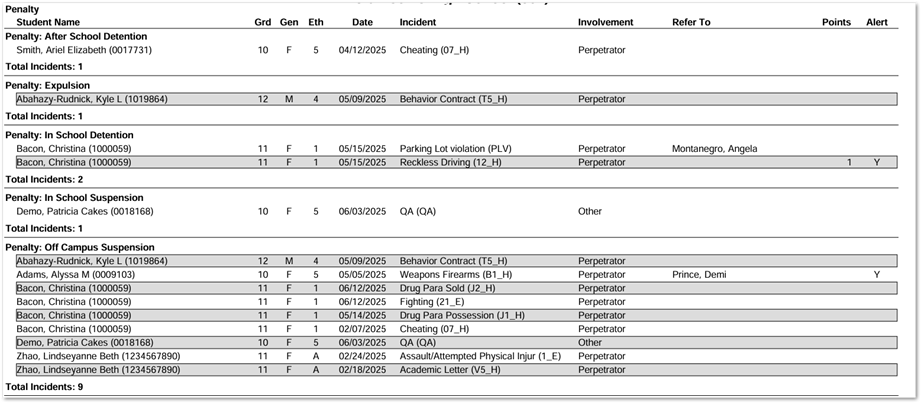
Penalties Selection: To print only incidents that have Penalties, Penalty must be selected as a Sort, and it MUST be first. The report will not run if Penalty is in the sort set and not first.
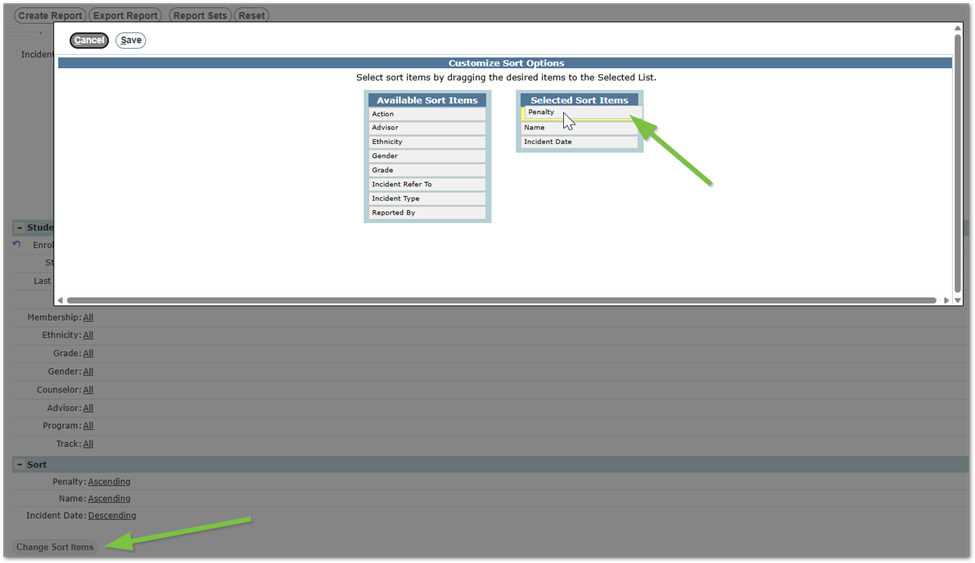
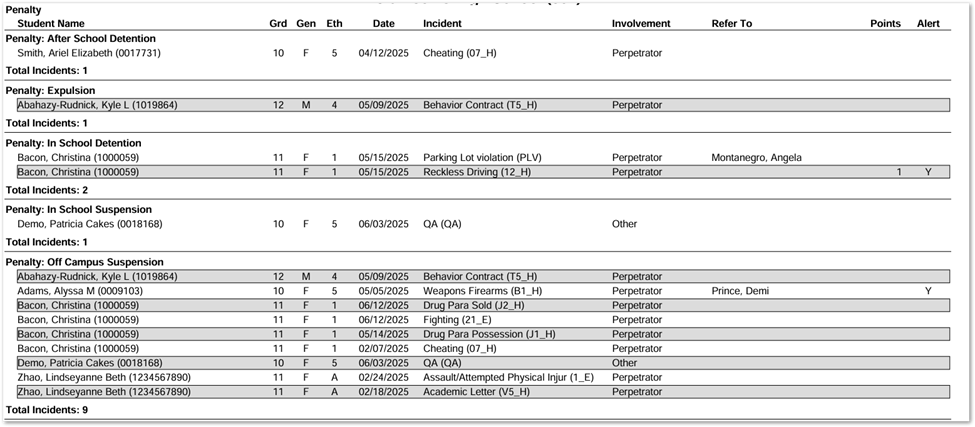
If Penalty is selected as a Sort, there will not be an ‘Action’ column. Instead, it will be grouped by the Penalty, which is the main header.
Create/Export Report
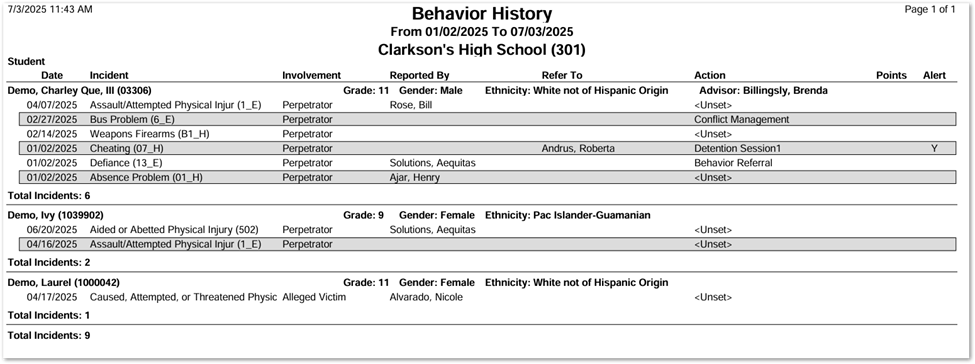
Create Report Example
- Default
- Sorted by Penalty (See Unique Student Selection for further information about this variation)
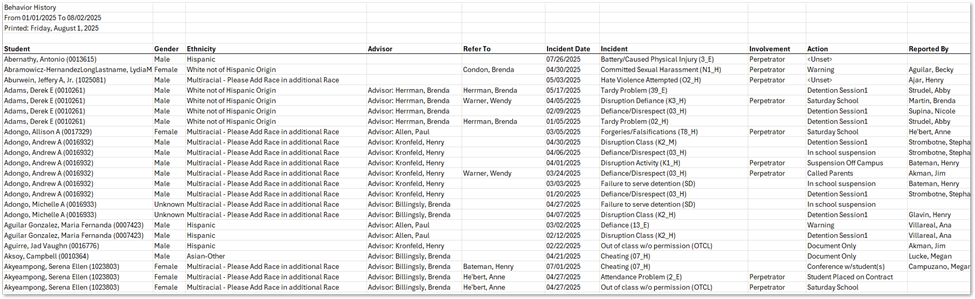
Export Report Example
- Default
Videos
