
You can now set up Re-Enrollment to include Online Eligibility Applications that can be filled out with in the Parent Connect Portal.
- When logged into the District Track. Go to Parent Connect Manager, and choose the Modules tab.
- In the Modules Tab there are two Preferences on the Right Side called
- Host FSOnline during Re-Enrollment – Yes/ No drop down
- URL of Districts FSOnline Application – Free Form Field
- In the Modules Tab there are two Preferences on the Right Side called
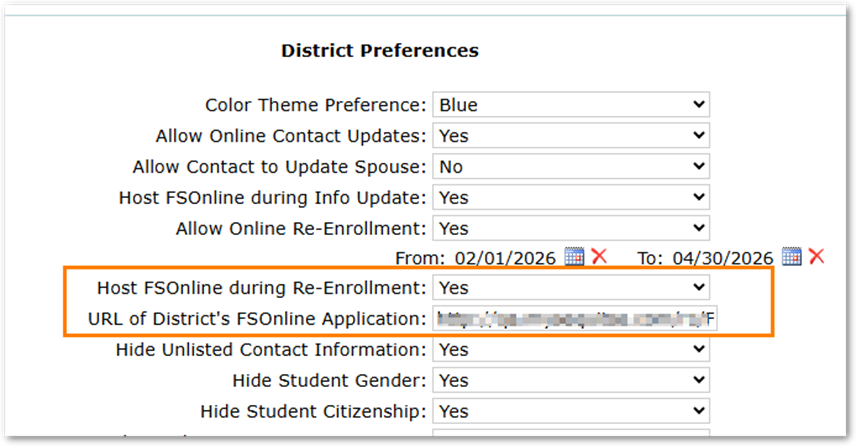
When the Preference is set to YES and the Link is supplied. A link will show at the bottom of the Re-Enrollment Review page.
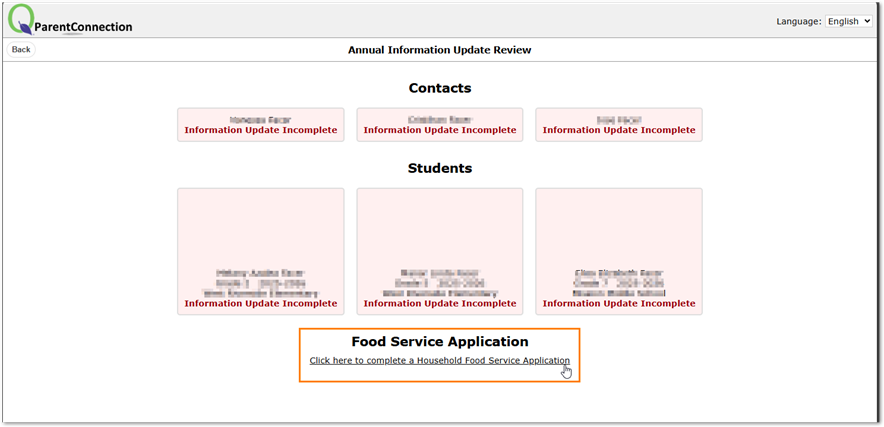
When a parent clicks on the link the FS Online portal is open within the Parent Connect window.
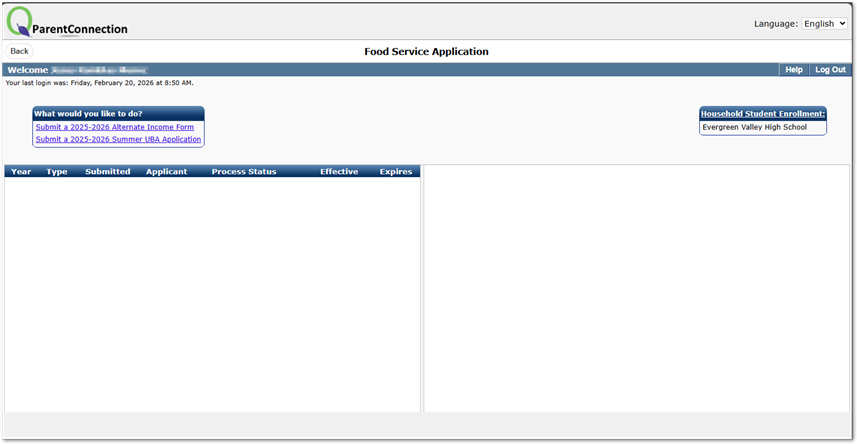
Once completed the parent can just click Back to return to Re-Enrollment and continue.
