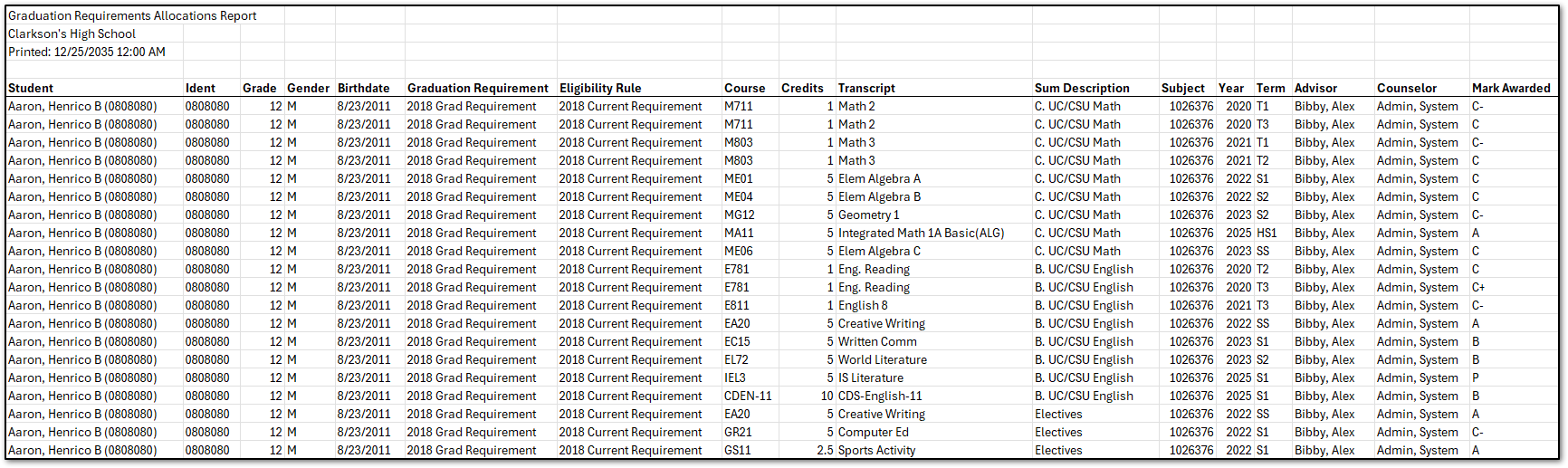
The Graduation Requirements Allocations report details how graduation credits earned by students have been allocated to their graduation requirements.
Students need to have up-to-date graduation requirement calculations for this report to be accurate. For more information on graduation requirements see the Qwiki article for the Requirements application.
While details specific to this report will follow, users can find general information about reports within the Reports documentation.
Graduation Requirements Allocations is located within Reports in the Marks menu in Q.
The Graduation Requirements Allocations report has the following report options:
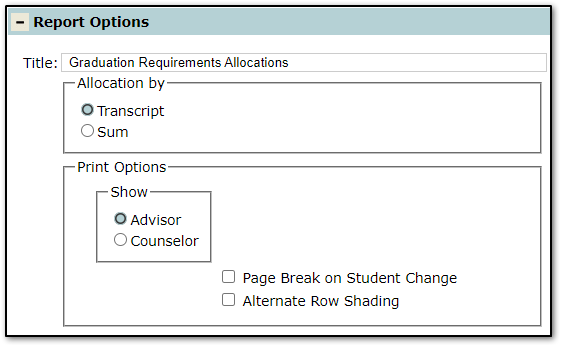
Transcript: Lists credits by course in order of when they were earned.
Sum: Lists sums in the student graduation rule and the credits that have been allocated to each sum.
Advisor: Include the student Advisor.
Counselor: Include the student Counselor.
Page Break on Student Change: Check this box to print each student on their own page(s).
Alternate Row Shading: Check this box to turn on alternate row shading.
Clicking the Create Report button produces a PDF version of the report.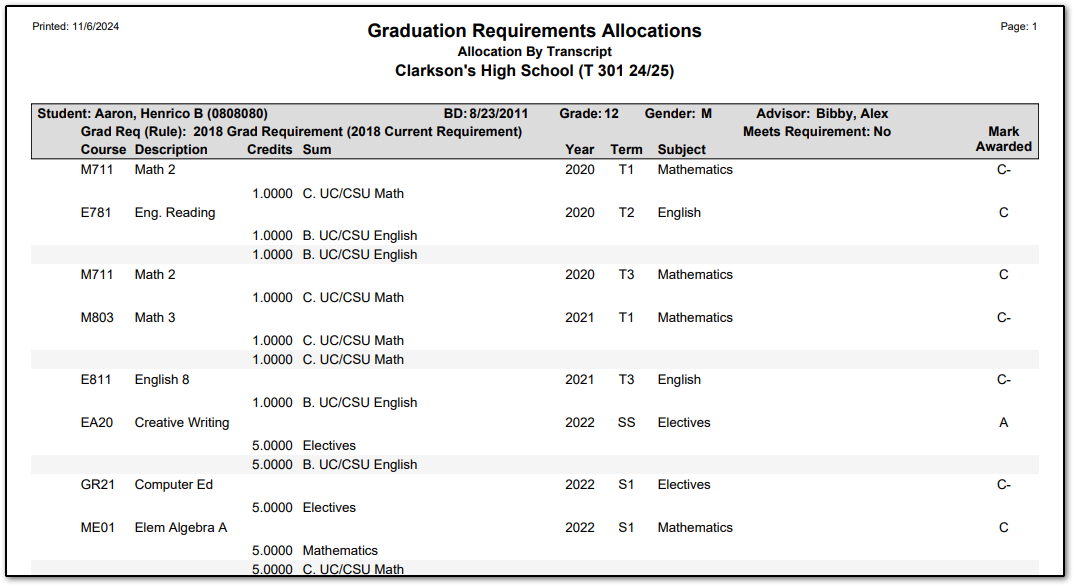
Clicking the Export Report button downloads an Excel version of the Graduation Requirements Allocations report.