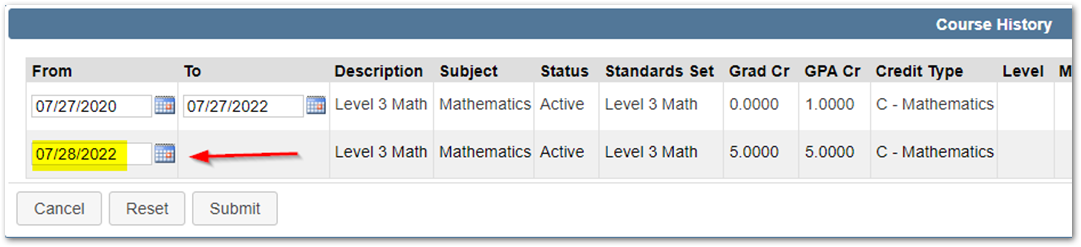
When Editing a course using the District Courses app, there are some things to consider. Some course attributes can be changed without affecting other areas of Q. However, when certain attributes of a Course are changed the District Courses program must track the history of those changes.

The fields that are tracked in Course history are as follows:
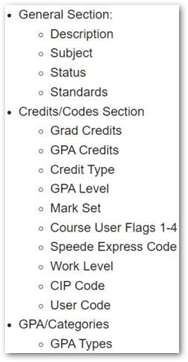
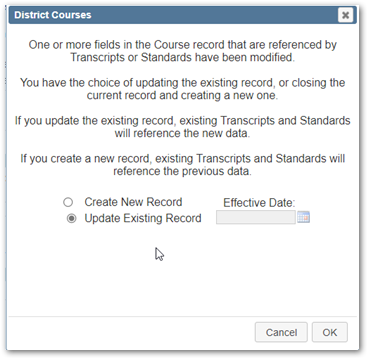
If Changes are made to any of the fields listed above, a Dialogue Screen will appear
Choose ‘Create a new Record’ to make changes effective as of a future date for the new course history record. Selecting this option will leave all existing data in place for transcript records and will only affect transcript records created after this new effective date.
Note
If there are any transcript records tied to this crhisuniq, they will need to be re-processed for the transcript records to display the new changes made.
Use the ‘Show History’ button to view the changes that were made. The First History Record shows the original attributes when the course was first created. Subsequent Records will show modifications made. 
Note
When making course history changes, we highly suggest setting the effective date to be the beginning of the school year and not setting the effective date to be mid-term or mid-year, as this will cause issues with reports throughout the system because the report will not know which crshist record to pull.