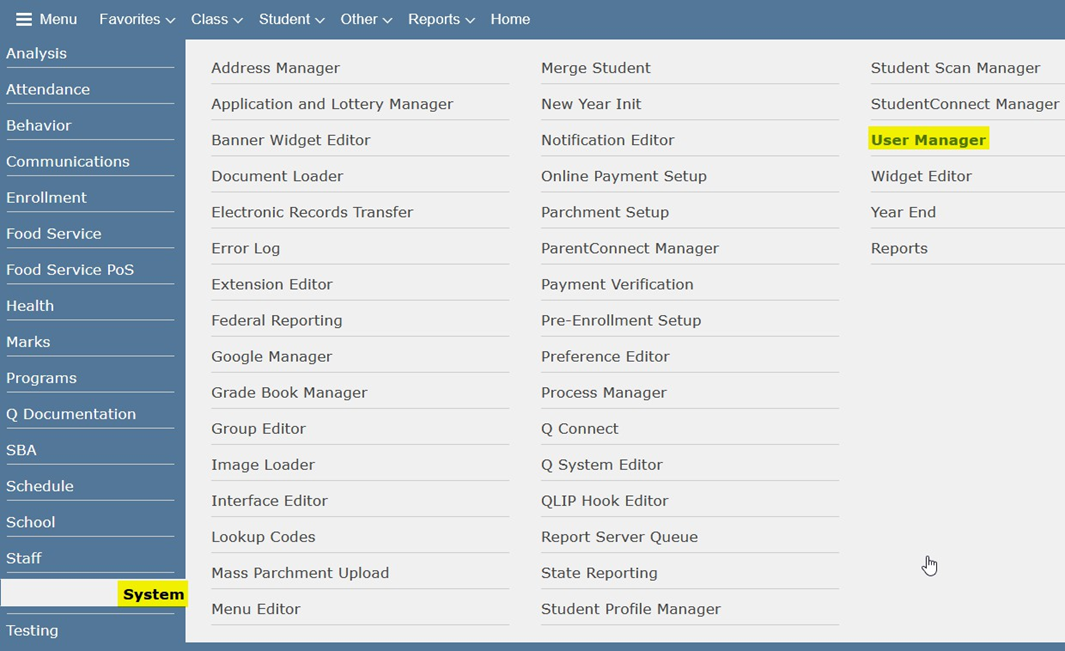
Today’s Q-tip is taking a look at the User Manager application for the purpose of resetting passwords for Students, Contacts, and Staff. Do you have students or parents forgetting their passwords to access their portals? Has a staff member mentioned they need to reset their password because they either forgot it or maybe it’s been compromised/shared? The User Manager application will allow you to reset the passwords for these users with ease. Located in System Menu > User Manager.
Permissions
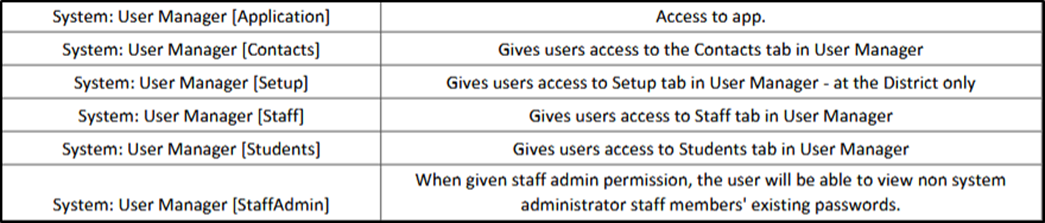
Several permissions drive access to this application. Consider the list below and their descriptions when assigning these permissions to Roles at your District/School
Student Tab
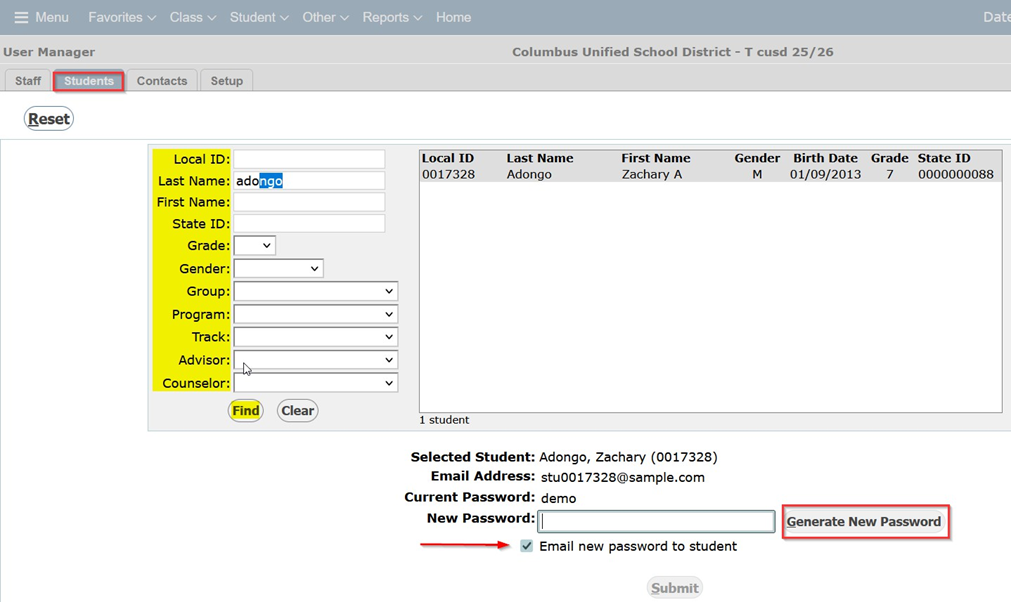
In the Student tab, you can search for a student using filtering options similar to the Student banner applications found elsewhere in Q. You can either manually create a new password or have the ‘Generate New Password’ button do it for you. You can also check the box to email the password to the student.
Staff Tab
Using staff’s Local ID, First or Last Name you can search and locate the appropriate staff member. Generate a new password using the button or manually create one and email it to the staff member by checking the email checkbox.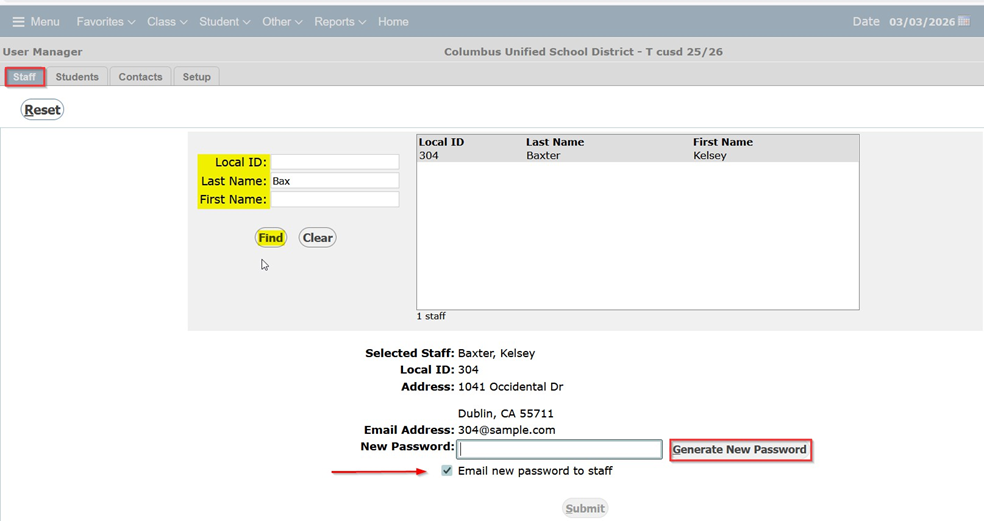
Contacts Tab
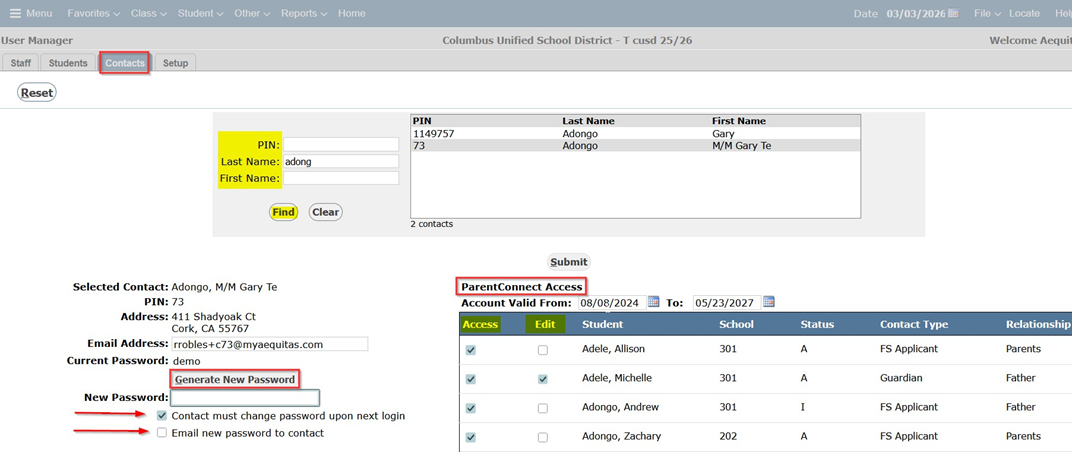
You can search using a Contacts’ PIN, First or Last name. Same as the other tabs you can Generate a new password with the button or manually create one and email it to them. There is an additional checkbox available in this tab that will require Contacts to change their password upon their next login to the portal as an additional safety measure for them.
This tab also displays ParentConnect Access for the students that are associated with the selected contact, as well as the school that student is located at, their status, and the contact type and relationship of the contact and the student.
Account Valid From: displays how long this contact will have access to their associated
student’s information on ParentConnect.
Access: checkbox determines whether or not this contact has the ability to access student information on ParentConnect for each student they are associated with.
Edit: checkbox determines whether or not this contact has the ability to edit student information under the Re-Enrollment tab on ParentConnect for each student they are associated with.