
Many districts take advantage of both the address verification and address validation features within Q. It is important that users with access to edit addresses understand the difference between these two features.
Address Validation – Checks if the address a user has entered is within the district’s address ranges. The list of valid address ranges is configured and maintained by district staff within Q.
Address Verification – Checks if the address is in the Smarty database to ensure that it is a real address that can receive mail. Smarty (formerly SmartyStreets) is an industry leader in address lookups and this same US Address Verification service is used by Microsoft, NASA, Zillow, and more. The verification service also updates the address format to meet USPS guidelines.
Address Validation
Q’s Address Manager app is where administrators maintain the list of valid address ranges used by Address Validation: 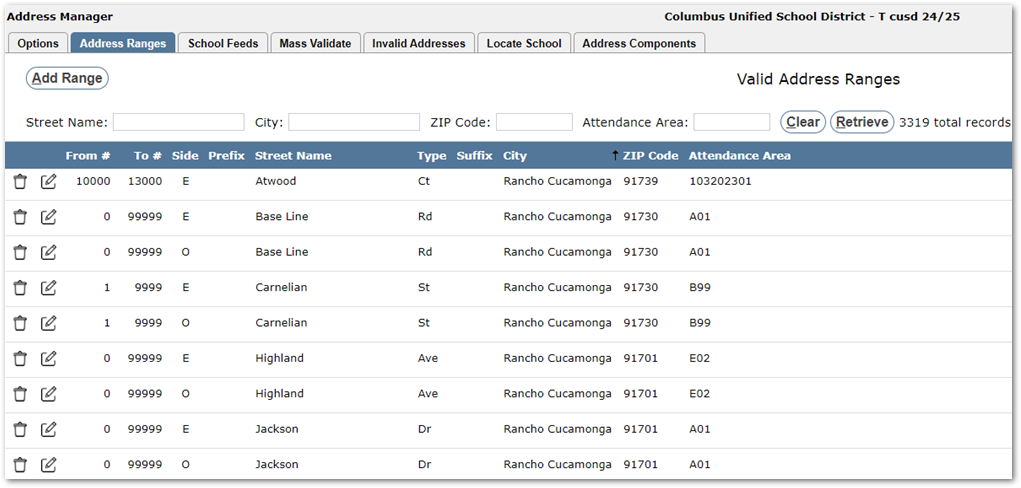 When validation is on, if a user enters an address that is not within one of the address ranges, they will receive a validation error: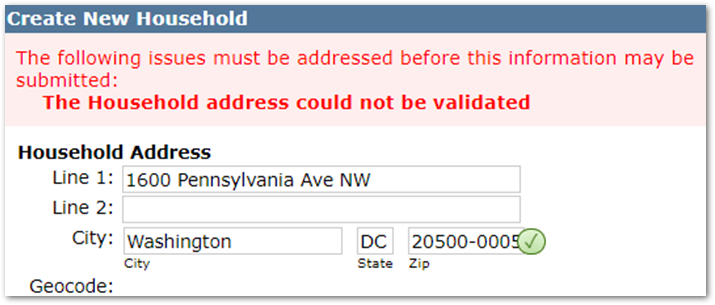
Address Verification
The Address Verification feature uses Smarty’s US Address Verification service to check if the address entered is real and standardizes the format to meet USPS guidelines. New addresses may take several weeks to get in their database.
In the following screenshot, a user has entered a misspelled and incorrectly formatted address while creating a Household:
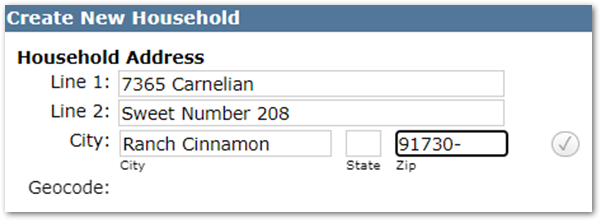
Once the user clicks away, the verification service updates the address to correct the spelling and format:
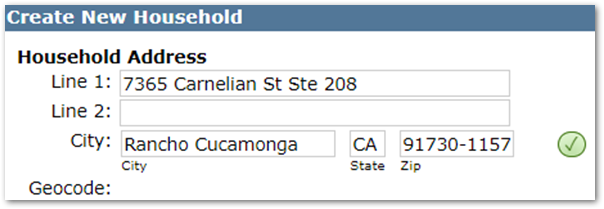
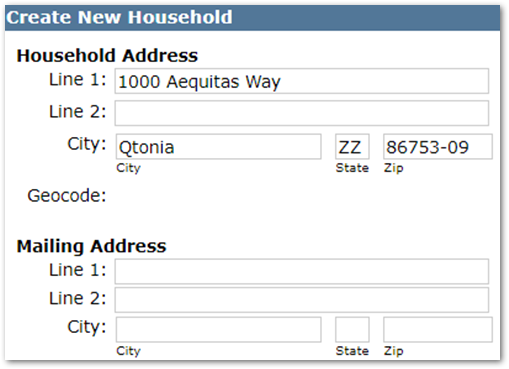
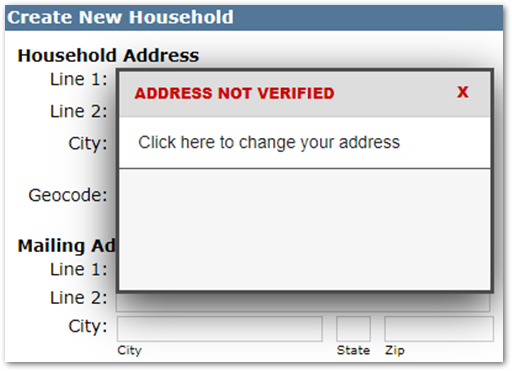
If a user enters an address that doesn’t exist they will receive an error:
Additional Information
There is a lot more to the way addresses work in Q, including options to allow users to override the address validation. To learn more, see the Address Manager documentation.
To learn more about how Smarty works, visit their website at smarty.com.