
The Behavior Analysis Report generates a pivot table that displays student behavior by incidents, involvements, penalties, or policies. Additional data elements can be added by dragging and dropping fields from the pivot table field list onto the grid. The report can be run from the district or school level with a user-defined date range.
While details specific to this report will follow, users can find general information about reports within the Reports documentation.
Behavior Analysis Report is located within Reports in the Behavior menu in Q.
Unique Report Options for Behavior Analysis Reports
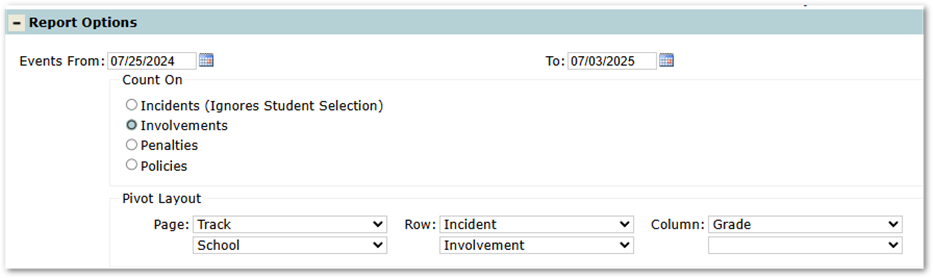
- Count On: Changes the counts of the pivot table.
- Example: Choosing Penalties will show various counts for each Penalty.
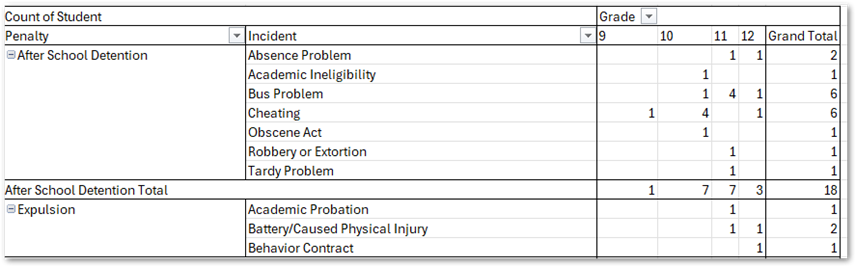
- Example: Choosing Penalties will show various counts for each Penalty.
- Pivot layout: Adjusts the layout of the generated pivot table. Each choice within the Count On option has its own preset defaults. Users may use the drop-down list to choose various behavior and student-related data points.
Unique Student Selections for Behavior Analysis Reports
The Enrollment within Student Selection defaults to Students This Year, excluding Part-Time Students. This selection can be changed by clicking on the link to display additional choices.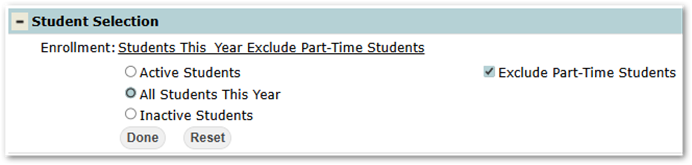
Export Report Examples
- By Involvements (Default)
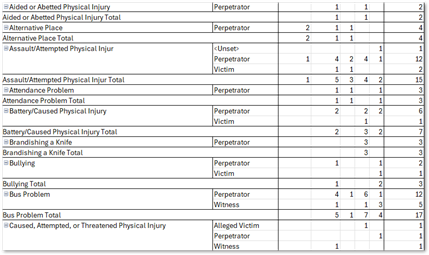
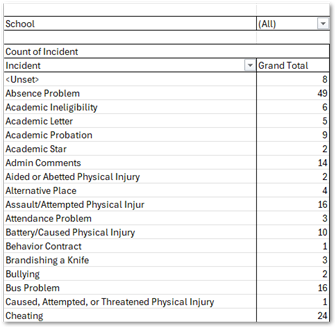
- By Incidents
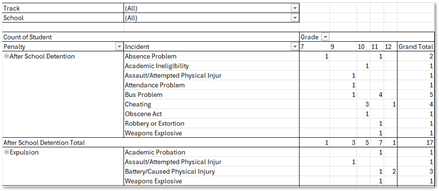
- By Penalties
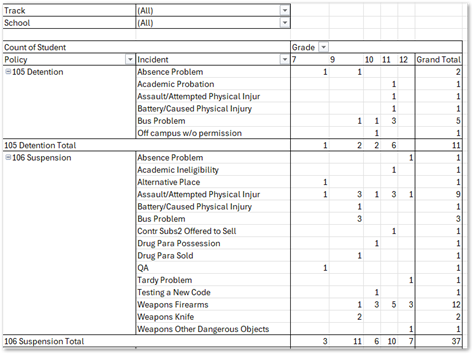
- By Policies
Videos
