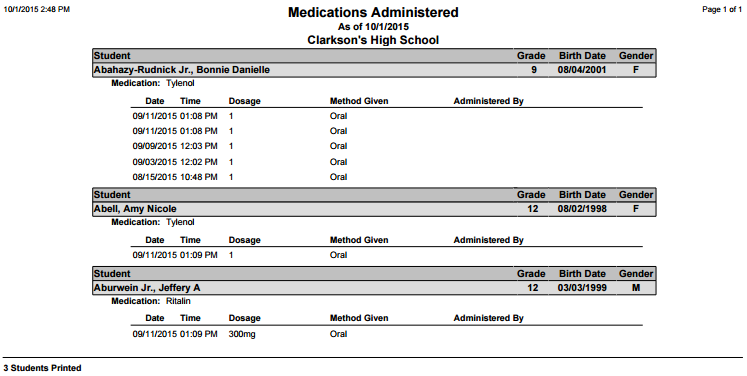
This report prints a detailed list of the medications administered to students, including the Date, Time, Medication given, Dosage, and who it was administered by.
While details specific to this report will follow, users can find general information about reports within the Reports documentation.
Medications Administered Report is located within Reports in the Health menu in Q.
Report Options
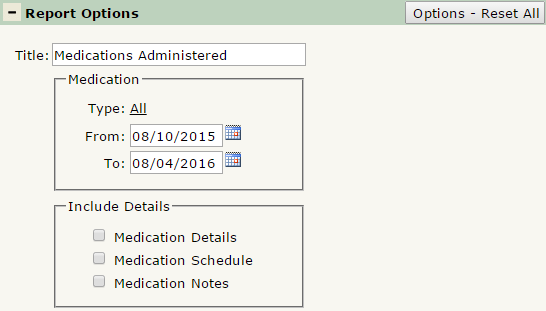
The Medications Administered Report offers the following report options:
- Title: Displays at the top of the printed report. Rename here if necessary.
- Medication
- Type: Defaulted to ALL, select the medication(s) to appear in the report. Ctrl-Click to select multiple medication types.
- From & To: Enter dates in each field to filter the report for a certain date range.
- Include Details
- Medication Details: Check to include medication information such as: Manufacturer, Expiration Date, Lot Number, and Received From (Medical Contact).
- Medication Schedule: Check to include information on when the student is scheduled to receive their medication.
- Medication Notes: Check to include any notes attached to each Medication.
Example Reports
Report Run with default settings from beginning of term to 10/1/15: