Success Plans are district-defined based on Indicators for specific areas such as attendance, behavior, academics, etc. Indicators use district-defined Rubrics to calculate points for the plan. Rubrics also set thresholds of minimum points needed to include students on watchlists.
The Success Plan by Student application allows users to see the student’s status and Indicator values in various Plans. A student’s status in a plan may be: Good, Watch List, or Focus.
The Success Plan data is not live data. It is calculated at a frequency determined by the district (typically once per night).
Success Plan by Student is located under the Analysis menu in Q.
The Plans area displays the Plans assigned to the student.

Plan - Name of the plan.
Included Indicators - Number of indicators in the plan. Hover the mouse cursor over the number to display a tool-tip listing the plan indicators. Click the Filter Indicator List pushpin button to filter the Indicators area to display only that plan's indicators.
Watch List Threshold - Minimum number of points for a student to have a status of Watch List in this plan.
Focus Threshold - Minimum number of points for a student to have a status of Focus in this plan.
Student Points - Number of points the student has in this plan.
Status - Current student status in this plan. Good, Watch, or Focus.
History - Click this button to display the Plan History window. The window contains a description of the plan as well as the student’s status on previous days.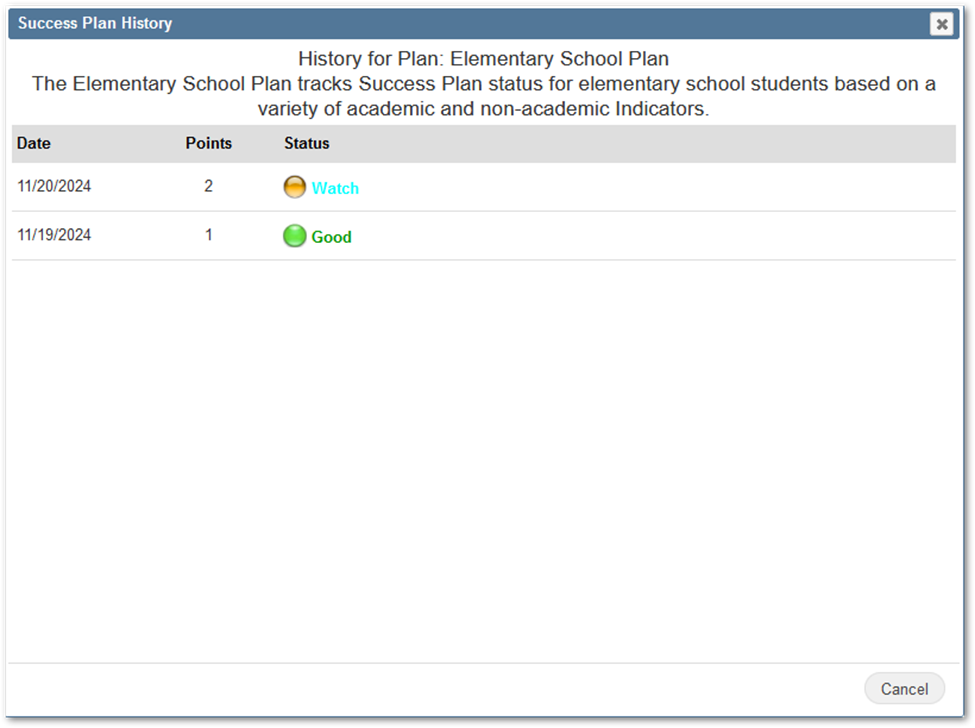
The Indicators area displays the value and points the student has for each Indicator. By default, all Indicators in the district are displayed.
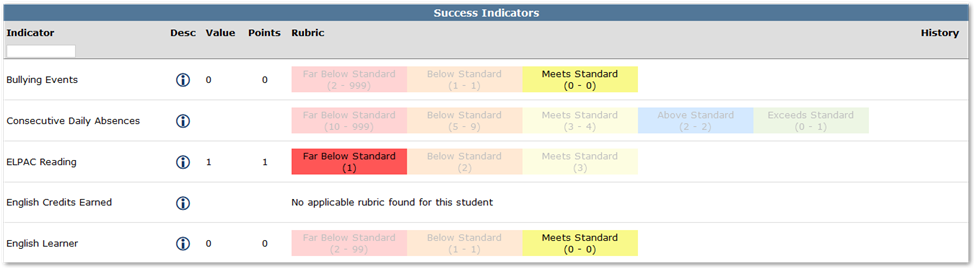
To filter the Indicators area to display only the Indicators in a certain plan, click the Filter Indicator List pin in the Plans > Included Indicators column.
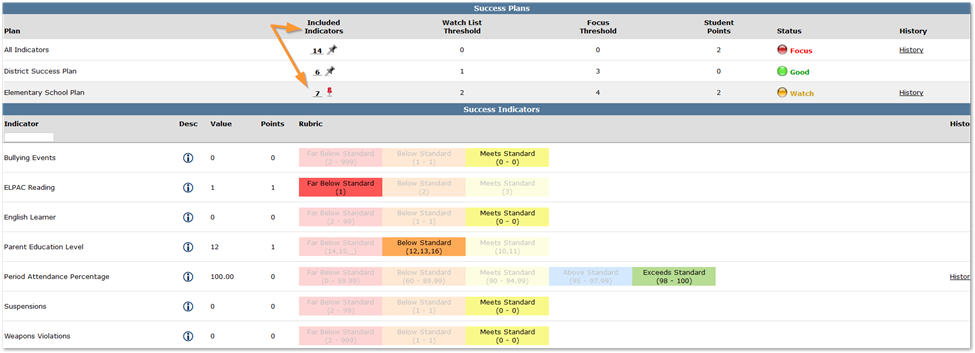
Indicator - Name of the indicator.
Desc - Hover the mouse cursor over the icon to display a tool-tip with a description of the indicator.
Value - The value calculated for the student. This value is used to determine which rubric threshold level the student falls in for the indicator.
Points - The number of points assigned to the student for this indicator. The number of points is determined by which rubric threshold level the student falls in for the indicator.
Rubric - The rubric threshold levels for the indicator are displayed. The rubric threshold level the student falls in for the indicator is highlighted.
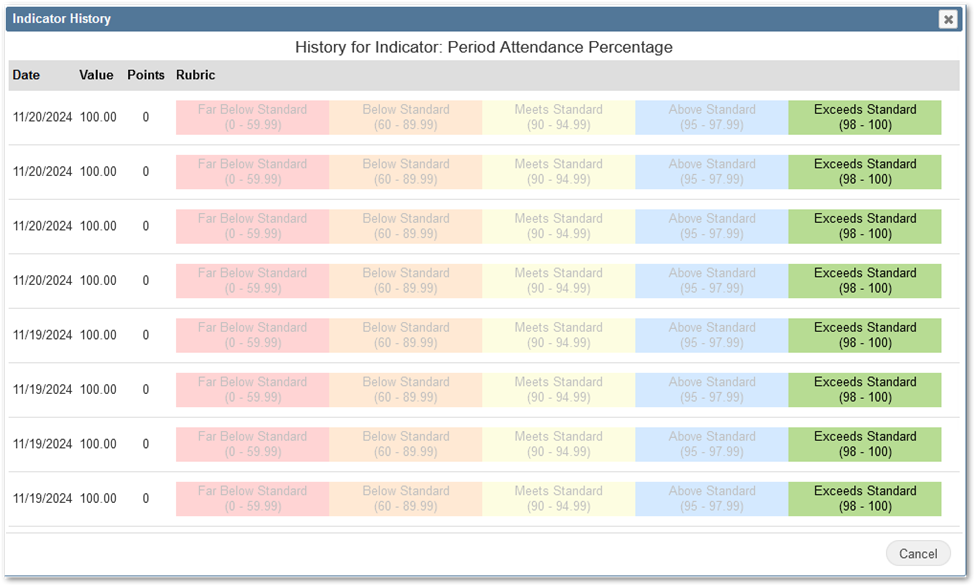
History - This button is only visible for Indicators that have the Keep History option enabled in Success Plan Manager. Click this button to display the Indicator History window. The window contains a description of the indicator as well as the student's indicator results on previous days.