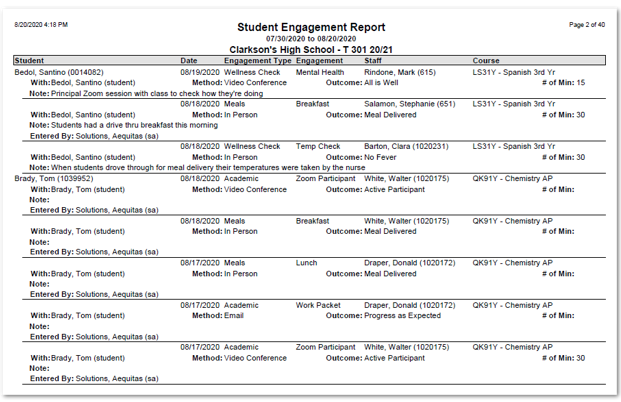
The Student Engagement Report may be used to produce a report of Engagements entered through both the Class Engagement and Student Engagement applications. A system Preference is available for the Class Engagement application allowing the entry of the number of minutes for each Engagement. When set to ‘Yes’, the number of minutes entered will also print on the report.
While details specific to this report will follow, users can find general information about reports within the Reports documentation.
Student Engagement Report is located within Reports in the Enrollment menu in Q.
The Student Engagement Report offers the following options:
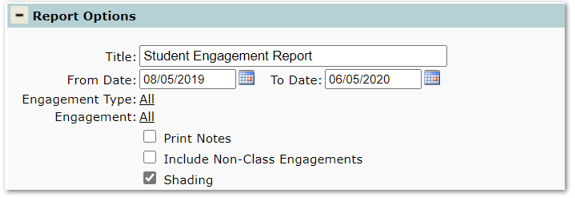
Title – The report name appears as the default title, but this may be changed.
From Date, To Date – The dates default to the begin and end school year dates but may be changed.
Engagement Types – ‘All’ are selected by default, but specific Engagement Types may be selected.
Engagement – ‘All’ are selected by default, but specific Engagements may be selected, keep in mind Engagements are tied to Engagement Types. If a specific Engagement Type is selected, only those Engagements associated with the selected type will display in the drop-down list.
Print Notes – Check this option to print notes entered for Engagements on the report.
Include Non-Class Engagements – Check to include Engagement records entered through the ‘Student Engagement’ application.
Alternate Row Shading – Check to add shading on the report.
Report Sample showing number of minutes entered