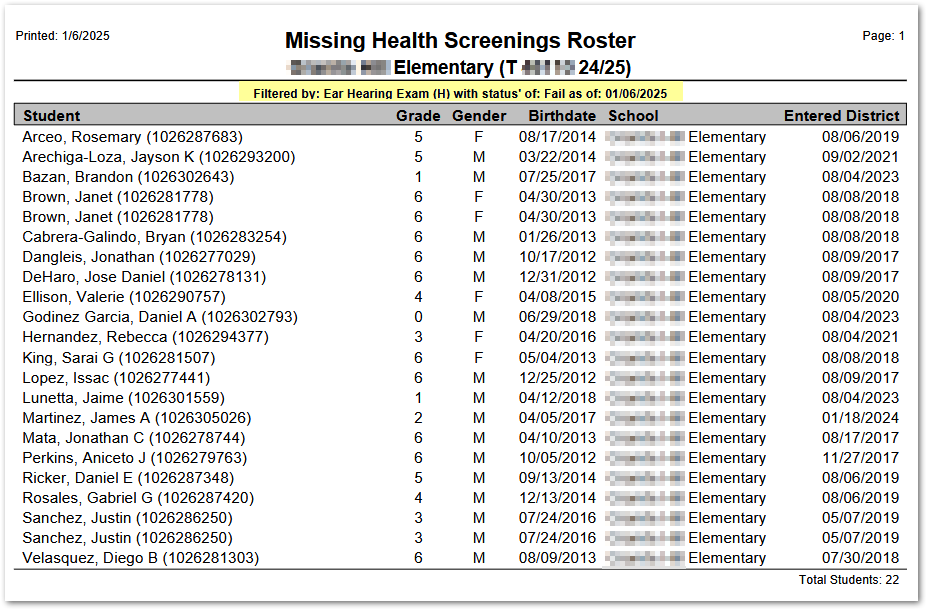
This report creates a listing of students who have missing results for specified health screenings on a specified effective date, or optionally, a listing of students with specific screening status for the selected screening types.
While details specific to this report will follow, users can find general information about reports within the Reports documentation.
Missing Health Screenings Report is located within Reports in the Health menu in Q.
Report Options
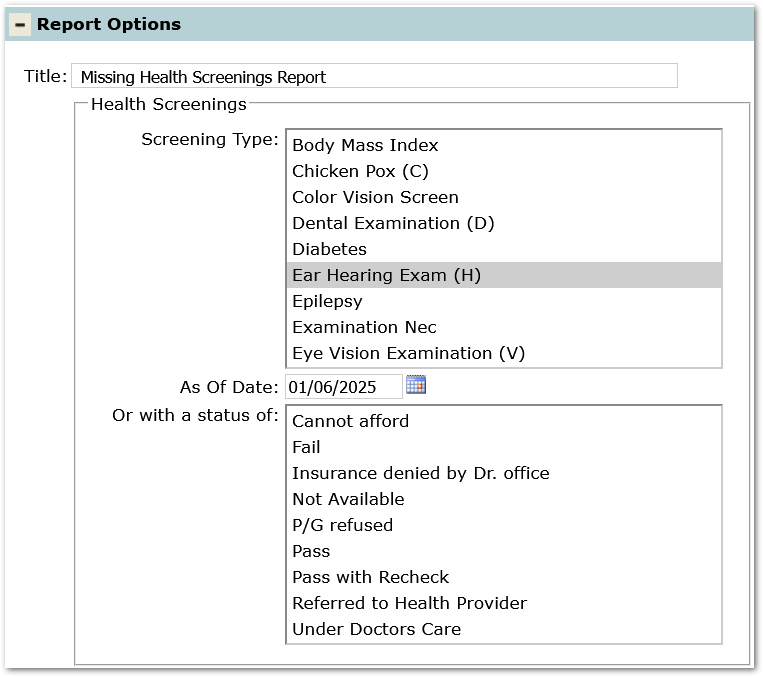
- Title – Defaults to ‘Missing Health Screenings Report', but may be changed.
- Health Screenings:
- Screening Type – Select the specific screening types for the report.
- As Of Date – Defaults to today’s date but may be changed.
- Or with a status of – Optionally, select specific status to report on.
- Print Option:
- Page Break on School Change – applicable when logged into the District.
- Alternate Row Shading.
Example Reports
Sample Report for students missing ‘Ear Hearing Exam’. Note the filter options highlighted in the samples below indicate the selection criteria in Options.
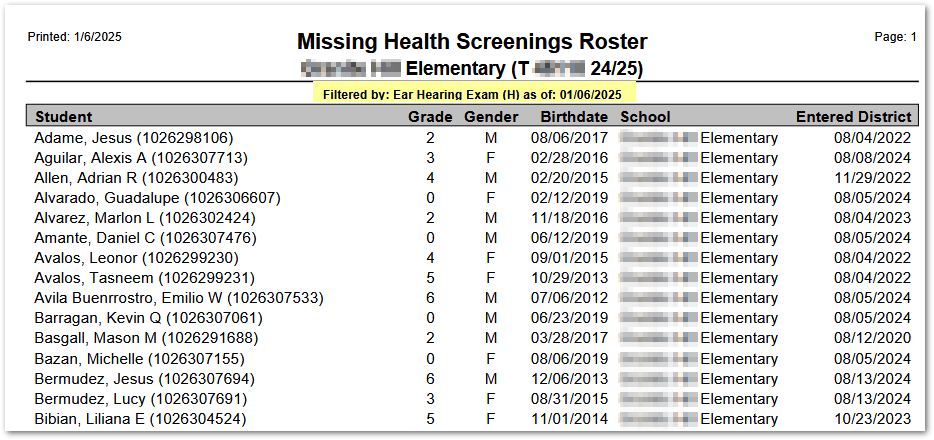
Sample showing students with a ‘Failed’ status for ‘Ear Hearing Exam’: