
In the 4.3.0 release a new Preference was added. This preference allows users to pop open the details of a section by clicking any place in the row and not just by clicking the view button.
This is set in two steps.
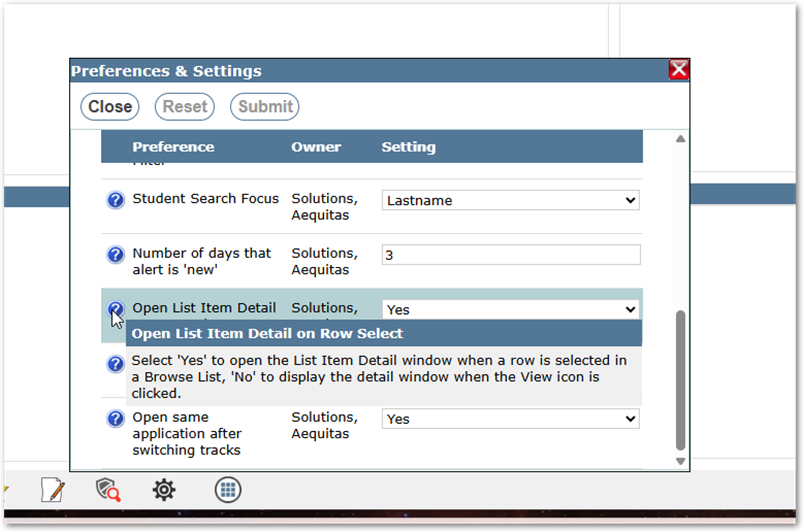
- Click the Preference Cog on the home screen to open your preferences and look for the Preference Open List Item Detail on Row Select.
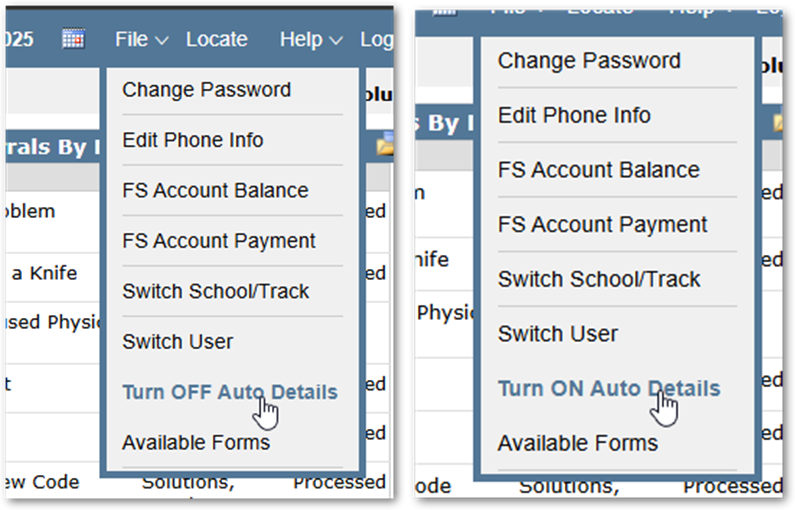
- Once the Preference has been turned on you will see a new option under the File Menu called Turn OFF (or ON) Auto Details. This allows you to toggle whether details will display when you click a row depending on your needs. This can be changed at any time while in any application.
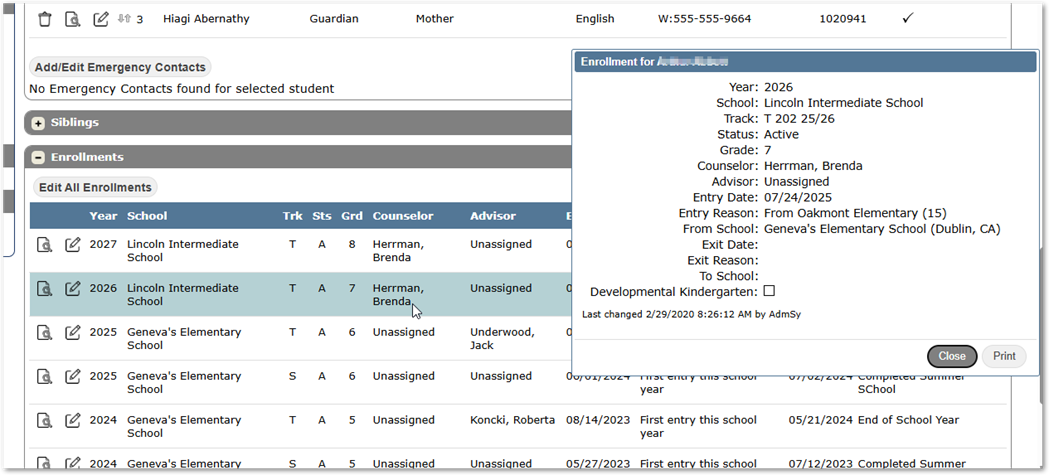
- When Toggled ON the Details will pop out whenever a user clicks on the Row and they do not have to click the Specific View button
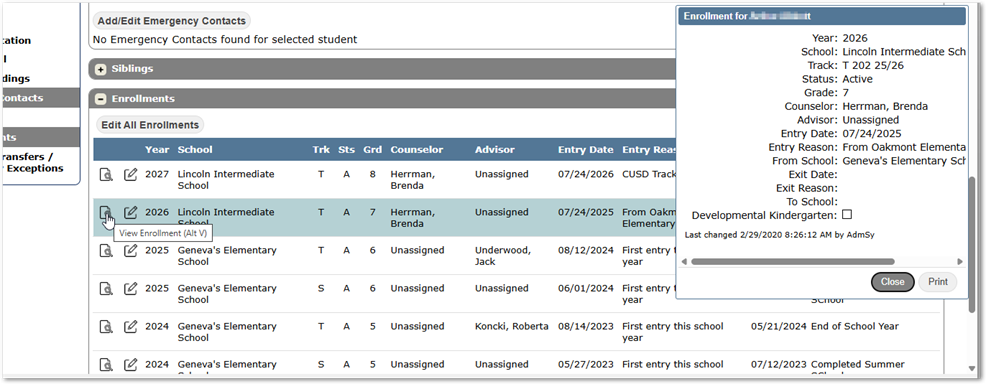
- When Toggled OFF the row will open when the View button is clicked or the Alt -V hot key combo is used.
- When Toggled ON the Details will pop out whenever a user clicks on the Row and they do not have to click the Specific View button