
Q provides a convenient and easy method for entering and saving personal notes that can be used in many situations. For example, users may take notes for a training session, a student visit, a class visit, etc. These notes are only viewable by the user.
Creating Sticky Notes
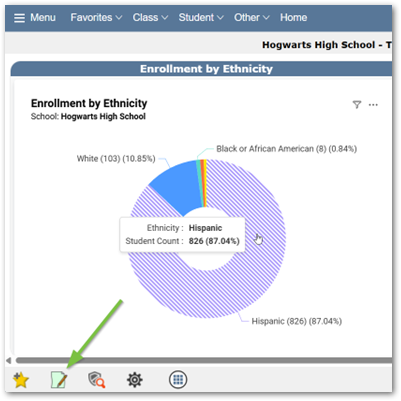
- General Note Creation
- Click the Note Icon to open the Notes section
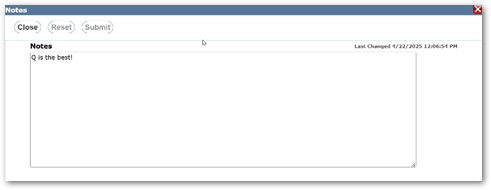
- Users may type their desired note in the textbox and then click submit to save.
- Click the Note Icon to open the Notes section
- Student Application Notes
- Notes created in a student-driven application allow additional information that is student-specific. Any notes entered will only be viewable by the user.
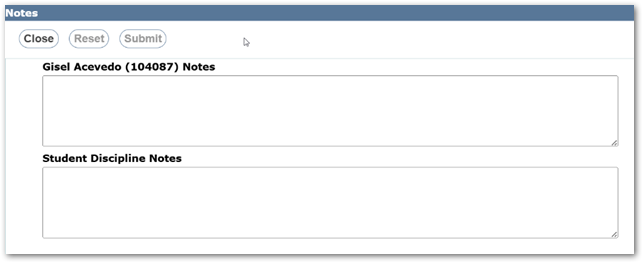
- Notes created in a student-driven application allow additional information that is student-specific. Any notes entered will only be viewable by the user.
- Class Application Notes
- Notes created in a class-driven application allow additional information that is class-specific. Any notes entered will only be viewable by the user.
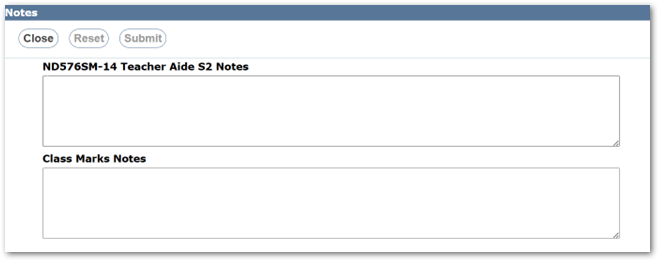
- Notes created in a class-driven application allow additional information that is class-specific. Any notes entered will only be viewable by the user.
Quick Reference Guides
Q Tips
