Q version 4.2.1 introduced the ability to limit which Preferred Schools and Contact Types users can select in Pre - Enrollment. Let’s review this as well as several other areas outside of Pre-Enrollment Setup where administrators can control the selections for the Pre-Enrollment dropdown menus.
School Editor
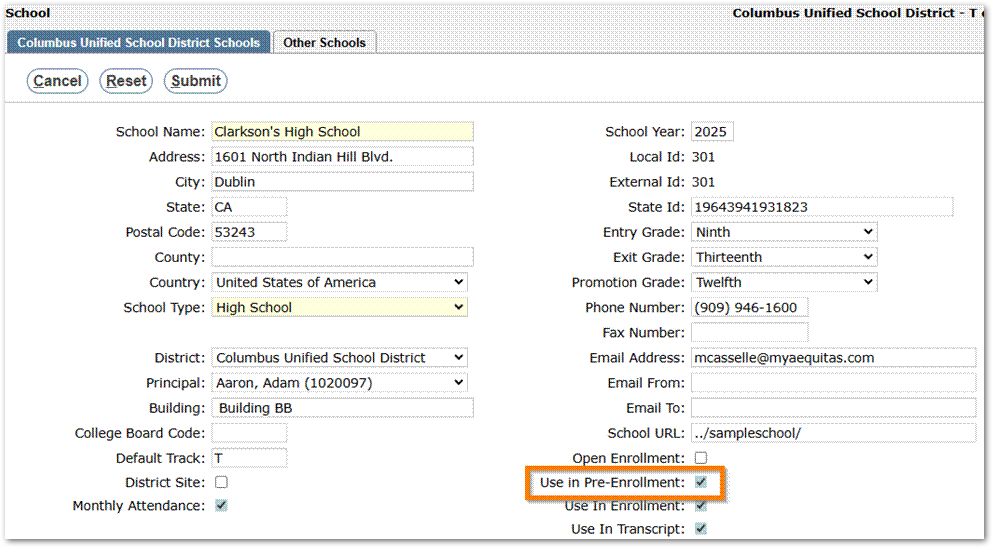
Administrators with access to the School Editor application can limit which schools a Pre-Enrollment user can select as the Preferred School when adding a student. To have a school show in this list, edit the school record and check the box for “Use in Pre-Enrollment”:
Lookup Codes
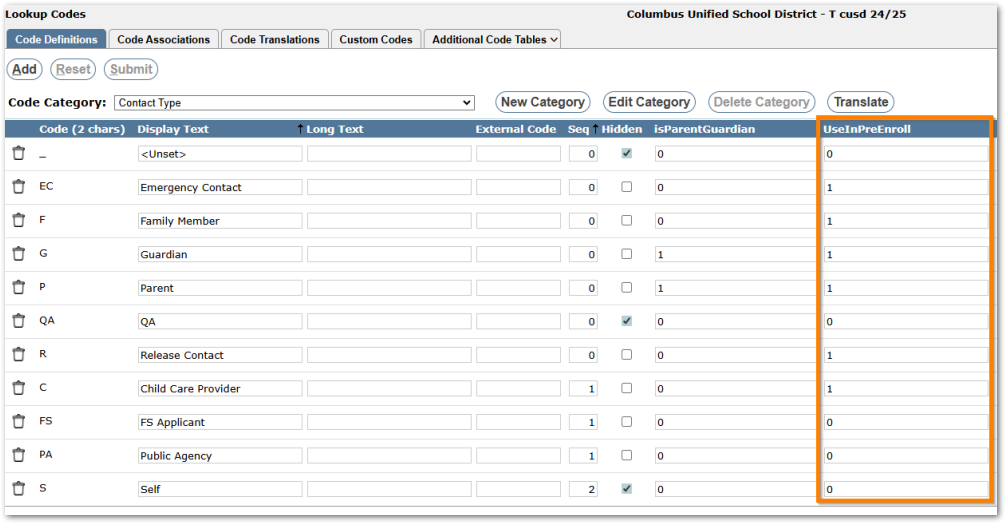
Administrators with access to the Lookup Codes application can limit which Contact Types users can select when adding a contact. Navigate to Lookup Codes > Code Definitions > Contact Type. Enter a 0 in the UseInPreEnroll column for a contact type that users should not be allowed to select and enter a 1 for every contact type users should be allowed to select:
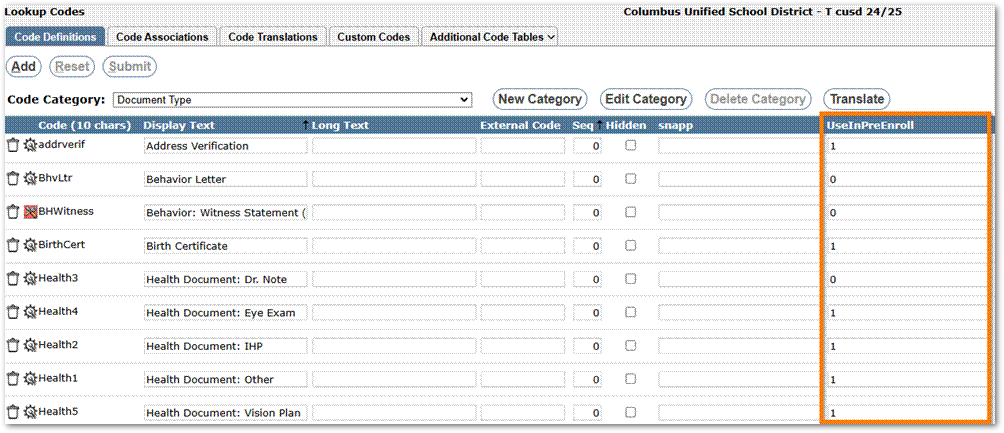
Administrators can also limit the Document Types users are allowed to select if document upload is enabled (see Pre-Enrollment Setup documentation for more information). On the Code Defintions tab, for the Code Category of Document Type, place a 1 in the UseInPreEnroll column for any document type users should be allowed to select. Place a 0 in the column if users should not be allowed to upload documents of that type:
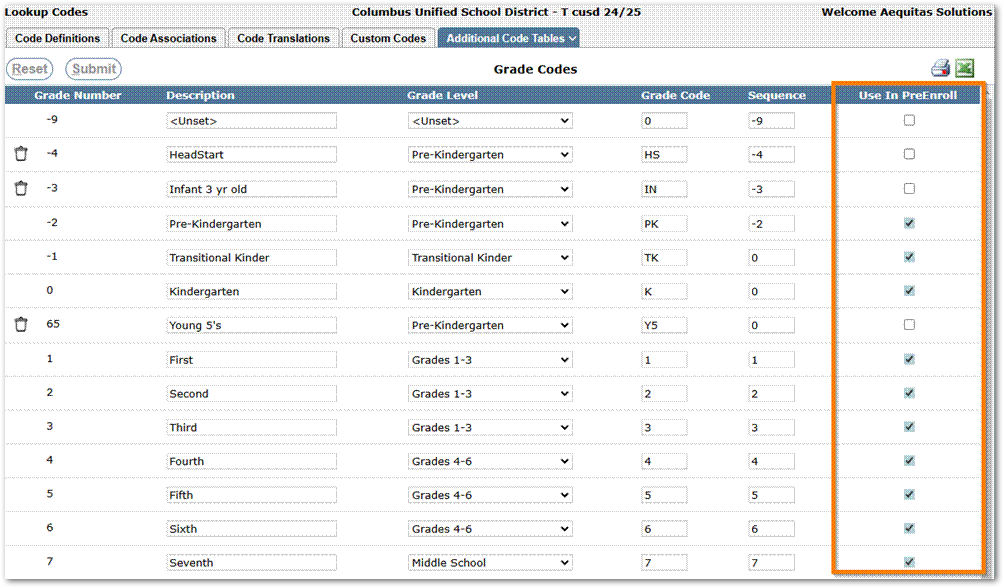
The Grade Levels that users see in Pre-Enrollment may also be limited in the Lookup Codes application. Navigate to the Additional Code Tables tab and select Grade Codes. Check the Use In PreEnroll box for any grade that should be available in Pre-Enrollment and leave every grade that shouldn’t be available unchecked: