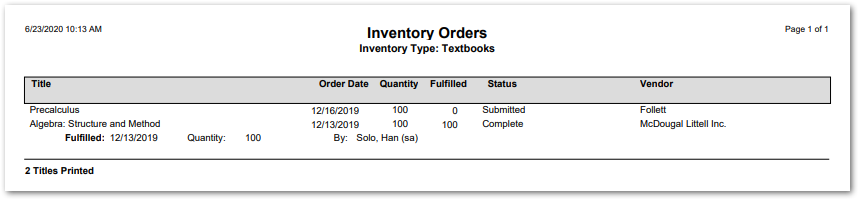
This report generates a list of orders per inventory type. The report includes details such as order date, quantity, status, and vendor.
While details specific to this report will follow, users can find general information about reports within the Reports documentation.
Inventory Orders Report is located within Reports in the School menu in Q.
Report Options
The following options may be applied to the report:
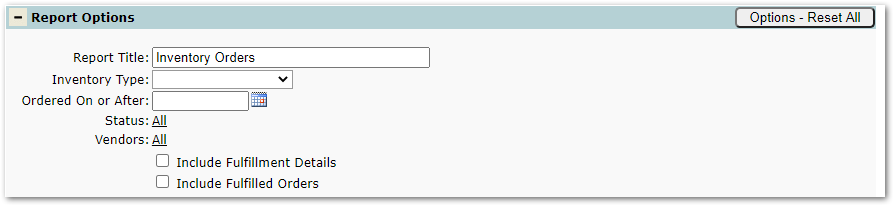
- Report Title – The default title of the report is “Inventory Orders” but may be edited by the user.
- Inventory Type – The list populates with the types created using the Inventory Setup App.
- Ordered On or After – Limit the orders included in the report by date.
- Status – Limit the orders in the report by status such as ‘Complete’ or ‘Pending’.
- Vendors – Limit the report to orders with selected vendors.
- Include Fulfillment Details – Check to include details associated with an order.
- Include Fulfilled Orders – Check to include fulfilled orders.
Example Reports
Sample Inventory Orders Report