
This report offers a listing of students in a selected class who have health alerts.
While details specific to this report will follow, users can find general information about reports within the Reports documentation.
Health Alerts Roster Report is located within Reports in the Schedule menu in Q.
Report Options
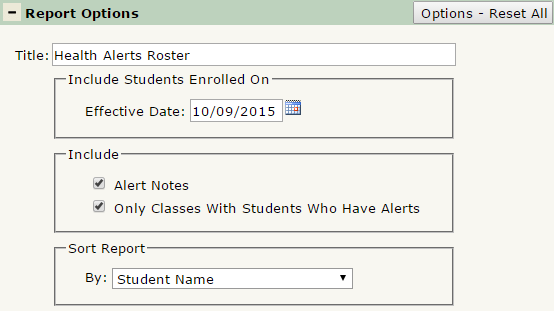
The Health Alerts Roster Report offers the following report options:
- Title: Displays at the top of the printed report, rename here if necessary.
- Include Students Enrolled On: Defaults to today’s date but may be changed. The report will only return classes the student is enrolled in as of the effective date.
- Include: Alert Notes: Check to include notes associated with any alerts. Defaulted to ON.
- Include: Only Classes With Students Who Have Alerts: Check to have the report only return classes with students that have alerts. Defaulted to ON.
- Sort Report By: Select how the report will be sorted. Choose from: Student Name, Student Grade-Student Name, or Student Gender-Student Name.
Example Reports
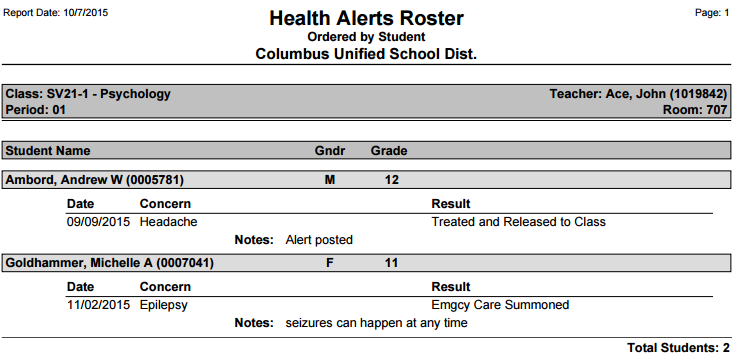
Report run with default settings:
Videos
