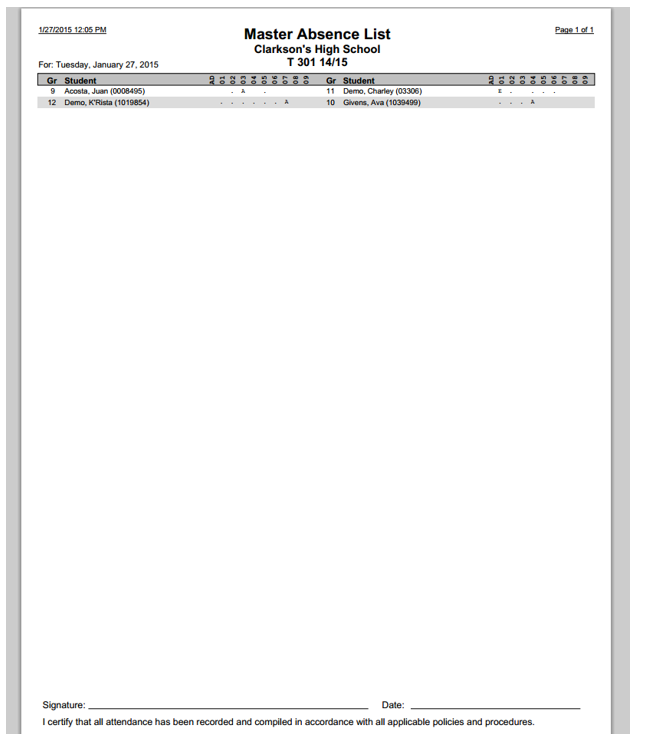
The Master Absence List provides a summary list of all the Attendance Codes entered for a user specified date range for a specific Track. Each Attendance Code will produce a list of student names, grade levels, and the periods that apply.
While details specific to this report will follow, users can find general information about reports within the Reports documentation.
Master Absence List Report is located within Reports in the Attendance menu in Q.
Report Options
The Master Absence List Report offers the following options:
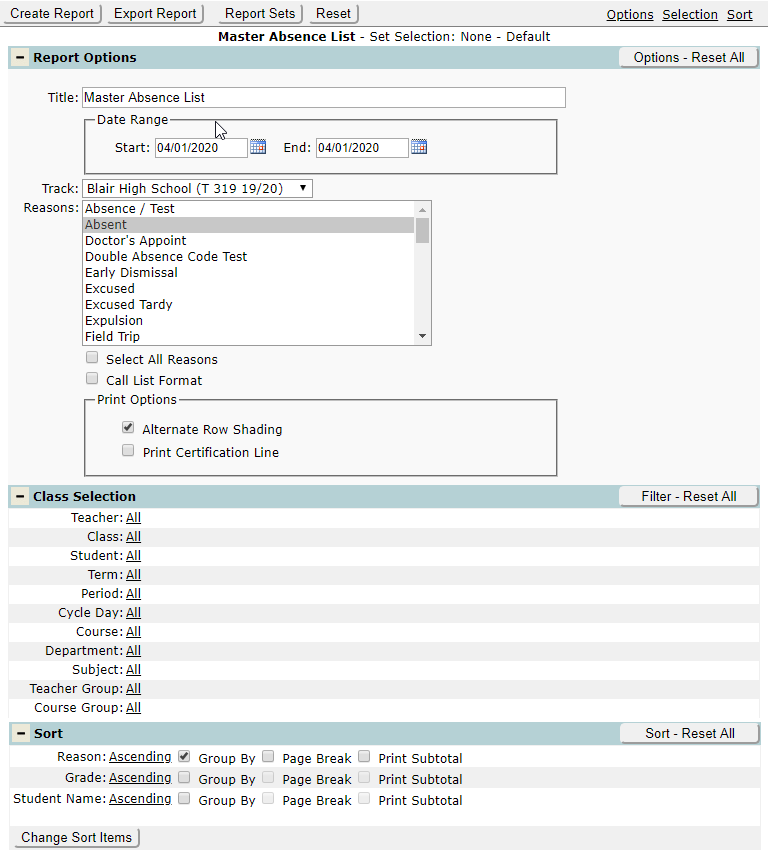
- Title – A user-defined title can be entered for the report.
- Date – Select the start and end dates for the report.
- Track – Select the track for which the user wants to run the report.
- Reasons – select the attendance code(s) to be included in the report.
Note: multiple attendance reasons can be selected by holding Control while clicking on multiple reasons.
- Select All Reasons – if this check box is ON, all reasons will be selected for the report.
- Call List Format – turning this check box ON will include the student’s home language, their primary contact’s name, primary phone number, a Date Called/Talked to Field, as well as a field for the Caller’s Name and a line for the caller to take notes.
- Print Options – Print Options offer the user the ability to turn Alternate Row Shading on, as well as the ability to print a certification line.
Example Reports
Sample Report with Call List Format turned ON
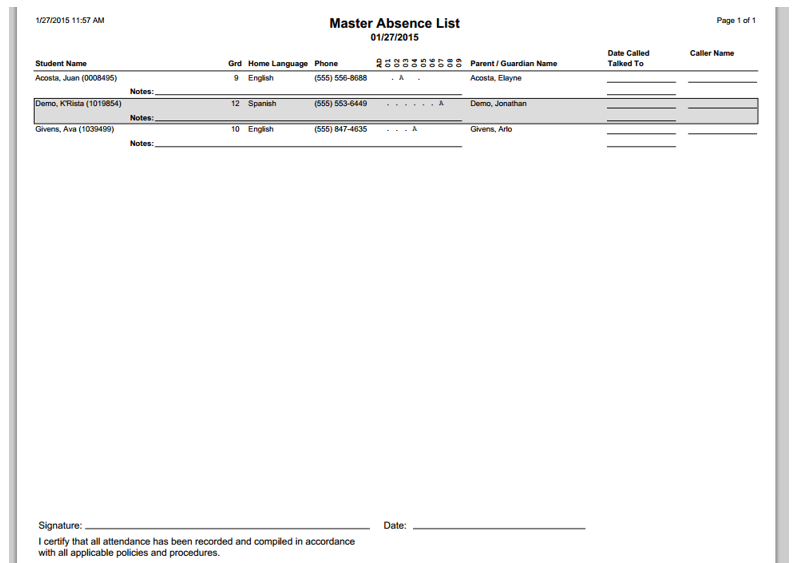
Sample Report with Call List Format turned OFF