
The Student Communications report is used to print a report of the detailed Communications records by student for selected students.
Student Communications Report is located within Reports in the Communication menu in Q.
Report Options
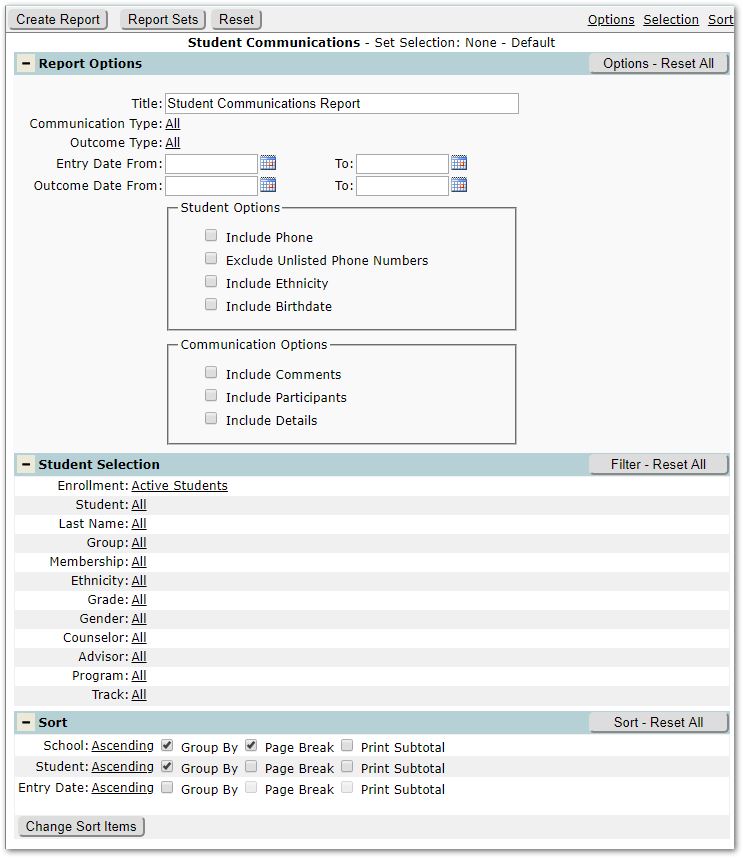
The Student Communications Report offers the following options:
- Title – A default title is provided, but may be changed as desired.
- Communication Type – ‘All’ is the default, but specific Types may be selected using the Shift or CNTL keys. Click Done to save the setting.
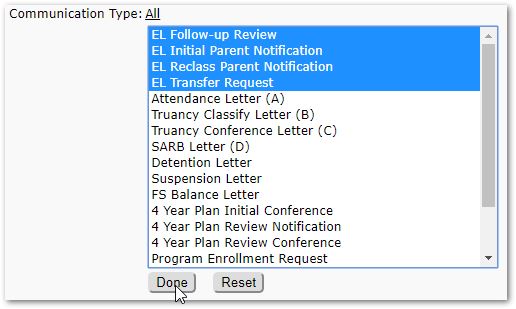
- Outcome Type – ‘All’ is the default, but specific Outcome Types may be selected, just like the Communication Type above.
- Entry Date From / To – For further filtering the records, you may wish to set the range of Entry dates for the Communication records reported.
- Outcome Date From / To – Just as with Entry Dates, you may wish to enter an Outcome date range to filter the records returned.
- Student Options – Check the items you wish to include/exclude in the report for each student:
- Include Phone
- Exclude Unlisted Phone Number
- Include Ethnicity
- Include Birthdate
- Communication Options - Check the items you wish to include in the report for each Communication record:
- Include Comments
- Include Participants
- Include Details
Student Selection
- The report includes standard Student Selection filters.
Example Reports
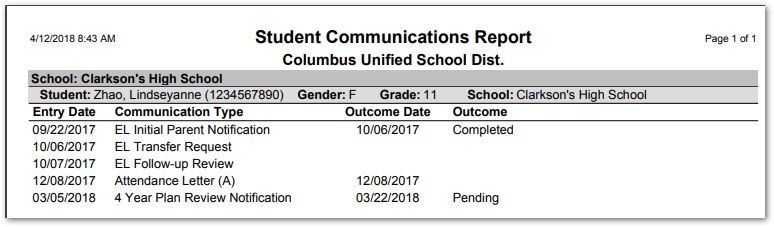
Sample with none of the available Student and Communication options checked on.
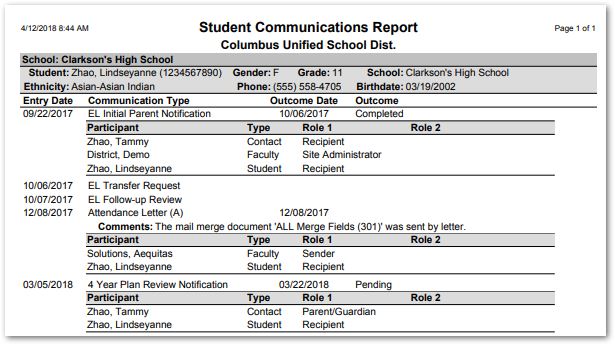
Sample with all the available Student and Communications options checked on.
