
Switch User allows authorized staff to temporarily log in as another user to verify permissions, troubleshoot issues, and review application history – without needing the user’s credentials
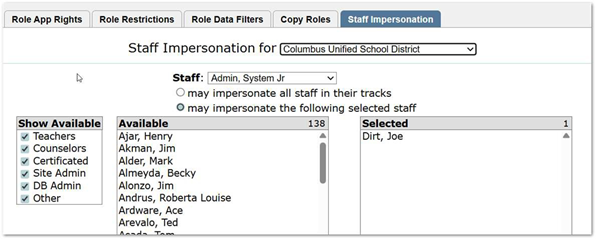
Permissions: This is controlled by permission on who has access to impersonate users and what users they can impersonate: Staff – Permissions Editor – [Staff Impersonate]
Along with adding the permission to a role, there is also a Tab in Permission Editor for Staff Impersonation. Use the radio button to allow access to all staff in tracks, or chose the other option to select only specific staff that can be impersonated. To select staff double click under the available list or highlight and move to the selected side.
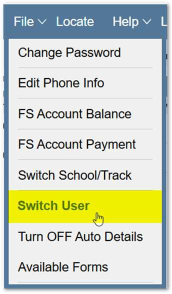
\How to Access: The impersonate feature is found in the top menu bar under File – Impersonate User. Click Switch User and a list of users that can be impersonated will display. The list only includes users with track access to the logged in track and ones included in permissions access.
Uses:
- Check Permissions- The impersonate feature allows administrators to log on as a specific user and this allows you to see what access they have. This is useful for checking permission to verify they have been setup accurately to allow them access to everything they need, while not granting access to apps they may not need.
- Troubleshooting issues- When users report an issue, it is always good to test the problem based on their permissions and access. Impersonate allows you to complete tasks based on the access of the impersonated user.
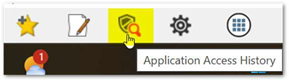
- Review App History- Combining the Switch User option and the History button (located on the bottom left tool bar.) Using the switch user option, you navigate the application as the impersonated user would. This also means that using the App History Access button with reflect the app history of the impersonated user and not the logged in user. This is helpful to determine if a user did or did not access an application with date and time stamp.
IMPORTANT NOTE: Any changes made while impersonating a user are logged under the original logged-in user, not the impersonated