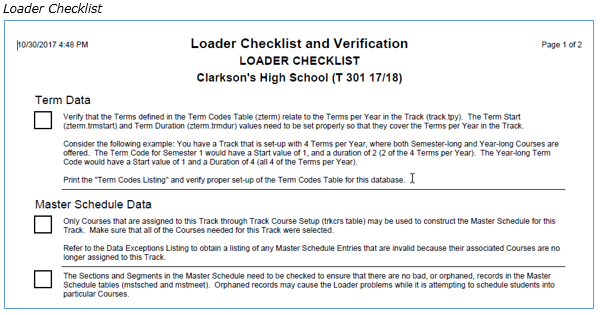
The Loader Checklist and Verification report is actually 7 reports in one and should be run BEFORE running the Loader. One report provides a checklist of steps to complete before running the loader. Listings of Loader Setup data such as Loader Options, Loader Rules, Team Definitions, Section Links and Term Codes may also be printed. The most important section is the Data Exceptions Report. Listings of data that needs to be cleaned up by the user are included in the Data Exceptions Report along with an option to automatically clean up certain bad data that can’t be resolved through the interface. This report should be run periodically during the Master Schedule construction cycle to check for possible inconsistencies, but MUST be run and verified prior to running the Loader.
While details specific to this report will follow, users can find general information about reports within the Reports documentation.
Loader Checklist and Verification Report is located within Reports in the Schedule menu in Q.
The Q Loader Checklist and Verification Report offers the following options:
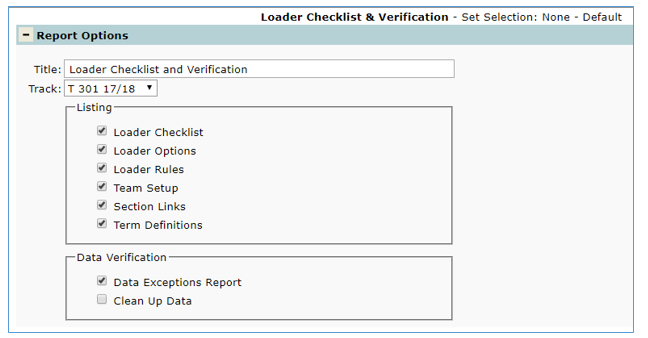
- Title—The default title for the report is Loader Checklist and Verification but may be edited by the user
- Track—Select the desired track from the drop down list
- Listing: Includes 6 different reports. Select the desired reports by checking the box next to the report name:
- Loader Checklist—Select to print a check off list of steps to complete before running the Loader
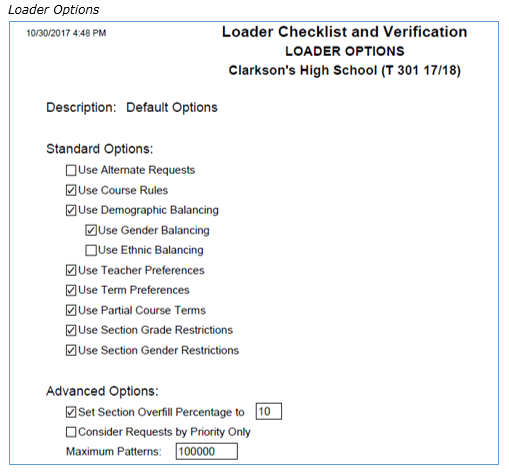
- Loader Options—Select to print the options that were configured for the Loader in Loader Setup; Options tab
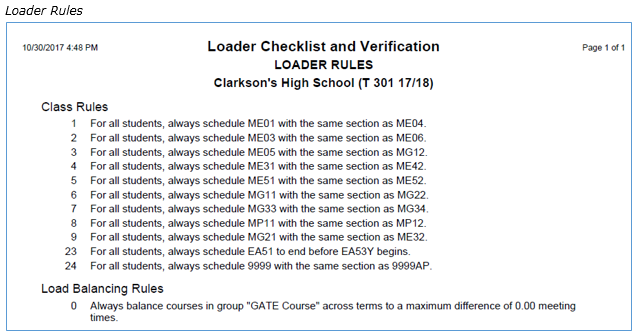
- Loader Rules—Select to print a listing of all Class Rules defined in Loader Setup; Class Rules tab
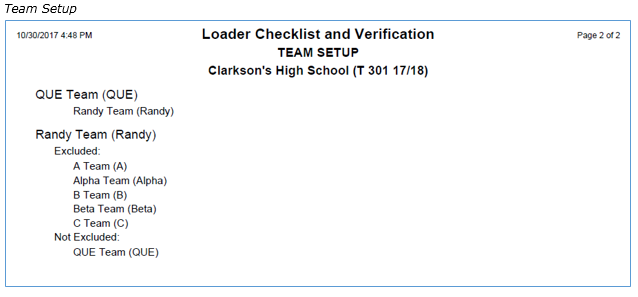
- Team Setup—Select to print a list of all teams defined in the Loader Setup; Team Definitions tab
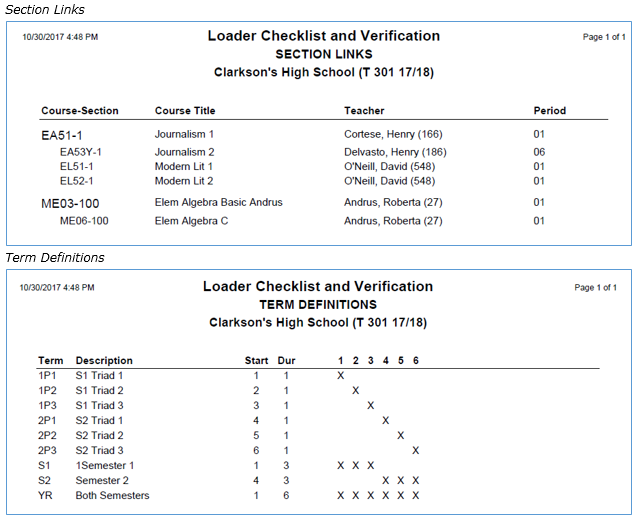
- Section Links—Select to print a listing of all section links with the root and child as defined in the Loader Setup; Section Linking tab
- Term Definitions—Select to print a listing of all terms defined for the trac
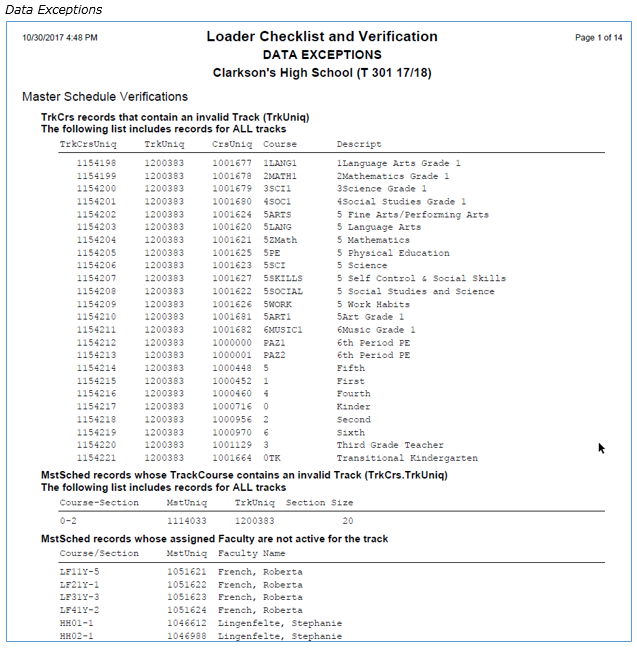
You must run the Data Exceptions Report and clean up data exceptions before running the Loader. The Data Exceptions report will list information that must be cleaned up manually as well as information that can be cleaned automatically using the Clean Up Data option.
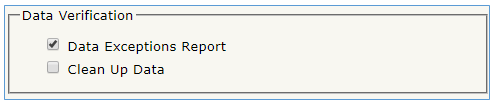
Data exceptions that must be cleaned up by hand include:
- Track/Calendar Verifications
- Track Cycle records where # of records does not match days per cycle
- Track Period records where # of records does not match periods per day
- Term Codes/Track Terms records with invalid terms
- Track/Calendar Verifications
- Track/Track Calendar records with invalid Term Number of cycle days
- Track Calendar records for terms where the Term Number and dates in one term are out of synch
- Master Schedule Verifications
- Master Schedule records whose Track Course does not match its Faculty’s track
- Orphaned Master Schedule Records
- Master Schedule records that are not in Mast Meet
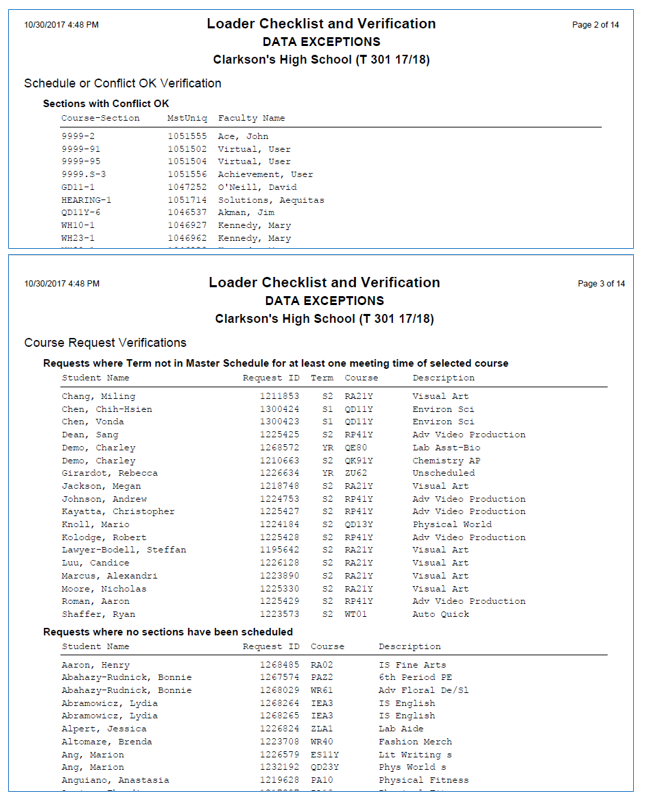
- Schedule or Conflict OK Verification
- Sections that will not be scheduled (only listed for verification purposes)
- Sections with Conflict OK (only listed for verification purposes)
- Course Request Verifications
- Requests where Term not in Master Schedule for at least one meeting time of selected course
- Requests where no sections have been scheduled
- Build sections in master schedule or remove course requests
- Requests for Courses that are not in the Master Schedule for this track
- Add course to master schedule or remove course requests
- Requests for Courses where there is not a Master Schedule record marked ISSCHEDULE
- Teacher Asst. Requests for Courses where there is not a Master Schedule record for TA’s
- Course Requests where Faculty track does not match Request Track
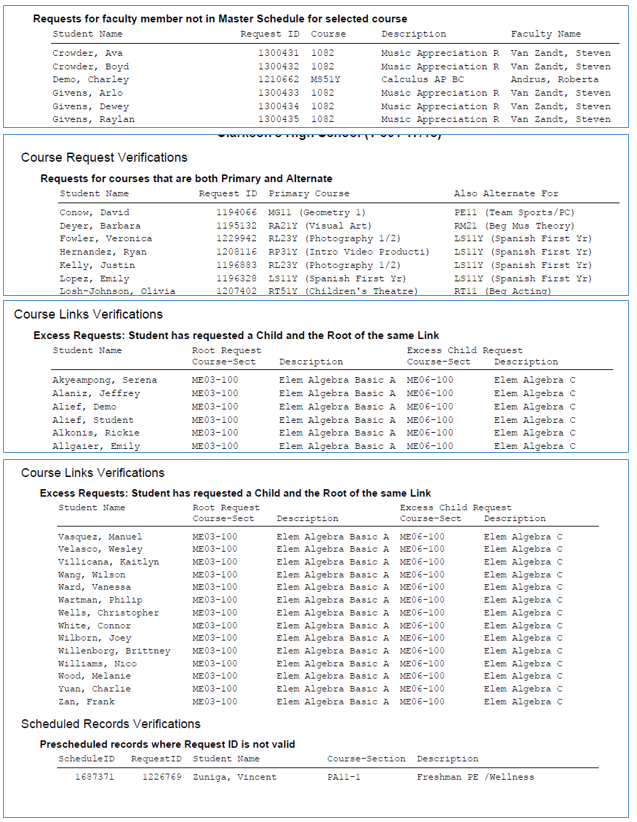
- Requests for faculty member not in Master Schedule for selected course
- Requests excluding faculty member and faculty ID is null or zero
- Requests excluding faculty member and no section NOT taught by that faculty
- Course Links Verifications
- Section Link Roots that are also Children (possible rotating roots)
- Section Link Children that are also Roots (possible rotating roots)
- Section Link Children that have Uncommon Roots
- Excess Requests Student has requested a Child and the Root of the same link
- Course Links-Sections use Teams, and other Section in Link use excluded Teams
- Scheduled Records Verifications
- Prescheduled records where Entry Date is not in date range for the section’s term
- Prescheduled records where Exit date is not in date range for the section’s team
After all the manual cleanup is completed it is highly recommended the Data Clean Up be run. De-select all other reports and run Data Clean Up to automatically clean up the data. The system will clean up data that the user cannot clean up through the interface. Data that can be cleaned up by the user will not automatically be cleaned up.

Data Exceptions that are Automatically Cleaned-Up
The following are the groups and specific error conditions that will be cleaned up automatically if this option is chosen:
Master Schedule Records Cleanup
- Master Schedule meeting records where the Term is not valid
- Master Schedule meeting records where the Cycle Day is not valid
- Master Schedule meeting records where the Period is not valid
Team Data Cleanup
- TeamExcl Team records where ExclTeam is not in ScdTeams table
- TeamExcl Excluded Team records where TeamUniq not in ScdTeams
- TeamExcl where ScdTeam Tracks for TeamUniq and exclUniq do not match
Master Schedule Data Cleanup
- Track Course records that contain an invalid Track
- Track Course records that contain an invalid Course (CrsUniq)
- Master Schedule records that contain an invalid Track Course (Track CourseUniq)
- Master Schedule records that contain an invalid Faculty (Master Schedule.funiq)
- Master Schedule records with invalid team Ids
Orphaned Master Schedule Records Cleanup
- Master Schedule records that are NOT IN MstMeet
Course Request Data Cleanup
- Student requests with invalid Student IDS
- Course requests with invalid Terms
- Team requests with invalid Team IDS
- Requests with invalid Track/Course numbers
- Requests where Request Track does NOT match Track/Course Track
- Course requests with invalid Faculty numbers
Loader Rules Cleanups
- Class Rules and Class Rule Courses that refer to invalid Track Course records
- Class Rules where Rule's Track is different than Course's Track
- Class Rules where there are not exactly two Rule Course (ClRlCrs) records
- Prescheduled records WHERE Meeting ID is NOT valid
- Prescheduled records WHERE Request ID is NOT valid
- Prescheduled records WHERE Request Track is NOT Course/Section Track
- Prescheduled records WHERE Student ID is NOT valid