
The Student Eligibility Report provides a list of Service Tracker students per school with their Medicaid Eligibility status as of the Eligibility date selected. The student’s name, date of birth and ident are provided along with their last eligible date and an indication of their enrollment status.
The report may be filtered by School, if run from the district, by students based on their Last name (alpha range), by students eligible at any time during the year, by active Special Education students only (on the as of date), or Eligible students (on the as of date) only.
The District Service Tracker preference to ‘Include Students from All Schools’ is honored by the report.
While details specific to this report will follow, users can find general information about reports within the Reports documentation.
Service Tracker Student Eligibility Report is located within Reports in the Programs menu in Q.
The ST Student Eligibility Report offers the following options: 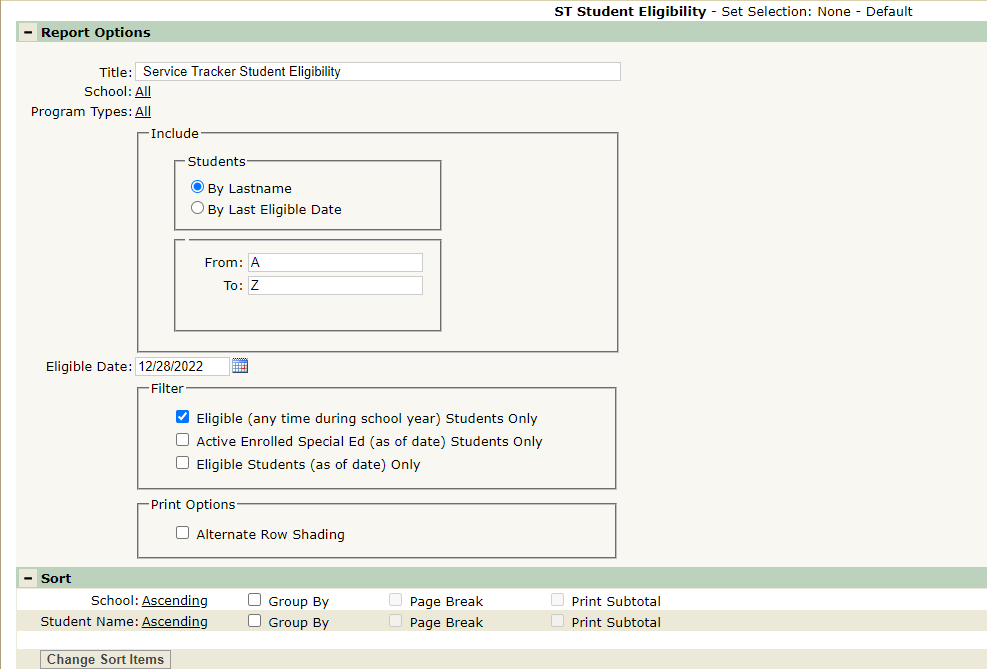
- Title – A default title is provided but may be changed as desired.
- School – Only selectable when logged into the District Track and/or when the District Preference to ‘Include Students from All Schools’ is ON. If the preference is OFF and the user is logged into a school, only the logged in school will appear in the School selection field.
- Include Students:
- By Lastname – Students included in the report may be filtered by last name
- If Lastname is chosen, enter an alpha range in the From and To fields.
- By Last Eligible Date – When selecting By Last Eligible Date, specify the Last Eligible Date to check. Students included in the report are those last eligible as of the date specified.
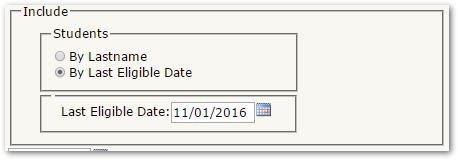
- Eligible Date: - Specify the effective date for eligibility check.
- Filter:
Any of the additional filters may be applied:
- Eligible (any time during school year) Students Only
- Filters those eligible any time during the school year. The report shows their eligibility as of the Eligible date and their Last Eligible Date along with their enrollment status.
- Active Enrolled Special Ed (as of date) Students Only
- Include only actively enrolled Special Education students
- Eligible Students (as of date) Only
- Include only students Eligible as of the Eligibility Date specified.
- Print Options:
- Alternate Row Shading
ST Student Eligibility Sample Report
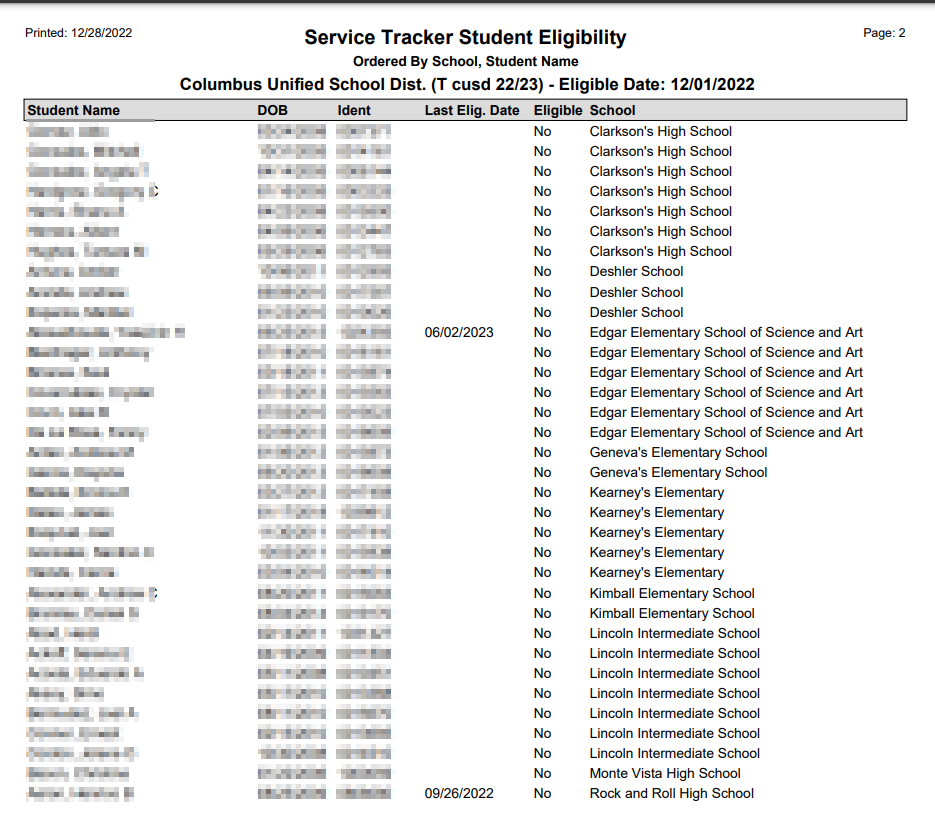
The report shows the student’s ‘Last Eligible Date’, their eligibility status in the ‘Eligible’ column as of the Eligible Date displayed in the Header, and their active Enrollment Status indicated by the asterisk at far right.
