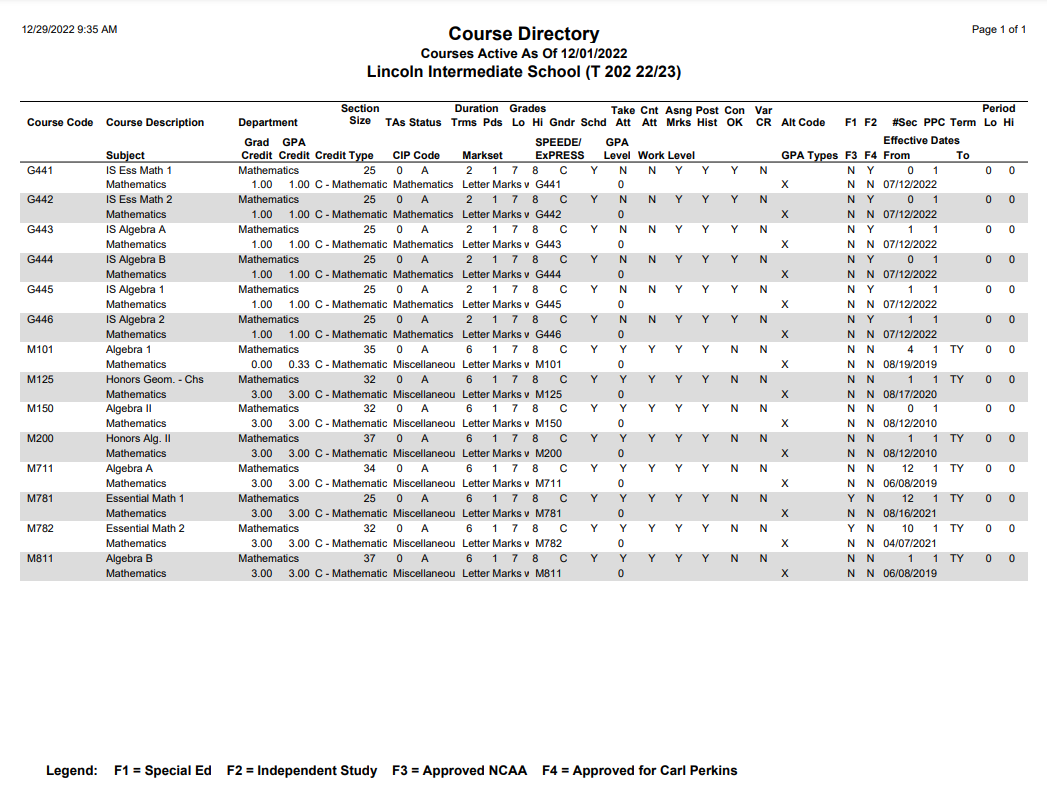
The Course Directory Report prints a list of all courses and their attributes offered by the district or a list of "track courses", i.e., all the courses offered at a specific school site and track within the district.
While details specific to this report will follow, users can find general information about reports within the Reports documentation.
Course Directory Report is located within Reports in the Schedule menu in Q.
Report Options
The Q Course Directory report offers the following options: 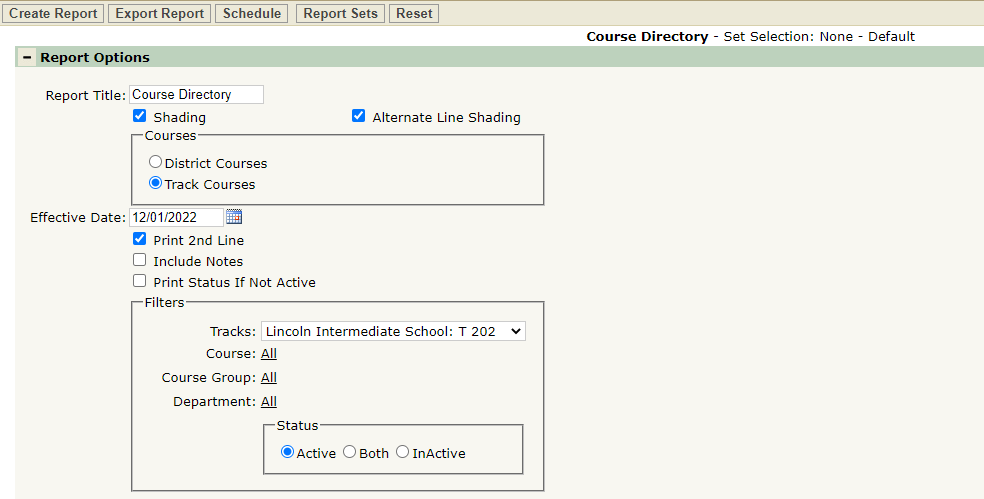
- Report Title—the default title of the report is Course Directory but may be edited by the user.
- Shading—Shading and/or Alternate Line Shading may be selected.
- District Courses/Track Courses—Select if you want to print the entire District Courses listed, or print the report for a specific track.
- Effective Date—Select which Course History records to print. The report will include records as they are defined on the date selected.
- Print Second Line—Check this box to include the following fields from the district courses database for each course record in the report: Grad Credit, GPA Credit, Credit type, CIP Code, Markset, SPEEDE/Express, GPA Level, Work Level, GPA Types, Flags 3&4, Effective Dates, Lo and Hi Grades.
- Include Notes—Check this box to include the “Notes” field from the District Courses database for each course record.
- Track—When the Track Courses option is selected, choose which track to report on from the drop down list of all tracks available for the logged on site.
- Filters—the report defaults to print all courses, course groups and departments, however, it may be filtered to individual selections by clicking the All link and selecting desired options.
Example Reports
Sample Course Directory Report with shading, print 2nd line and include notes