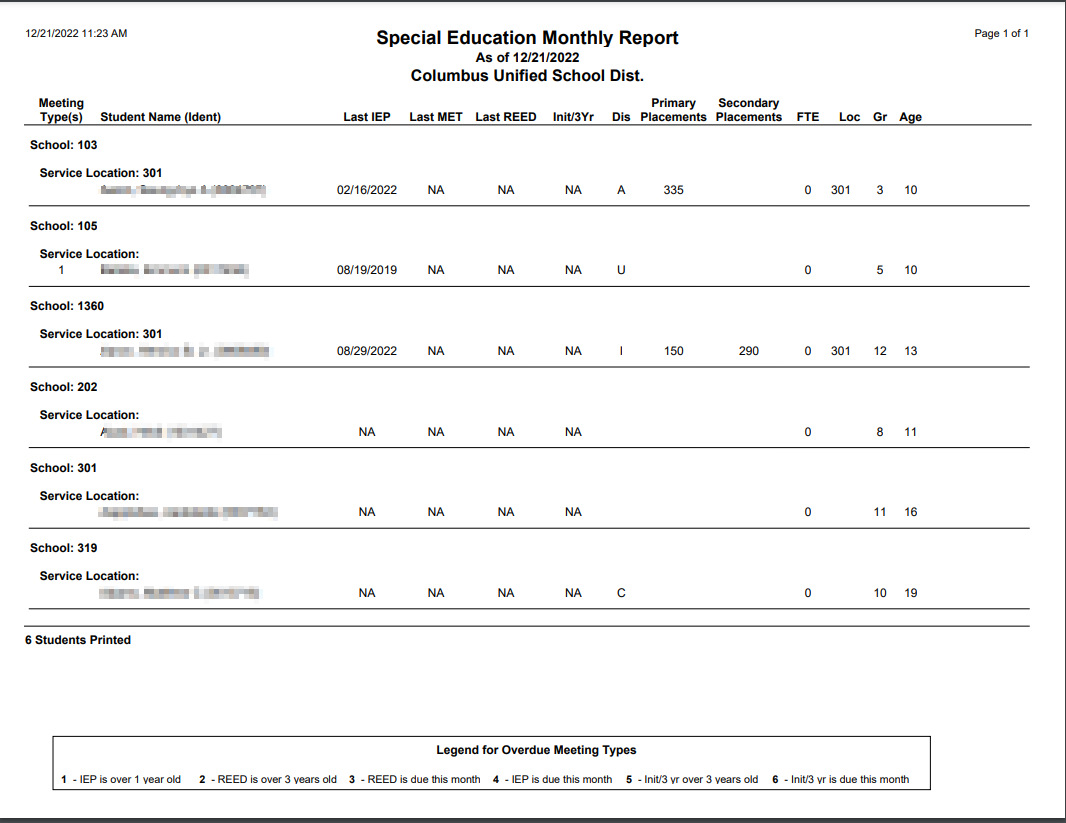
This report produces a list of students with Overdue Special Education Meetings for all meeting types.
While details specific to this report will follow, users can find general information about reports within the Reports documentation.
Special Ed Monthly Summary Report is located within Reports in the Programs menu in Q.
Report Options
Report Options can be accessed by clicking the + sign next to Report Options, or by clicking the Options link on the right hand side of the screen. 
- Once the options are displayed, highlight the desired options.
- The SE Monthly Summary Report can be run:
- For All Resident Districts or selected districts.
- For All Service Locations or selected locations.
- When all options have been selected click Done.

Example Reports