
The Student Medical History Report allows users to create a report based on Student Medical History Records.
While details specific to this report will follow, users can find general information about reports within the Reports documentation.
Student Medical History Report is located within Reports in the Health menu in Q.
- The first items in the report options are Medical History Record fields. Users can pull a report based on Condition, Treatment, Outcome, or a combination of any of the three fields.
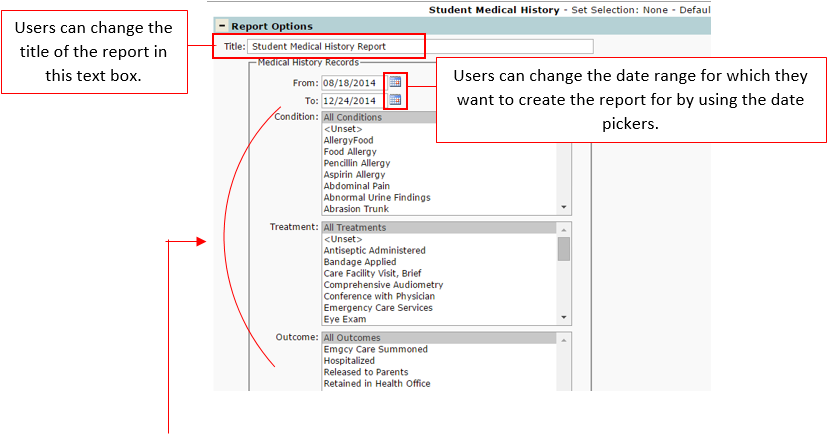
Note: Multiple conditions, treatments, and/or outcomes can be selected at once for a report by holding down Ctrl and single clicking each item to be added.
The other report options, ‘Alert Records’, ‘Include Details’, and ‘Print Options’ allow users to filter down options to be more specific in information that is being returned.
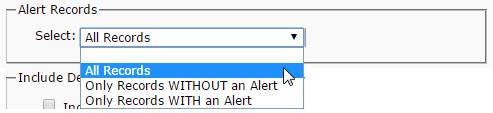
Alert Records allows results to be filtered by all records, only records WITH an alert, or only records WITHOUT an alert.
Include Details allows the option to include Confidential Records and Notes for records.

Print Options allows the user to select if they want to enter a Page Break on Group Change as well as printing with Alternate Row Shading.

