
The Standards History report displays student standards-based marks for prior years in a transcript-style format.
While details specific to this report will follow, users can find general information about reports within the Reports documentation.
Standards History Report is located within Reports in the Behavior menu in Q.
Report Options
Report Options can be accessed by clicking the + sign next to Report Options, or by clicking the Options link on the right hand side of the screen.

The Standards History Report provides the following options:
- Title – A title of the user’s choice may be added to the report.
- Select all or particular grade levels.
- Select all or particular subject areas.
- Two Report Formats may be defined:
- By Grade, then Subject Area.
- By Subject Area, then Grade.
- Include:
- Advisor.
- Counselor.
Example Reports
Standards History Report
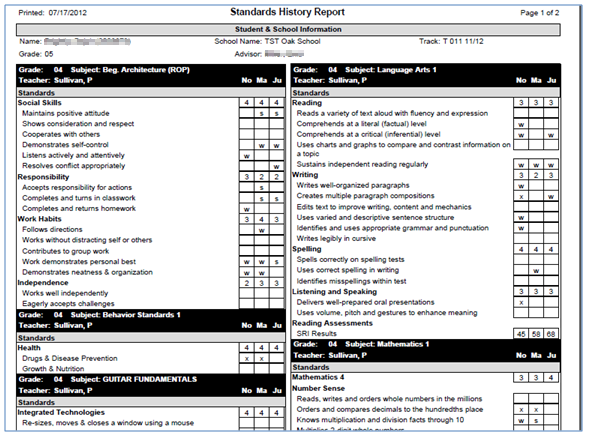
NOTE: Reports may look different depending on options and selections selected.
Videos
